2026
April
28th April 2026
Happy Tuesday! 👋
First up, Corridor Key Toolbox has been renamed to CorridorKey by LateNite.
CorridorKey by LateNite v1.0.0 (Build 6) is currently up on TestFlight for testing. 🥳
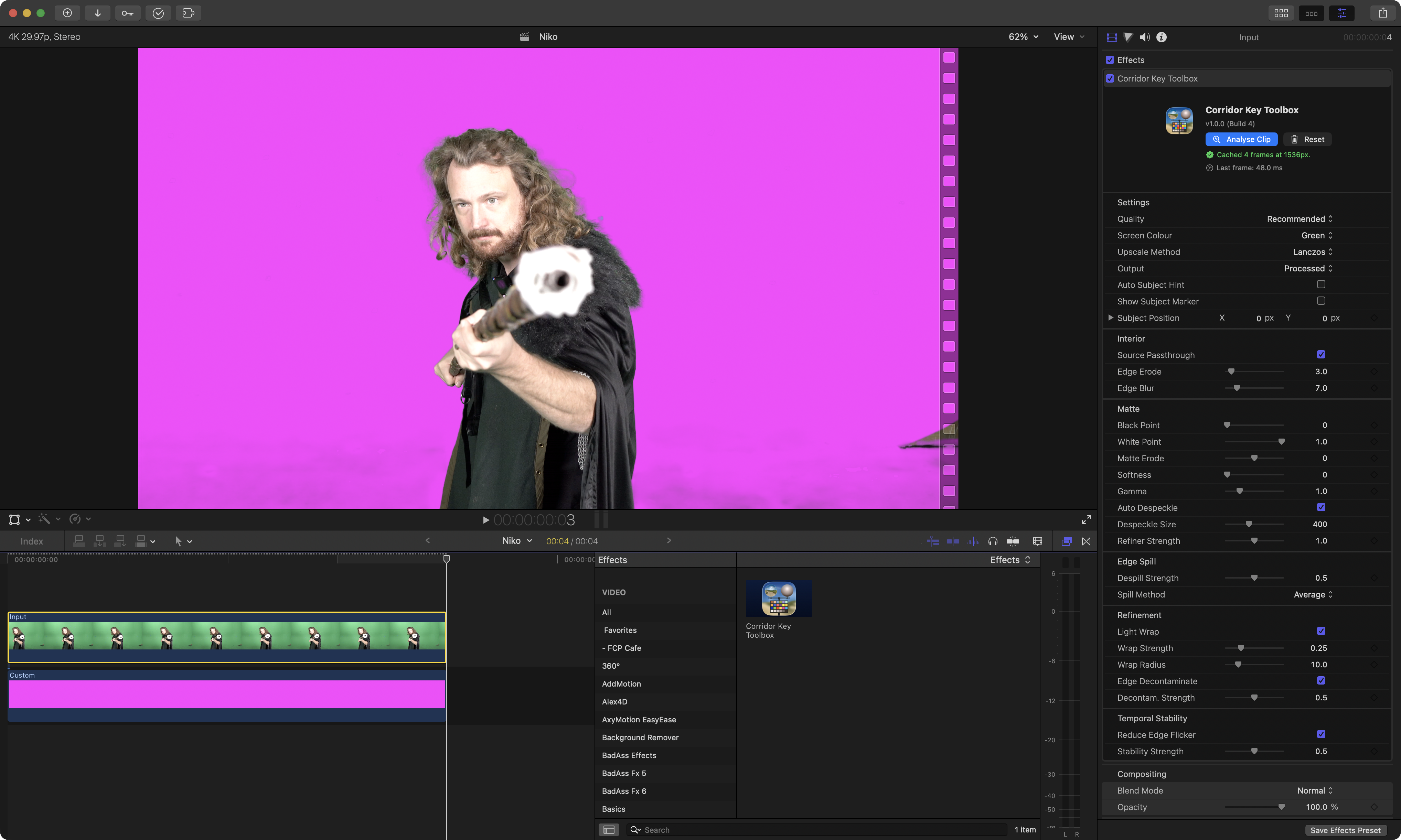
It's been built for Final Cut Pro editors. It gives you all the power of CorridorKey, directly in your Final Cut Pro timeline.
However, there's also a very powerful Standalone Editor too.
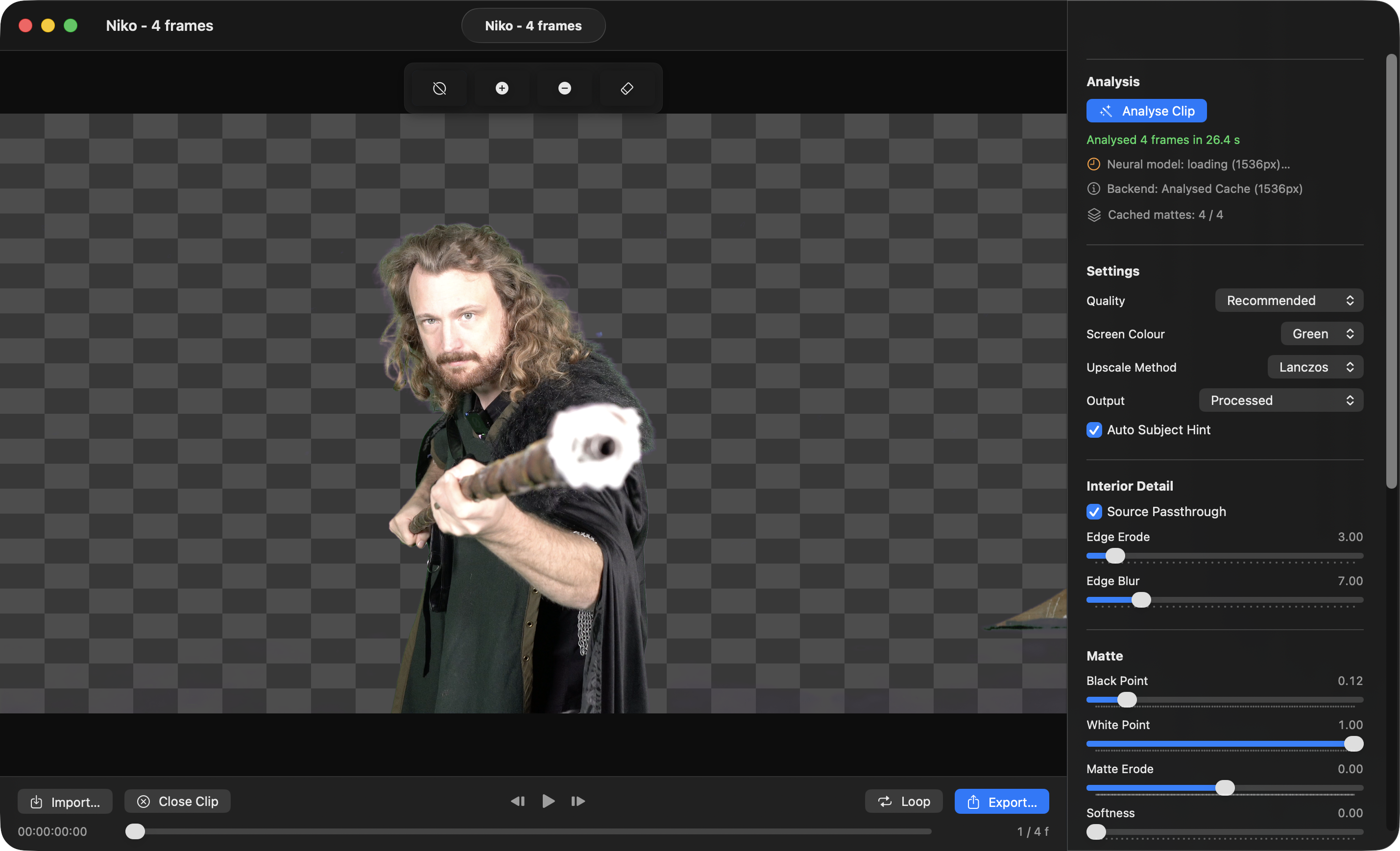
The official CorridorKey repository does work on Mac, however it's written in Python and is not really optimised for the latest Apple Silicon hardware.
We wanted to take the amazing MLX Models compiled by Alexandre Alvaro for CorridorKey-Runtime, and use them in something that's specifically built and optimised for Final Cut Pro and Mac's.
Using the models as a starting point, we wanted to make something that feels native to Mac.
Whilst we have other open source FxPlug effects on GitHub (such as Gyroflow Toolbox), we also wanted to showcase this as a great complex FxPlug, that others can use as a reference - as it has everything, Metal, MLX, OSC, etc.
We hope this will be a great open source resource for people to really dive deep into FxPlug.
CorridorKey by LateNite has been built for Apple Silicon Mac's.
It makes full use of the GPU, Neural Engine, Metal and MPX - pushing the hardware to the max.
If you're working with ProRes or HEVC, it makes use of Apple Silicon's hardware encoders and decoders.
If you enable Auto Subject Hint it uses Apple's Vision Framework to use machine learning to "cut out" any foreground people, to use as a "hint" for CorridorKey.
You can download and learn more on the CorridorKey by LateNite website.
We're currently waiting on the genius that is Matthew Skiles to come up with a new icon - and once that's done, we'll try submit to the Mac App Store as a free download.
Some other fun things I've found online recently...
Graphite is a free, open source vector graphics editor and animation engine, available now in alpha. Get creative with a fully nondestructive editing workflow that combines layer-based compositing with node-based generative design.
You can download and learn more on the Graphite website.
In a world of vibe coding, I found this article super interesting: The West Forgot How to Make Things. Now It’s Forgetting How to Code.
This video from Apple is SUPER fun - you can watch on YouTube:
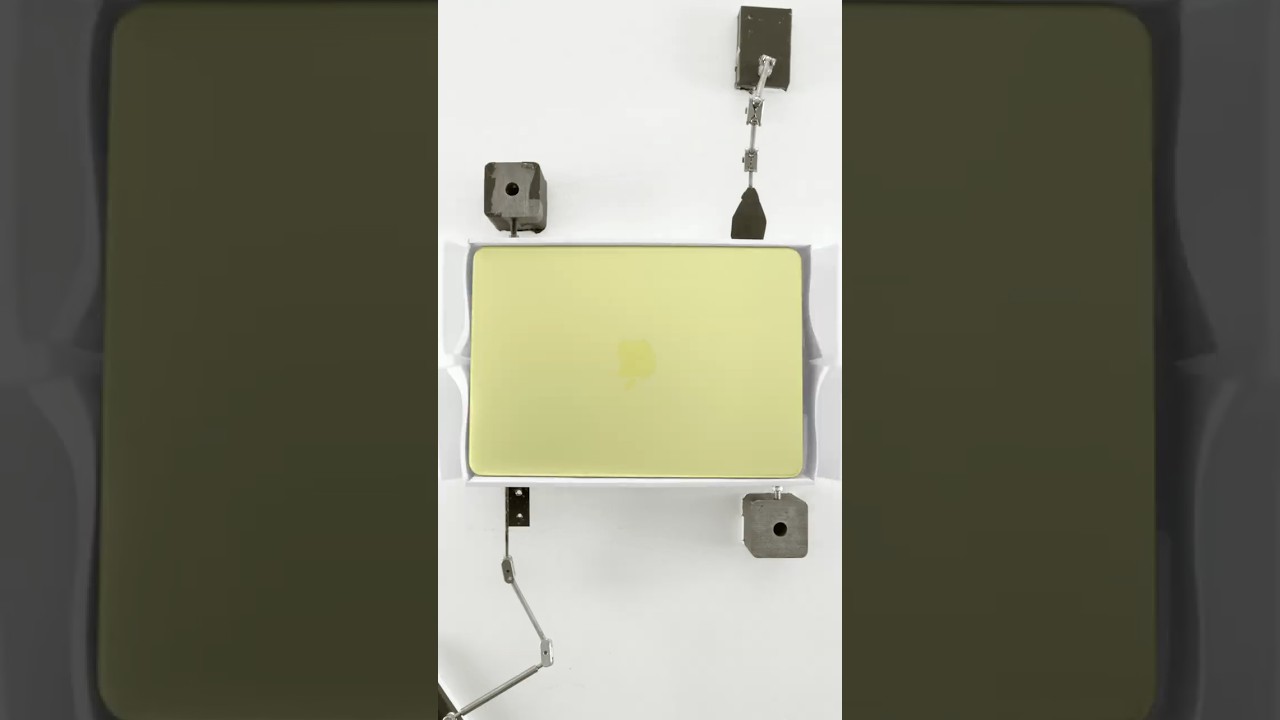
It just goes to show how much fricken work goes into these little videos! Amazing stuff!
And for the real nerds amongst us: MIT’s Secure Hardware Design Class
Thanks team! Chat later!
A while back we reported that Audio Design Desk (ADD) has gone a bit radio silent, and hasn't been updated. It's most like DOA. 😭
We're told that Audio Design Desk will make a formal announcement about what's happening soonish.
In the meantime though, the amazing Ryan Francesconi (the lead developer on ADD) has released some super cool stuff on GitHub:
SPFKBase The foundational layer for the SPFK package ecosystem. SPFKBase provides core utilities, type extensions, and shared infrastructure used across all SPFK packages.
SPFKTime A Swift package for time representation, formatting, and high-precision timing across real-time, timecode (SMPTE), and musical domains. Designed for professional audio/video applications with support for multiple frame rates, tempo-based musical time, and display-linked transport timers.
SPFKPlaylistData
Lightweight playlist data types and definitions extracted from SPFKData.
SPFKAudioHardware
A Swift concurrency-first abstraction over the Core Audio Hardware Abstraction Layer (HAL) for macOS. Provides a type-safe, Sendable interface to audio device management built on actors and async/await.
SPFKUtils A Swift utility library providing UI definitions, audio extensions, and Foundation/CoreGraphics conveniences for macOS and iOS development.
SPFKMetadataBase Pure Swift audio metadata data types extracted from SPFKMetadata. No C++, TagLib, or libsndfile dependency — suitable for lightweight consumers that need metadata type definitions without file I/O.
SPFKMetadata Swift based audio metadata I/O library wrapping TagLib via spfk-taglib and Core Audio to provide unified tag reading/writing, marker parsing, and broadcast wave (BEXT) support across common audio formats.
SPFKTesting A Swift package providing shared test resources and utilities for all SPFK test targets. Bundles a catalog of audio and image files used across the SPFK ecosystem, with platform-aware resource resolution for macOS and iOS.
spfk-taglib TagLib packaged for Swift Package Manager.
You can download and learn more on his GitHub Repository.
In addition to open source projects, he's also released ShadowTag - a professional audio metadata editor for macOS.
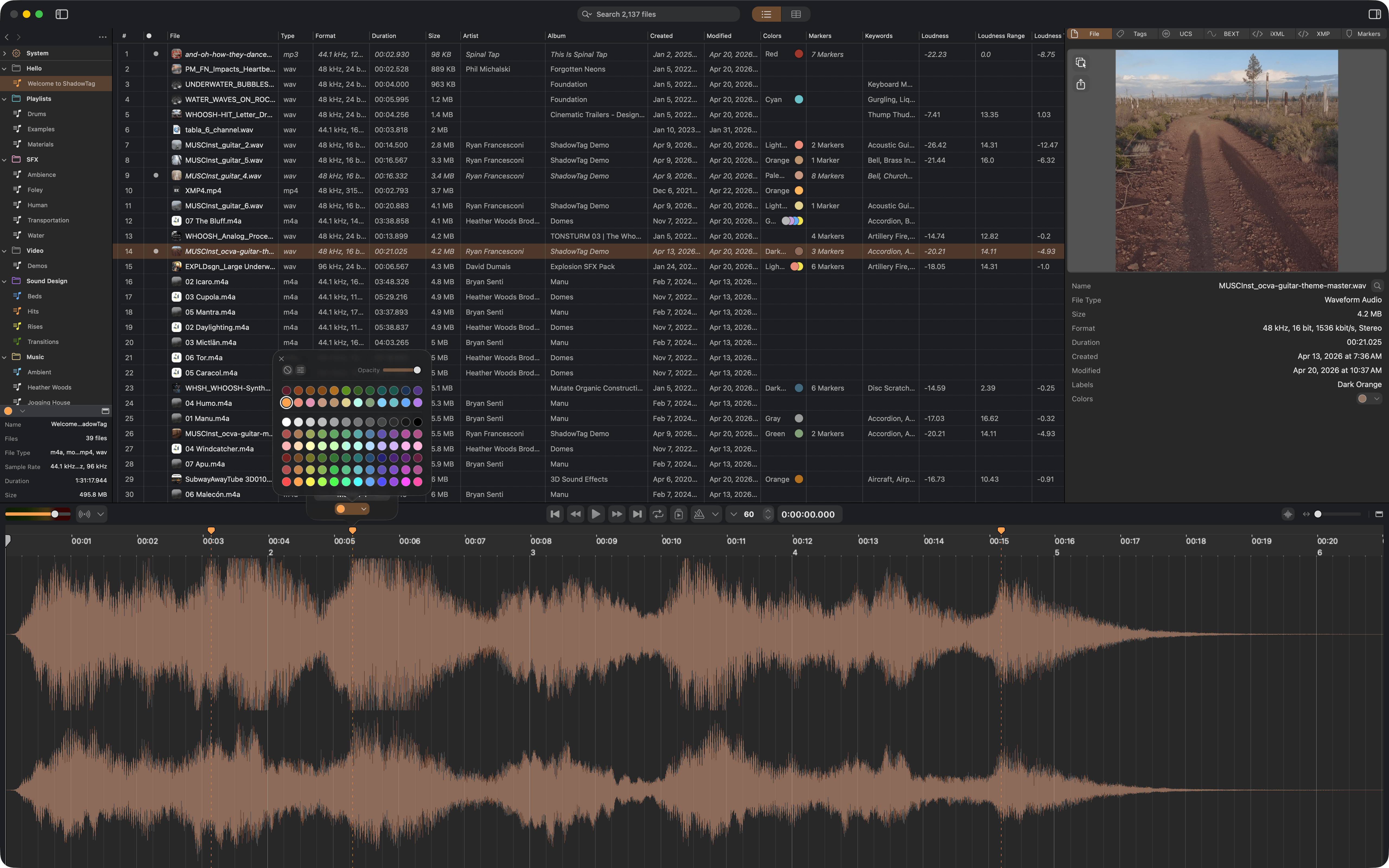
Ryan explains:
Built for sound designers, sample library owners, and post-production teams who need complete, accurate metadata across large collections of audio files.
ShadowTag is a first class modern macOS application. Designed for macOS 26, all tools are multi-threaded and run as fast as possible — scaling across every available core. Process a handful of files or an entire library — the work happens in parallel. ShadowTag is fast.
ShadowTag reads and writes every major metadata standard — ID3v2, Vorbis Comments, MP4 atoms, BEXT, iXML, XMP, and UCS — directly into your audio and video files, keeping your library portable and compatible with any DAW, asset management system, or licensing platform.
Everything is non-destructive to audio. ShadowTag only modifies metadata.
ShadowTag is free, and ShadowTag Pro is USD$99.
You can download and learn more on the ShadowTag website.
It's been a busy time for Wes Plate over at Automatic Duck with lots of new apps out!
Introducing...
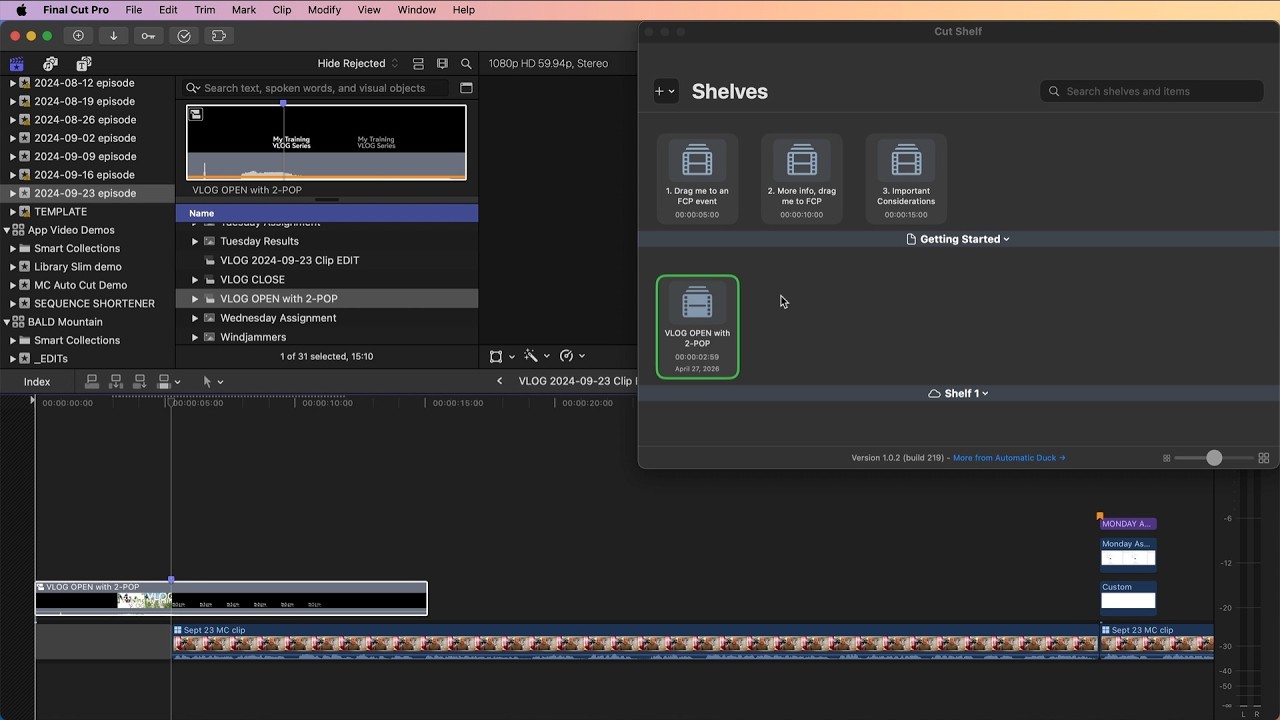
Cut Shelf is an app and workflow extension that acts as a global clip library that you can share across your computers, or even with collaborators!
It's very similar to our own Recall Toolbox - but with a really neat "shelf" concept.
You can use Cut Shelf to store elements like VLOG opens and closes, drag the compound clip from your library to Cut Shelf and the FCPXML is stored in Cut Shelf to be dragged back to a new library or event.
Or use Cut Shelf to share projects and clips with other editors but saving a shelf on shared storage or cloud storage.
You can watch a demo video on YouTube:
You can learn more and download on the Mac App Store.
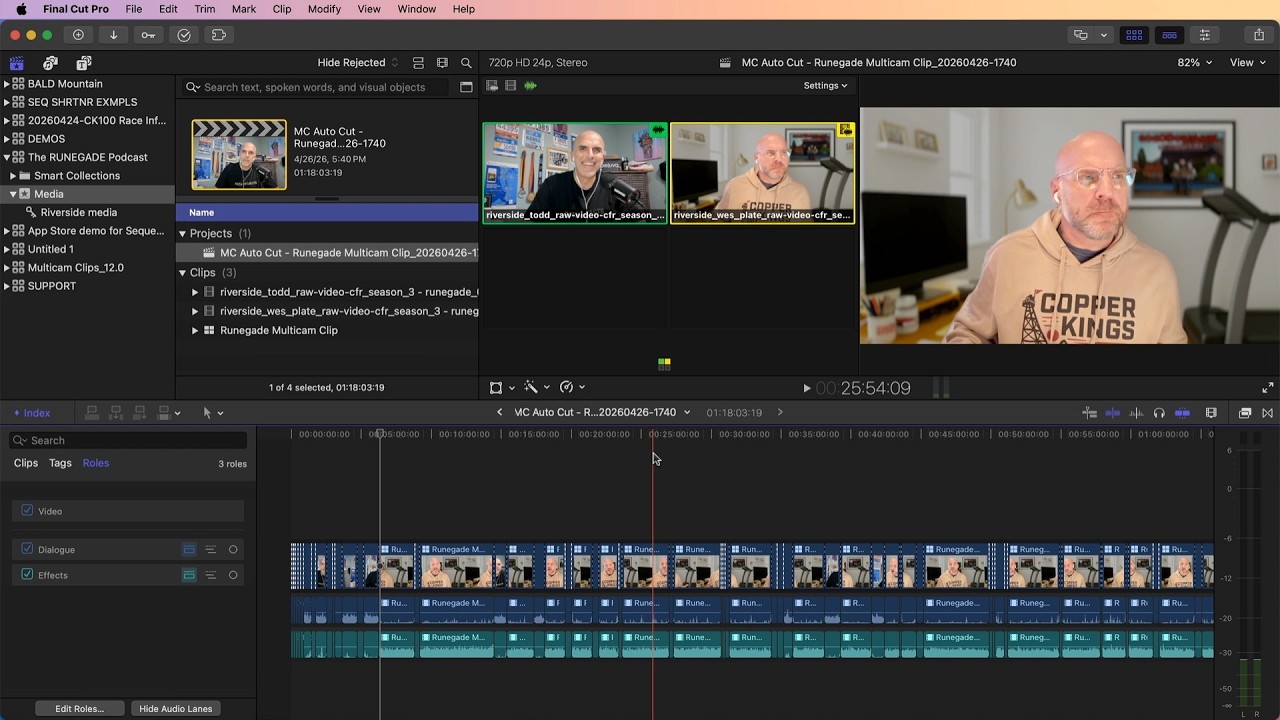
MC Auto Cut is an app and workflow extension that creates rough cuts automatically from your synced multicam clips.
After you sync your angles and create a multicam clip, drag the multicam clip into the MC Auto Cut workflow extension, and then specify whether you want your rough cut based on the angle of the person who is speaking, or you can choose automatic edits based on a specified clip duration.
You can watch a demo video on YouTube:
You can learn more and download on the Mac App Store.
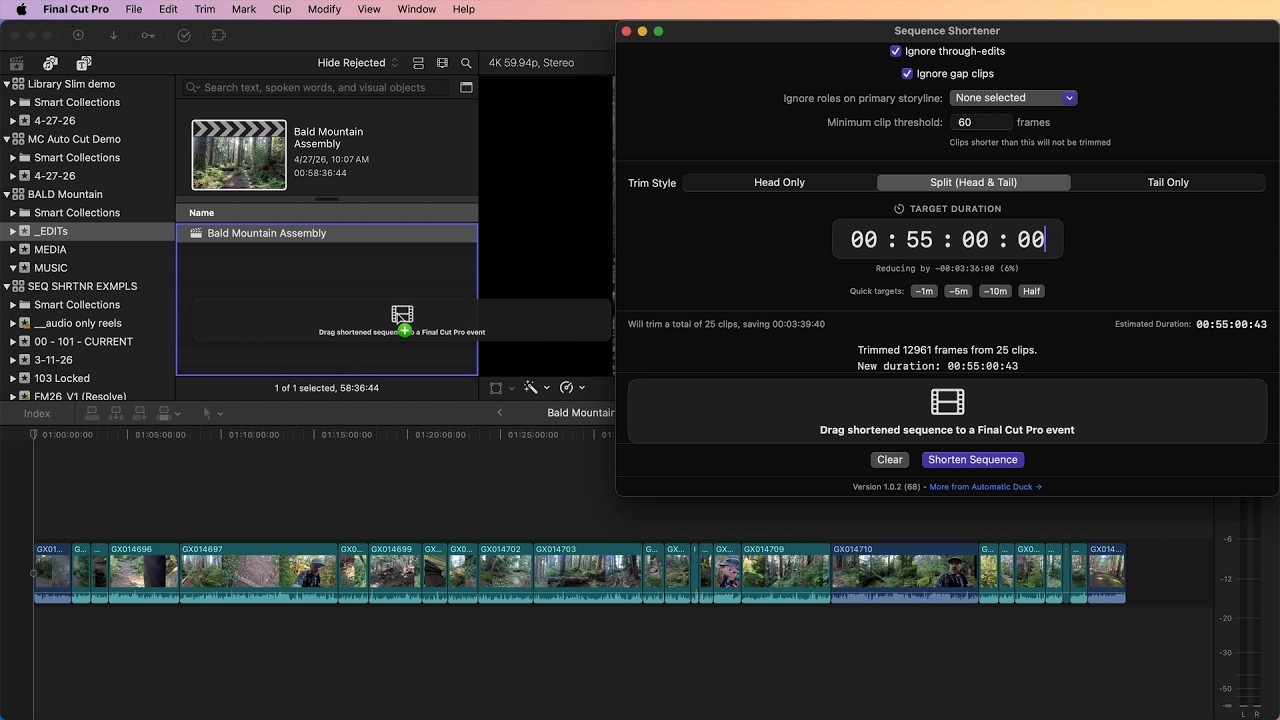
Sequence Shortener is an app and workflow extension that shortens sequences by trimming every eligible clip in your timeline by a small amount that you specify.
You can choose to ignore clips based on role, ignore through edits and gaps, and also choose the a duration not to allow clips to go below.
Sequence Shortener is great for quickly shortening a rough cut to get it closer to your desired duration.
You can watch a demo video on YouTube:
You can learn more and download on the Mac App Store.
Then there's Library Slim.
Embedded media in a Final Cut Pro library can be convenient, but sometimes you wish your embedded media was external to the library bundle.
Library Slim makes it easy to move your embedded media files out of your library bundle, replacing them with links to the media’s new location.
You can watch a demo video on YouTube:
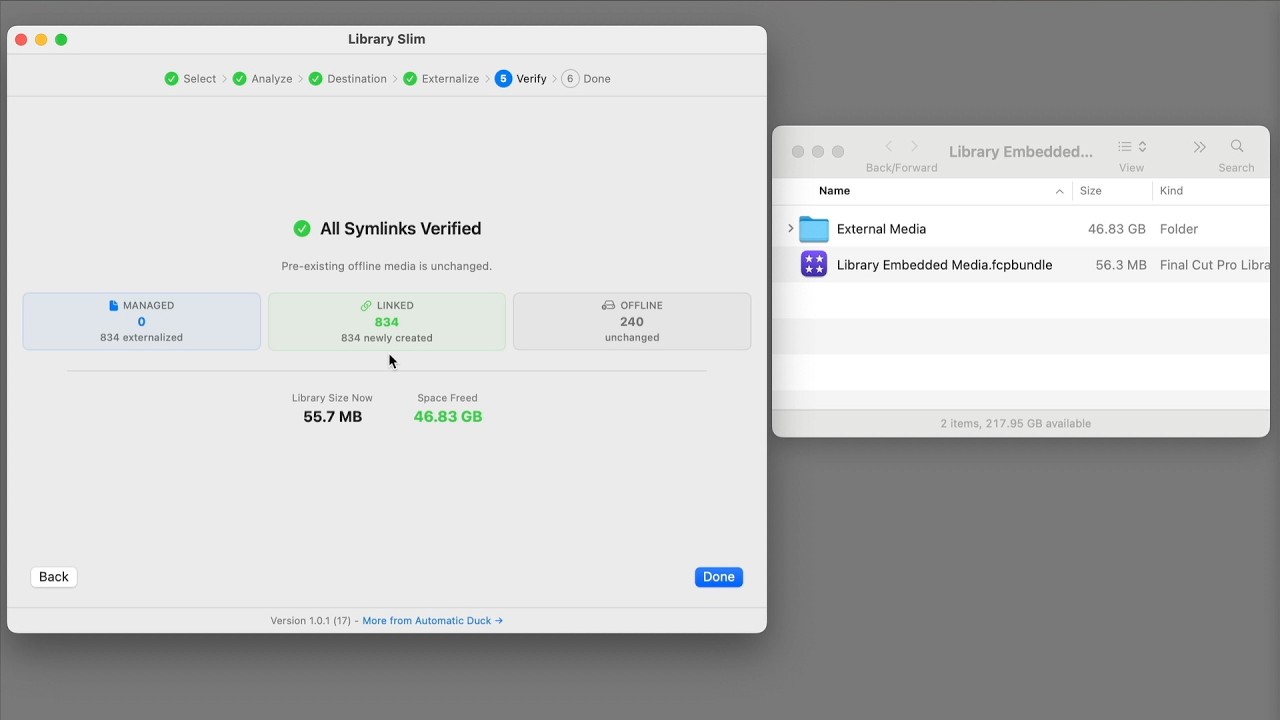
You can learn more and download on the Mac App Store.
Gotta collect them all!
You can learn more about the full range of their apps on the Automatic Duck website.
ATEM TO FCP v1.5.3 is out now:
- DSK USK Color Source Fix
- Previously, when a Downstream or Upstream Key used a Color or Black source as fill (instead of a camera or graphic), the key events were silently ignored and omitted from the exported timeline. They are now correctly exported as Color Generator clips in their respective key lanes, matching the on/off timing recorded by the ATEM switcher.
You can download and learn more on the Mac App Store.
First Rush v1.0.2 is out now.
This release includes the following changes:
- Preview stutter fix — the "monitoring goes choppy after 5 minutes" several of you reported. Two layers: SwiftUI rebuild storm at 24Hz timecode callbacks, plus Metal preview was polling at 60Hz regardless of source FPS. Both gone.
- DeckLink color match — preview now matches the recorded file exactly. The 0.9.18 sRGB encoding chain was subtly desaturating preview vs. ProRes output.
- Slate filename edits stick — delete
_C/_Sfrom your name format and it stays deleted across mode changes. Each mode (Standard/Drama/ARRI/Custom/Test) now remembers its own customizations. - New: Test Clip mode — 5th slate mode for lighting/lens/rehearsal takes. Records as
S01_C03_TEST-01-Astyle, doesn't touch the main take counter, auto-tags keyword: test for FCP/Resolve smart filtering. - Burn-in TC + source name — actually bakes into the file now. Was a UI-only toggle before, embarrassing miss but finally wired through end-to-end.
- ~50 smaller fixes across capture pipeline, writer error UX (disk-full / permission-denied properly surfaced now), AudioMixer thread safety, FCPXML NTSC frame duration was inverted (!), DeckLink/AJA exception boundaries, license key Keychain migration.
You can download and learn more on the First Rush website.
SpliceKit v3.3.8 is out now.
It has the following changes:
🐞 Bug Fixes:
- Crash fixes from Sentry triage: silences false-positive 'FCP terminated shortly after launch' Sentry events on normal user quits.
- Suppresses Xcode CLT prereq from crash dashboards.
- Ships
whisper-transcriberso the Whisperlarge-v3/large-v3-turboengines in the social captions panel actually work. - Hardens
NSTasktermination handling in transcript/caption transcription paths. - Fixes a playhead-overlay
UAFduring timeline teardown. - Rejects malformed
RPCparams instead of crashing. - Fixes a string-argument crash in
system.callMethodWithArgs.
You can follow along the adventure over on the FCP Cafe Discord.
You can download and learn more on the SpliceKit Website.