2026
April
23rd April 2026
Happy Thursday! 👋
First up, I came across this new YouTube Channel, which I think is going to be pretty awesome.
Joanna Stern writes:
It’s finally here! The new thing I’ve been building for the last few months: New Things!
It’s a newsletter. It’s a video series. It’s independent tech journalism. And yes, it’s fun!
Today we launched our YouTube channel with a video about why I left The Wall Street Journal, what we're building with this new publication and a cameo from the great Casey Neistat, who encouraged me to do my own thing long ago.
We also launched our newsletter on beehiiv. The design looks fantastic, and I hope you’ll find the reporting and stories even better. Sign up to become a paid member now!
Thank you to all the humans—and yes, the AI—joining me on this wild ride, especially David Hall and Amaya Austin. Read more about them on our new website. Truly a dream team. And a huge shout-out to Kenny Wassus for making my home studio look offensively good, and to Jason Snyder and Briana Feola for the gorgeous branding and hand-drawn font.
Please watch, subscribe and come see what we’re building!
The first episode of New Things is titled Why I Left My Prestigious Job to Make YouTube Videos.
You can watch on YouTube:

I think this is going to be a really fun channel to follow along, so please, like and subscribe, like and subscribe.
It's also update day, and new product announcement day! 🥳
First up... After a month of heavy beta testing and eight TestFlight releases, Keyframe Toolbox v1.1.0 (Build 39) is out now!
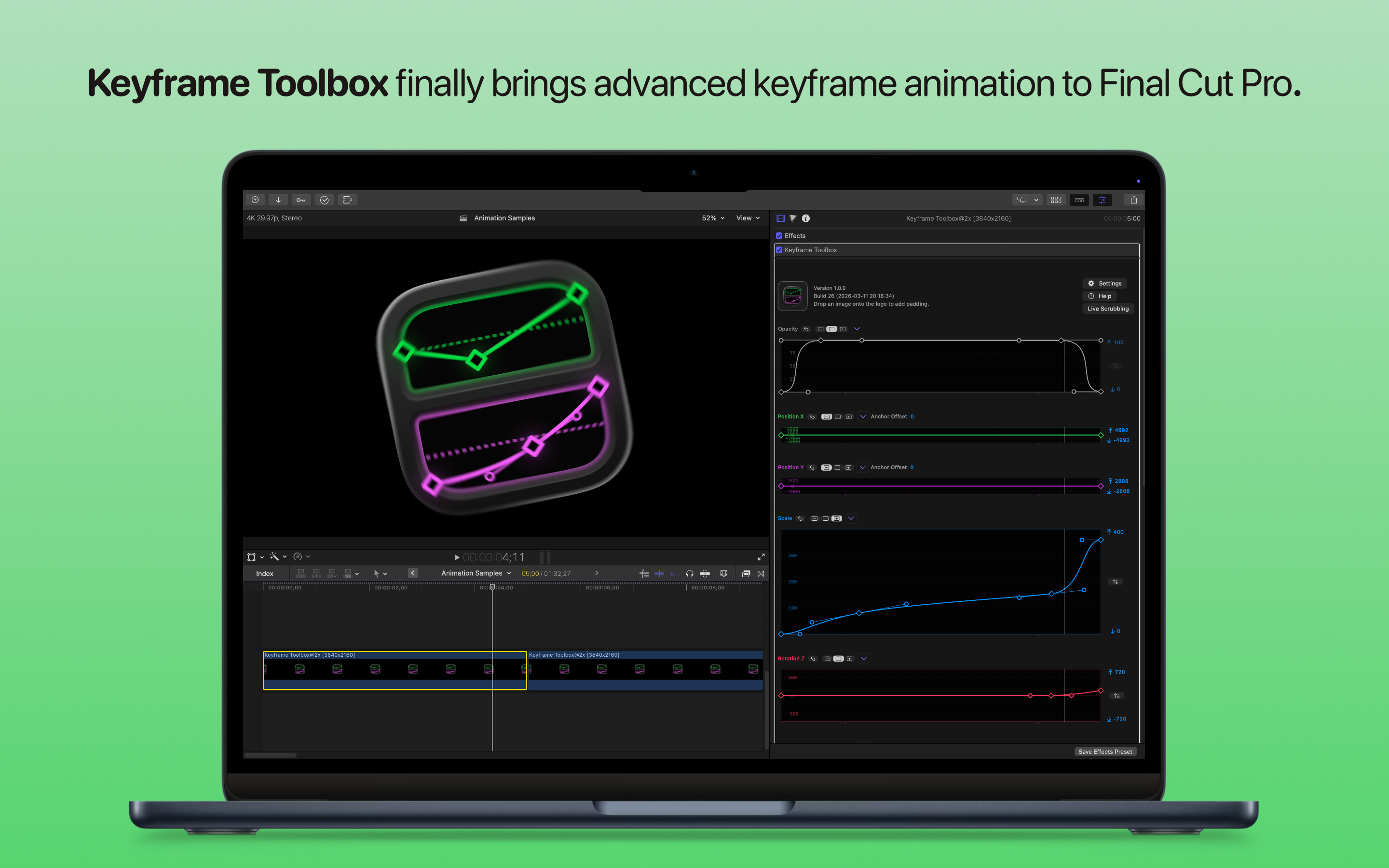
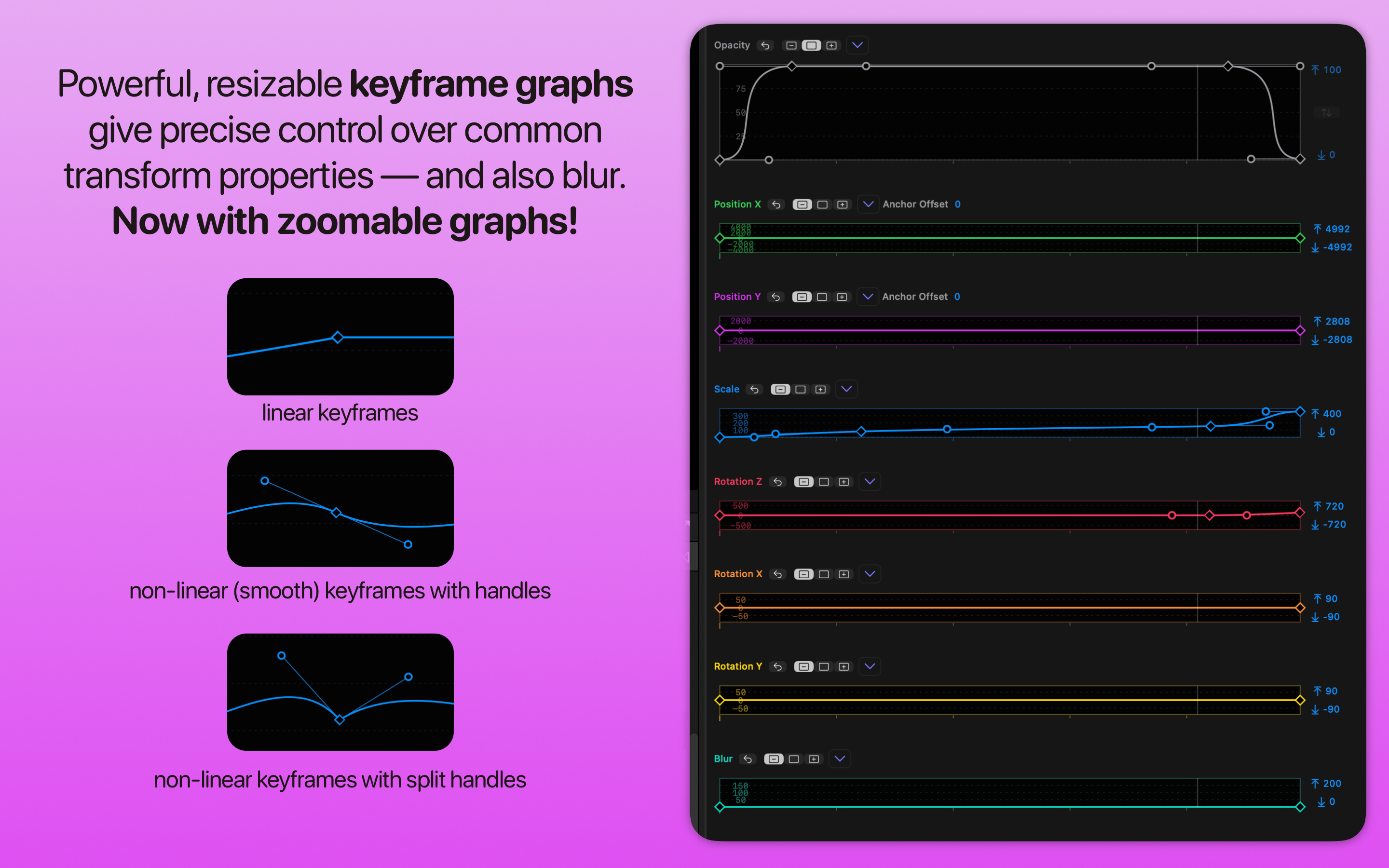
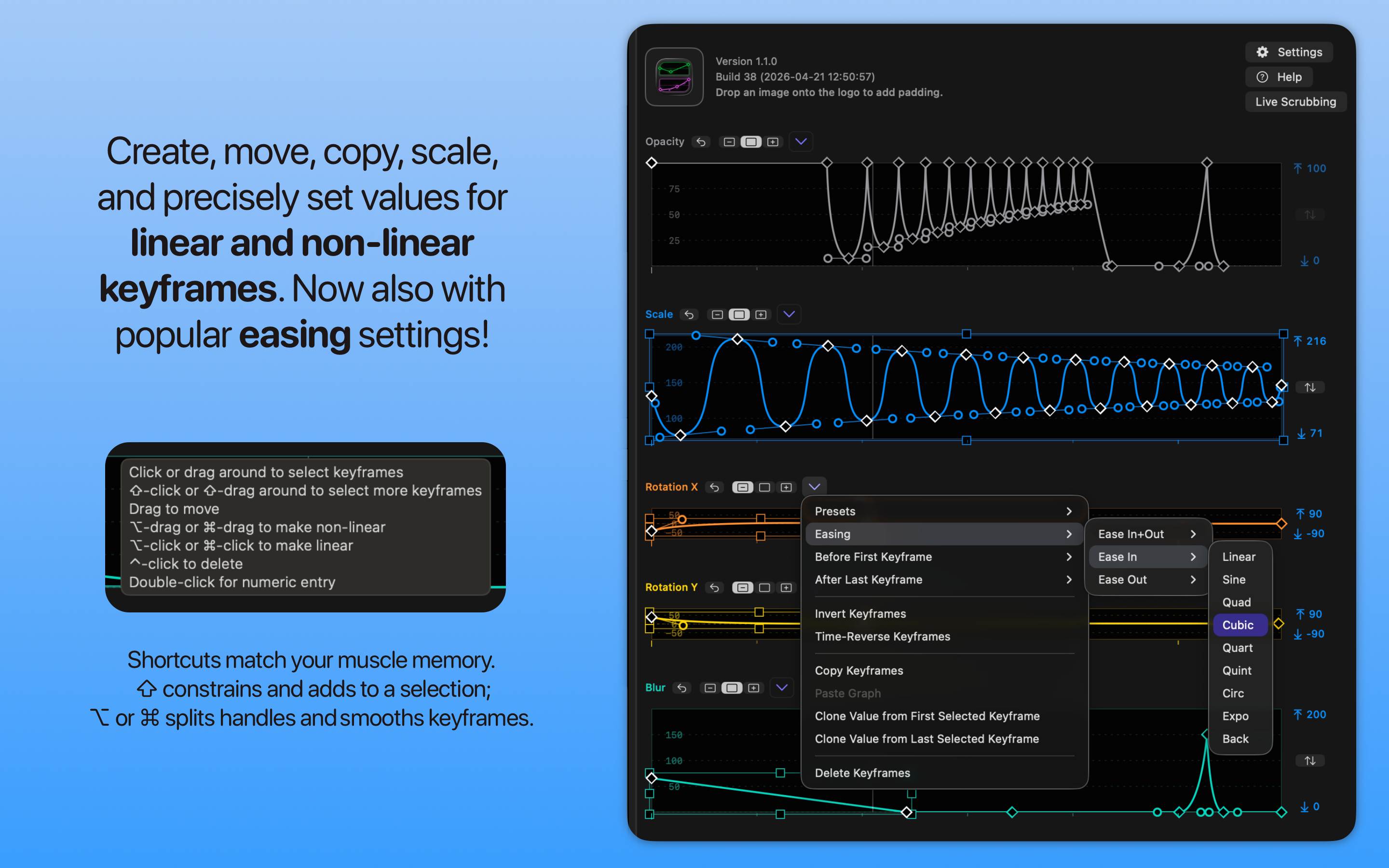
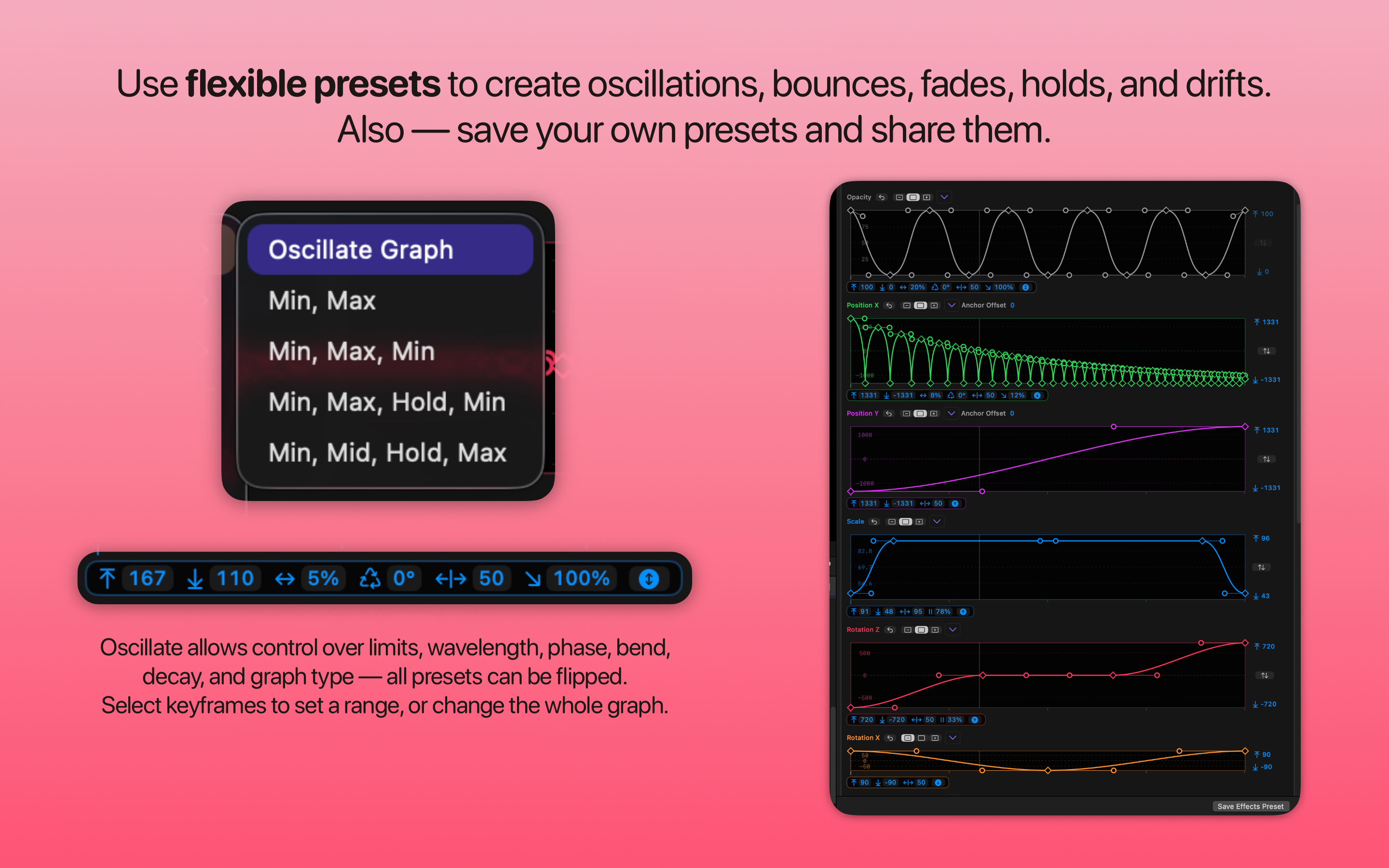
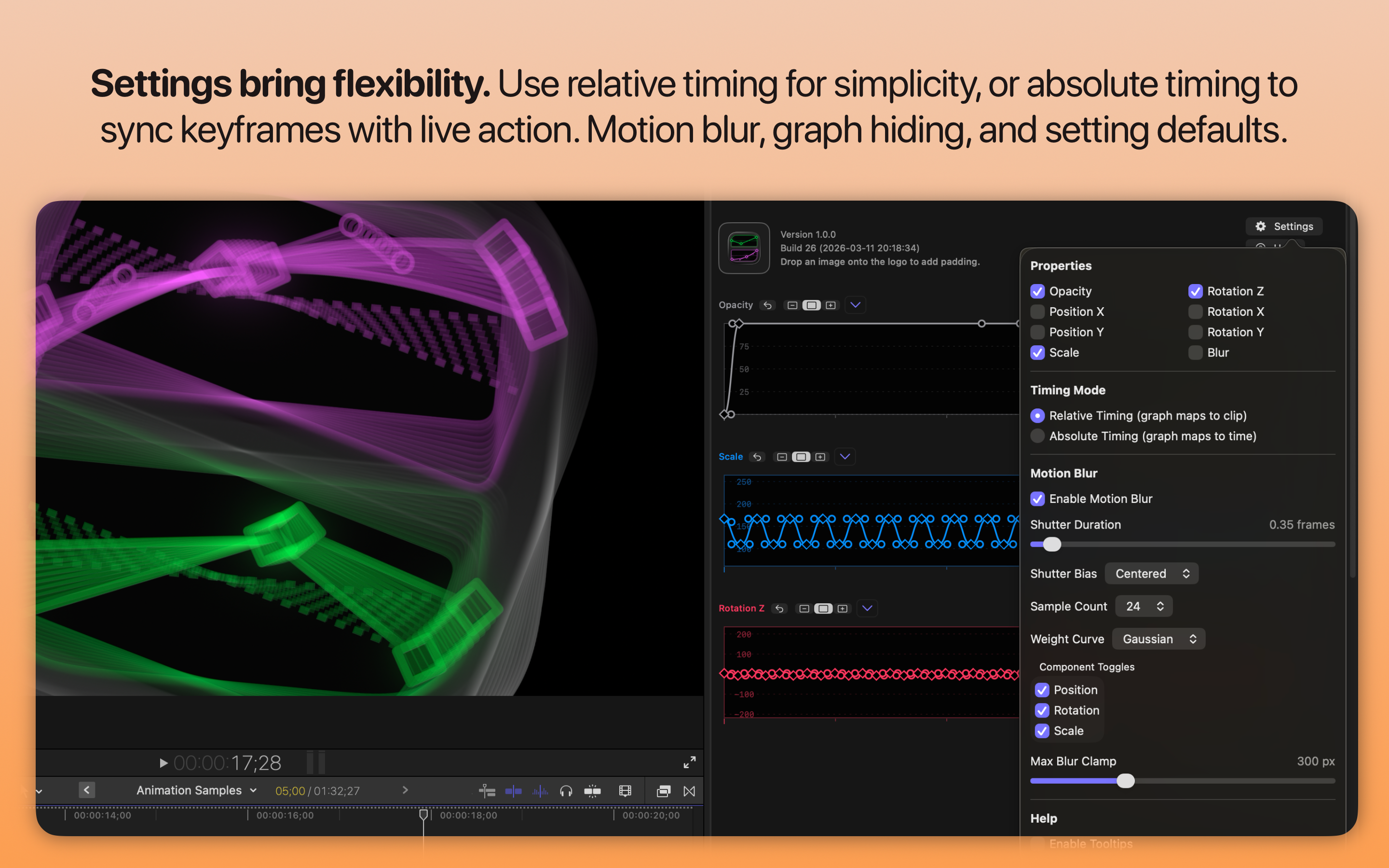
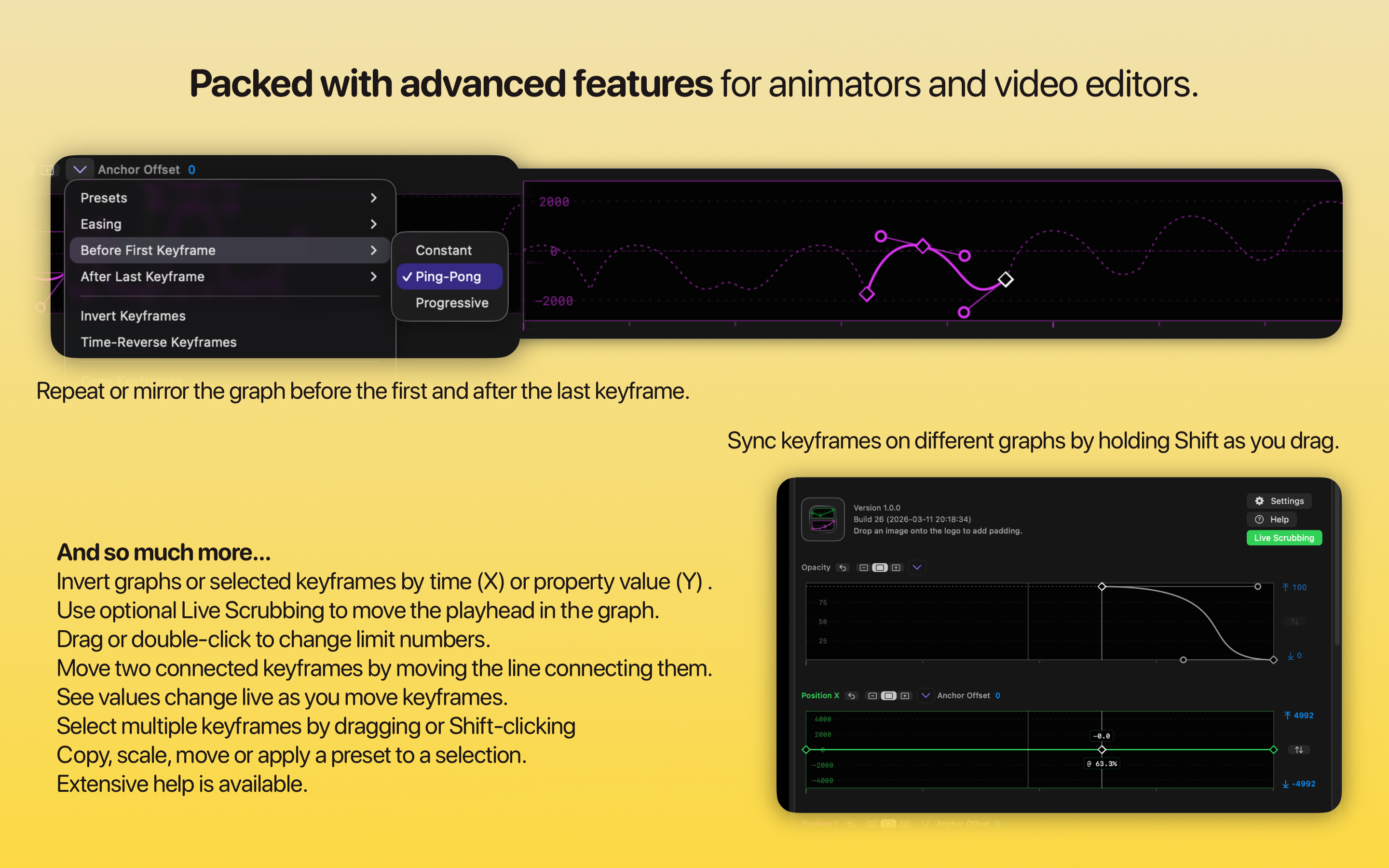
It contains the following changes:
🔨 Improvements:
- Clicking the name of a property creates a keyframe at the current time, maintaining the current graph shape.
- Shift-clicking a property name creates a keyframe on all graphs. Thanks for requesting, Honusan and others!
- Related — clicking the name of a property while over a keyframe (or double-clicking the keyframe property name) opens that keyframe for numeric editing. Thanks for requesting, Honusan and others!
- Graphs can now be zoomed horizontally. Use two fingers on a trackpad or hold option while scrolling. Alternatively, double-click in empty space to zoom in to show just 25% of the graph width. When zoomed in, a scroll indicator at the bottom shows the visible part of the total graph. This can be dragged manually. Alternatively, you can scroll with a horizontal scroll on a trackpad or by holding shift while using a scroll wheel. Thanks for requesting, Jake, Honusan and others!
- Presets can be saved, using the new Save Preset option at the end of the Presets menu. When you apply one of your own presets, you’ll be able to control limits, scale handles up or down, and flip the preset as you can with the other presets. Thanks for requesting, cinestillsamurai, Honusan and others!
- Use Manage Presets, in the same menu, to reveal a folder containing all your presets. Share presets with your friends if you wish!
- Renaming presets renames them in the menu; deleting them removes them.
- Easing has been added to the graph menu and right-click menu, for Ease In, Ease Out, or Ease In+Out, for many common curve types (Linear, Sine, Quad, Cubic, Quart, Quint, Circ, Expo, Back). If you’re a fan of Easy Ease in After Effects, try Sine here. Note that selecting two or more keyframes applies easing to the curves between the presets, while selecting a single keyframe applies easing to the handles around that keyframe. Thanks for requesting something like this, Alex Gollner!
- Clicking on a line connecting two keyframes selects both keyframes. This makes it easier to apply easing to the graph between two keyframes. (Note that double-clicking on a line still creates a new linear keyframe.)
- Settings can now be saved as default. If you always want to use Motion Blur and Absolute Timing, set your preferred options, then press the new button at the bottom of the Settings panel. This affects new instances of Keyframe Toolbox. Thanks for requesting, Honusan!
- In Absolute Timing mode, time is now shown in frames and timecode. If a clip is less than a minute long, only seconds and frames are shown. Thanks for requesting, Honusan!
- Several improvements to numeric editing.
- When you double-click a keyframe, the playhead moves to that frame so you can see your changes directly.
- When editing values numerically, use up/down to change by 1, ⇧-up/down to change by 10, and (new!) ⌥-up/down to change by 100.
- Changing values with arrow keys now immediately updates a keyframe or handle.
- Left and right arrow keys now switch to editing neighbouring keyframes (and move the playhead) so you can easily edit all values in a graph numerically if you wish.
- If you wish, hold Command while using the scroll wheel to move the playhead.
🐞 Bug Fixes:
- Important: property changes now more closely follow extreme graph curves. Please check any existing animations to make sure they're still doing what you want; very minor tweaks may be needed.
- Scrolling behavior is more consistent.
- It's easier to select groups of keyframes.
You can download and learn more on the Keyframe Toolbox website.
Secondly... After a month of heavy beta testing and six TestFlight releases, ScriptStar v1.5.0 (Build 26) is out now!
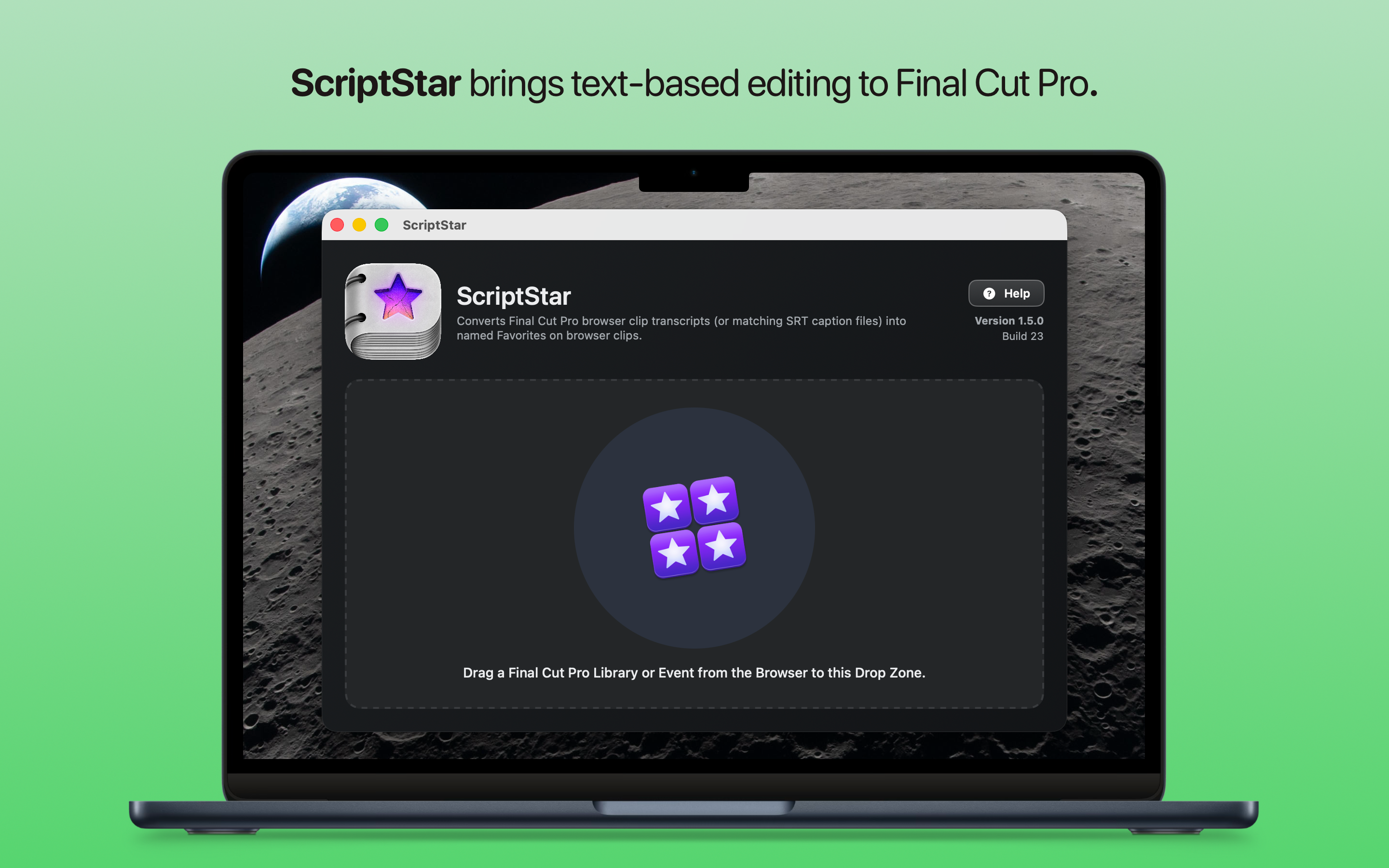
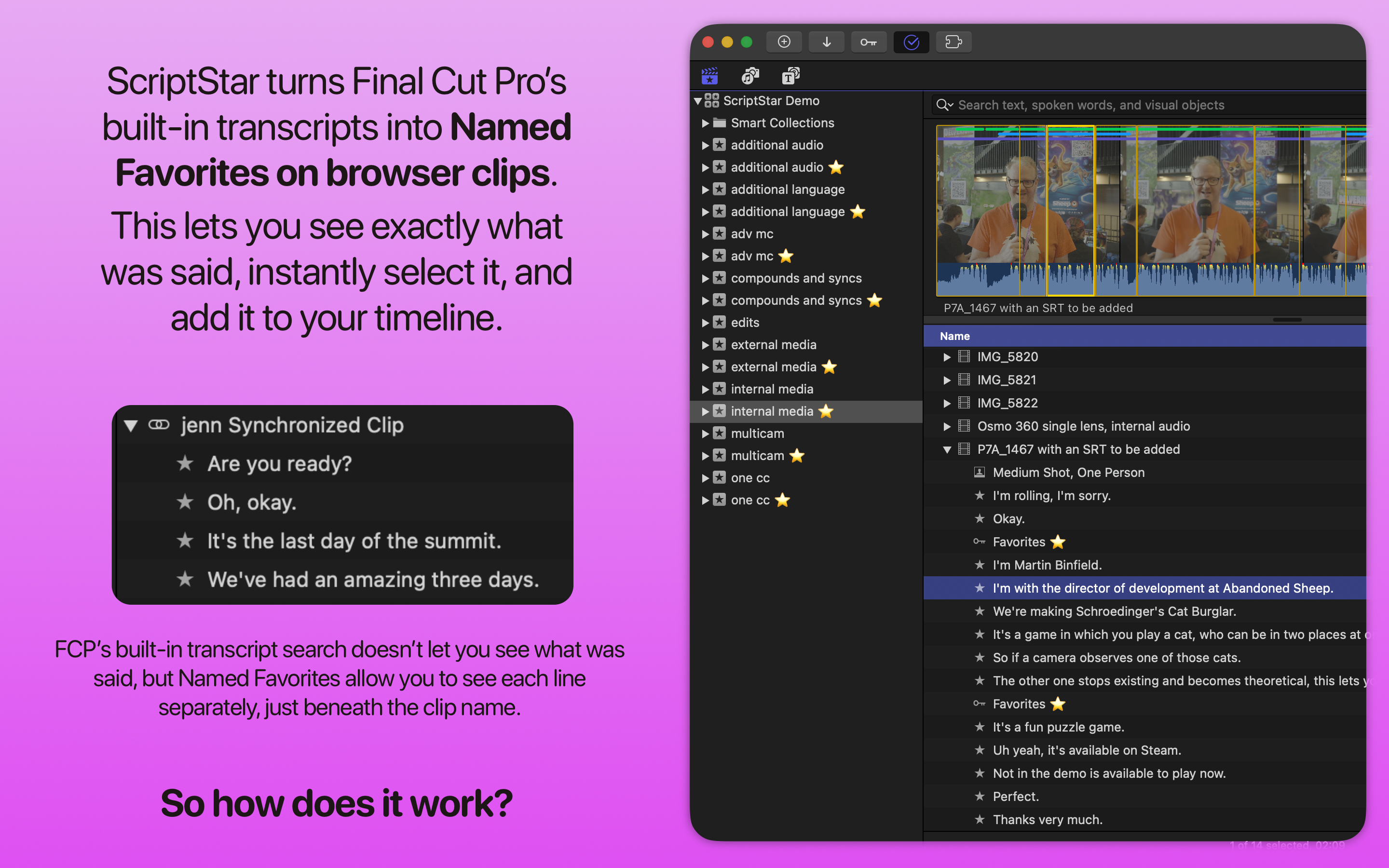
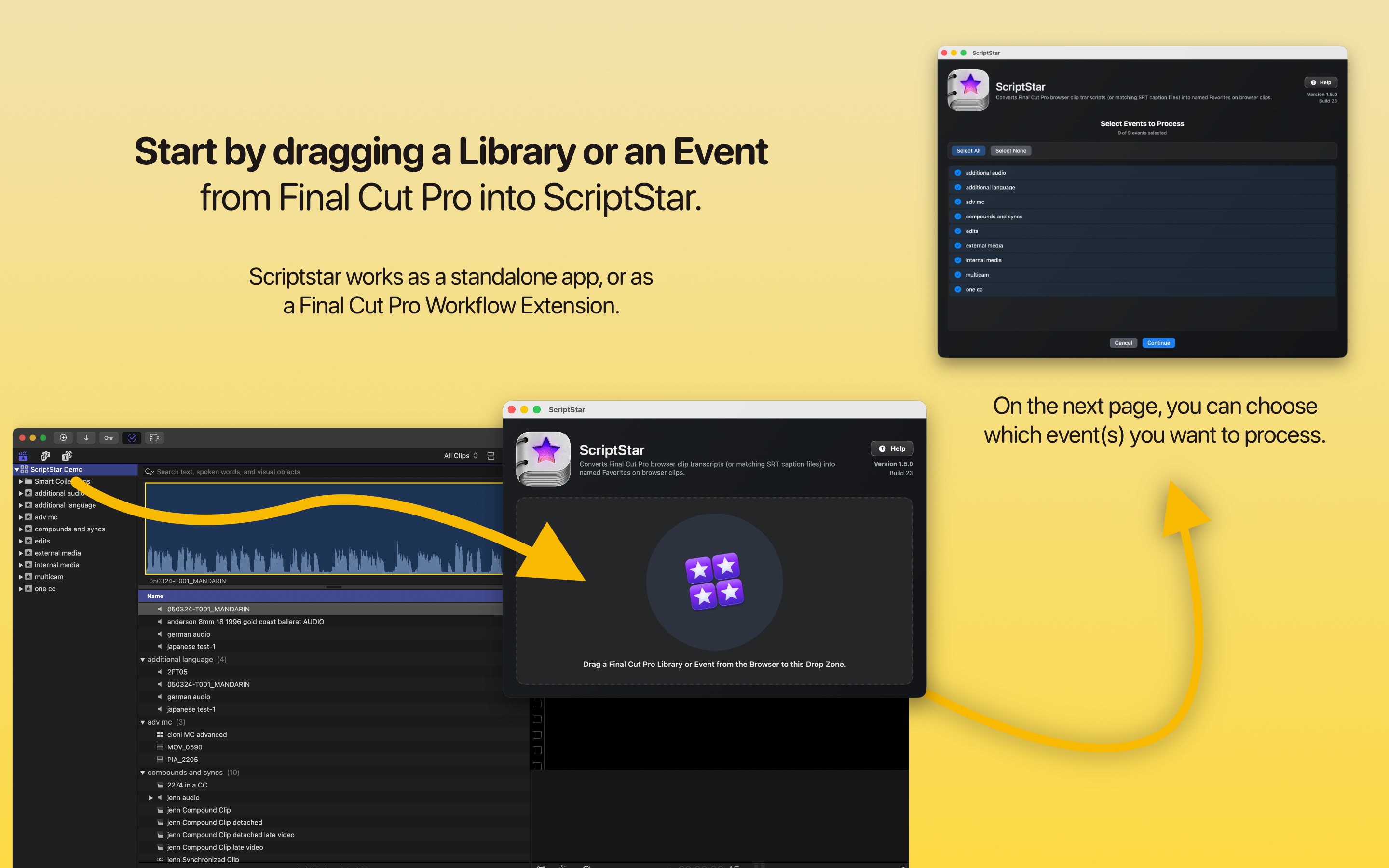
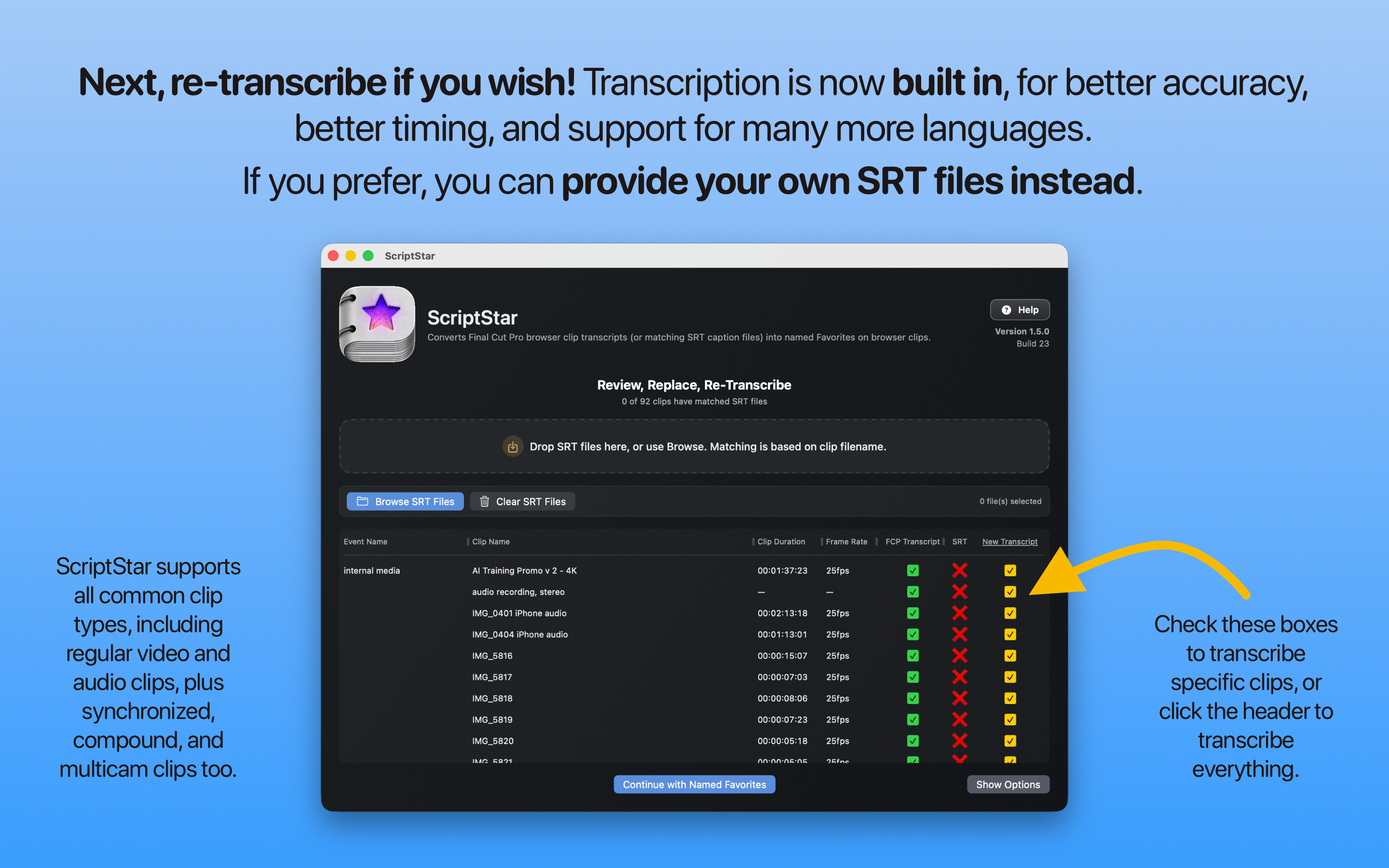
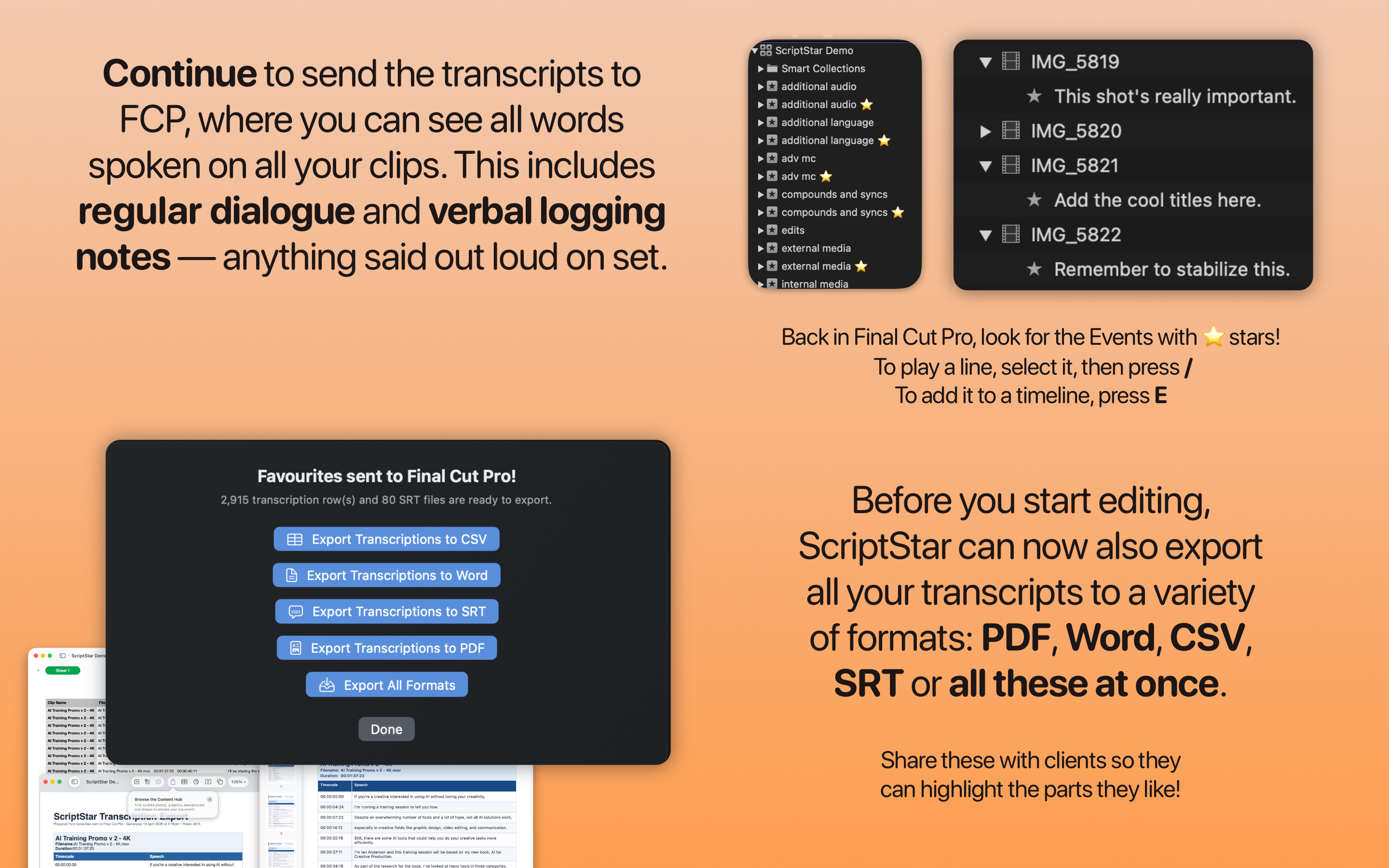
This release includes local transcription with downloadable models! You'll find all the changes on the page where you can add SRTs and kick off the processing.
To create a New Transcript for any clip, whether it's been transcribed by Final Cut Pro already or not, just check the box for that clip in the New Transcript column, or click the New Transcript column header itself to check that box for all clips.
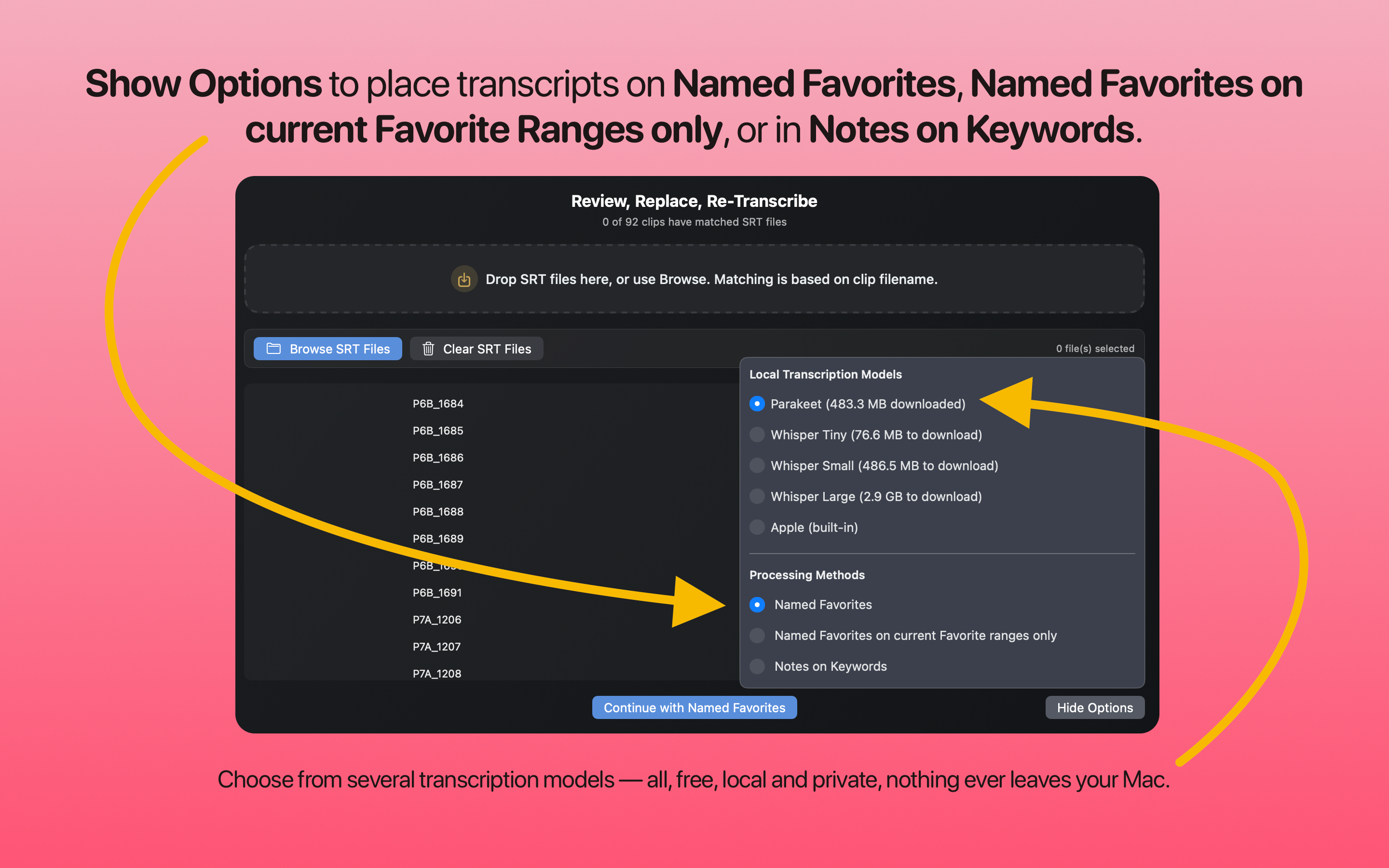
All transcriptions are local, private, free, and never leave your Mac.
Models include:
- Parakeet v3 (fast, multiple European languages)
- Whisper v3-large (slow, but includes Asian languages like Chinese and Japanese)
- Apple's SpeechTranscriber model that's built in (fast, but not as accurate as the other models, and seemingly the model Final Cut Pro uses natively, with poor multi-language support).
You can choose the model to use in the Options panel, and the first time you transcribe, the model will download automatically, displaying a progress bar as it does so.
For the most accurate timing, don't use the built-in transcripts — just re-transcribe with Parakeet. It's fast, and the timing is more accurate than Final Cut Pro's own transcripts.
You shouldn't need to manage these models, but if you try Whisper and find it doesn't work for you, just hold COMMAND+OPTION as you choose that option to delete its files.
You can download and learn more on the ScriptStar website.
Finally, because apparently I have too much free time and not enough apps to wrangle, I've got something new to share...
Back on 15th March 2026 I posted:
Our good friends at Corridor Digital have got into the software development game, and it's impressive!
They've released a new website video on their Corridor Crew channel titled, It Took Me 30 Years to Solve this VFX Problem.
You can watch on YouTube:
You can join their Discord Community too.

Since then they've posted another epic video titled, I accidentally started a green screen revolution...
You can watch on YouTube:

I've known the Corridor Crew for a long time, and have caught up with Wren and the gang a few times over the years at NAB.
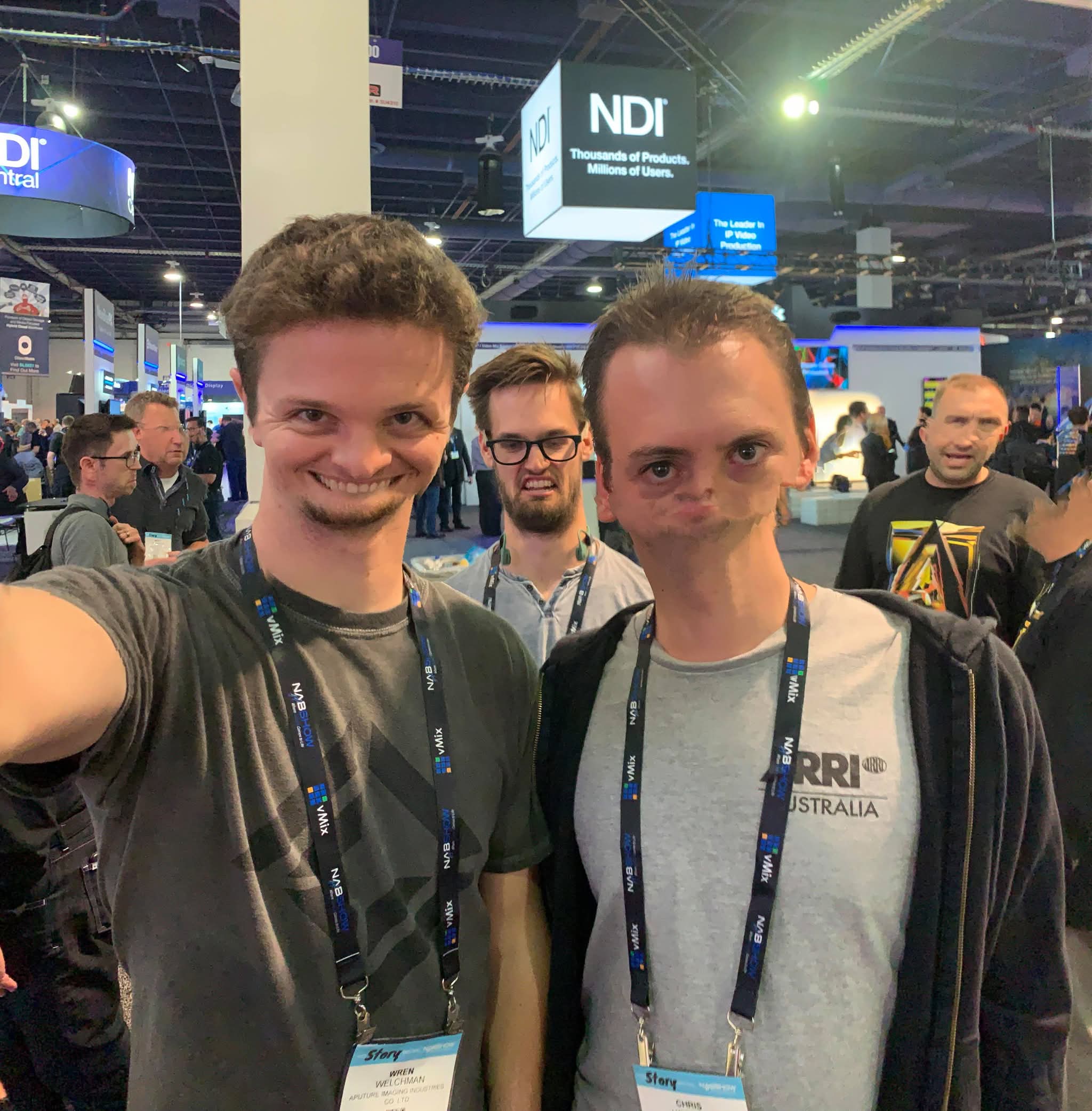
The first time was back in 2016, where I did a presentation on the Adobe stage for our show, The Wizards of Aus.
If you're interested, you can watch the presentation below:
Needless to say, I love the Corridor Crew, and everything they do, and when Niko released the above videos, I was obviously totally into this.
And so... introducing Corridor Key Toolbox! 🥳
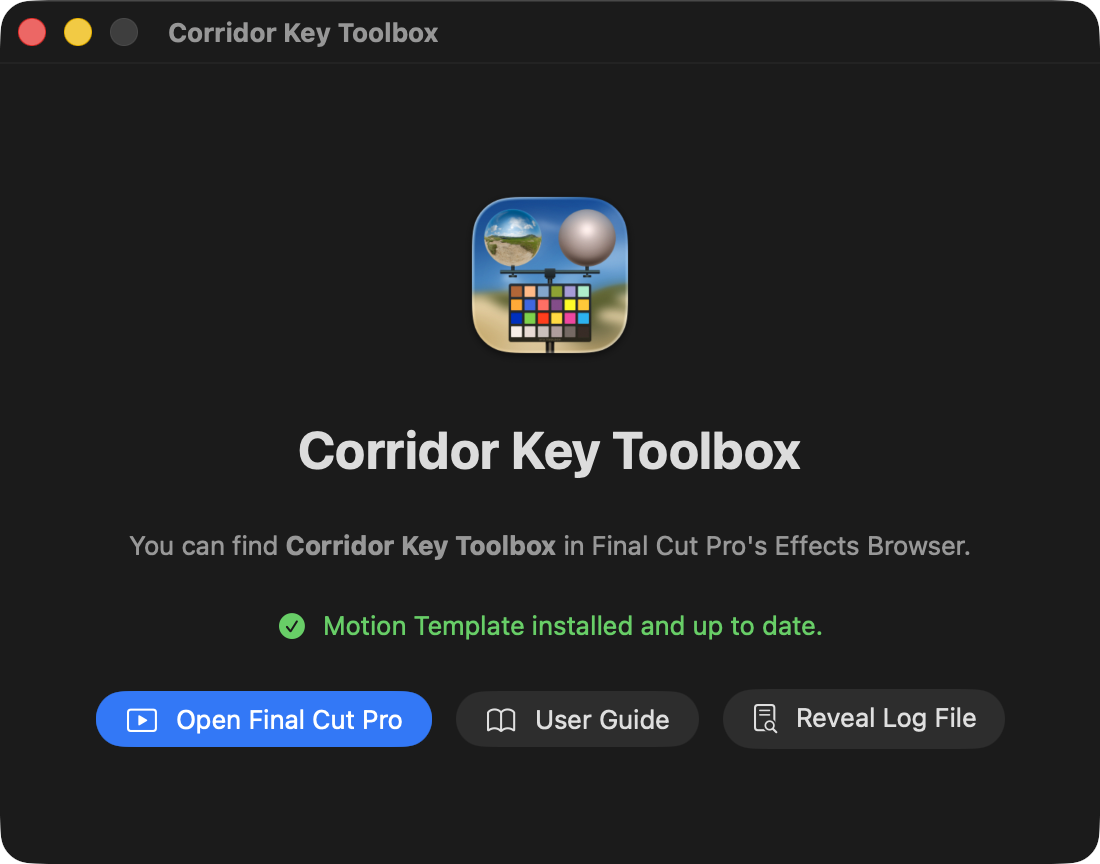
This is still VERY early days, and very much a work-in-progress, but it's currently functional.
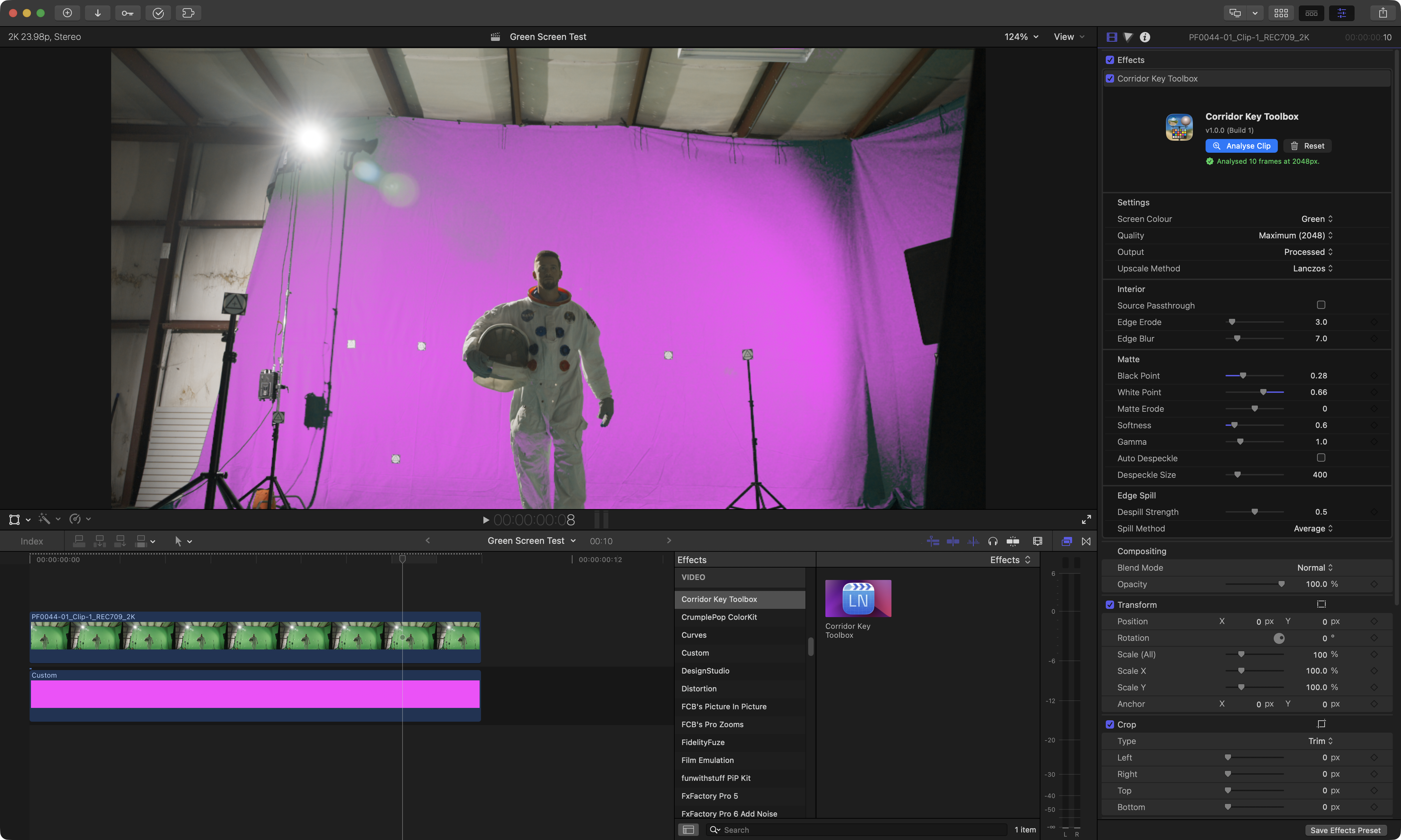
It's all written in Swift and Swift UI and uses MLX for the ML processing pipeline.
It uses Final Cut Pro's analysis API, so you can actually do the analysis in the background.
The plan is to release this on TestFlight ASAP, then on the Mac App Store as soon as it's ready.
It's open source (CC BY-NC-SA 4.0), and you can find the (ever evolving) code on GitHub.
Stay tuned for the TestFlight launch!
Finally, we have a new bundle on the Mac App Store! Introducing... Pro Editor Bundle v4.
Onwards & Upwards! 🛸
As you would expect, SpliceKit also continues to bash along, but mostly with bug fixes the last few days, as more and more people take it for a spin!
SpliceKit has now been downloaded 578 times! 🥳
SpliceKit v3.3.2 has the following changes:
🐞 Bug Fixes:
- Fixes Blackmagic RAW thumbnail crash when third-party Media Extensions are installed.
- Restores LiveCam camera/microphone access.
- Fixes rare installer signing failures from stray extended attributes.
- Adds build-time guards against undefined
SpliceKit_symbols.
SpliceKit v3.3.3 has the following changes:
🐞 Bug Fix:
- Fixes the patcher signing path for existing modded installs so nested SpliceKit bundles, framework, and app wrapper are re-signed correctly during rebuilds and updates.
SpliceKit v3.3.4 has the following changes:
🐞 Bug Fixes:
- Fixes the patcher update path on existing modded installs by rebuilding SpliceKit.
- Framework cleaned before signing, avoiding recursive framework symlink loops that caused the installer to fail at Re-signing application.
- Also re-signs nested SpliceKit bundles during patch/update and makes
xattrclean-up non-fatal so harmless attribute clean-up issues do not abort the install.
You can follow along the adventure over on the FCP Cafe Discord.
You can download and learn more on the SpliceKit Website.
CineDream is currently having a 25% off sale for NAB!
You can find out more on the CineDream website.
Jumper v2026.04.22 (Build 3115) is out now!
You can read a blog post about the update on the Jumper Blog.
It contains the following changes:
🥳 New Features:
- LM Studio local LLM integration - you can now run a completely local LLM (e.g. Gemma, Qwen) in LM Studio and have it talk to Jumper just like you can with Claude or Codex!
- Negative search term support in visual search - specify terms you want to avoid alongside your search query, e.g. "people talking, not in a meeting room".
- "Add to project" for outside-project visual search results in Adobe Premiere Pro and DaVinci Resolve - import matching clips straight into your active project from the search results.
- Onboarding now lets you specify a license server up front, for setups where clients need to connect to one from the start.
🔨 Improvements:
-
Face analysis data is now stored as packed TIFF files instead of thousands (or even millions) of individual JPEG files. Especially important for NAS setups where huge amounts of small files can cause issues. IMPORTANT this update makes existing face analysis collections read-only - so you will not be able to analyse new media into an existing Face Collection, but you can still assign names to faces.
-
Context picker in the side panel is horizontally resizable, so long nested bin or folder paths are fully visible.
🐞 Bug Fixes:
- Windows: fix an issue where Jumper installation could fail if DaVinci Resolve was not installed. Thanks for reporting Jai Cave!
- macOS: Fix an issue in the FCP plugin and standalone Jumper app where if loading analysis data on startup took longer than 60 seconds, the UI would stall. Thanks for reporting @TheTapesArchive!
- Avid: fix an issue with loading media if a Grouped Clip with missing metadata is found. Thanks for reporting Jonathan Seal!
- Your explicit search-inclusion choices (files you've manually included or excluded) now survive media/project state refreshes. Thanks for reporting Simonas Slizys!
- Frame extraction fallback to AVFoundation on macOS to handle issue with ProRes RAW footage from Ronin 4D cameras. Thanks for reporting Zak Melms!
- Faster error-handling if transcription fails for some file - no more overhead reloading speech-to-text AI models.
- Handled several edge cases during analysis such as empty frames, non-RGB images, extremely long filenames, and missing metadata.
You can download and learn more on the Jumper website.