2026
April
22nd April 2026
Happy Wednesday! 👋
This is a big day for FCP Cafe!
BRAW Toolbox v3.0.0 is out now with Media Extension support! 🥳
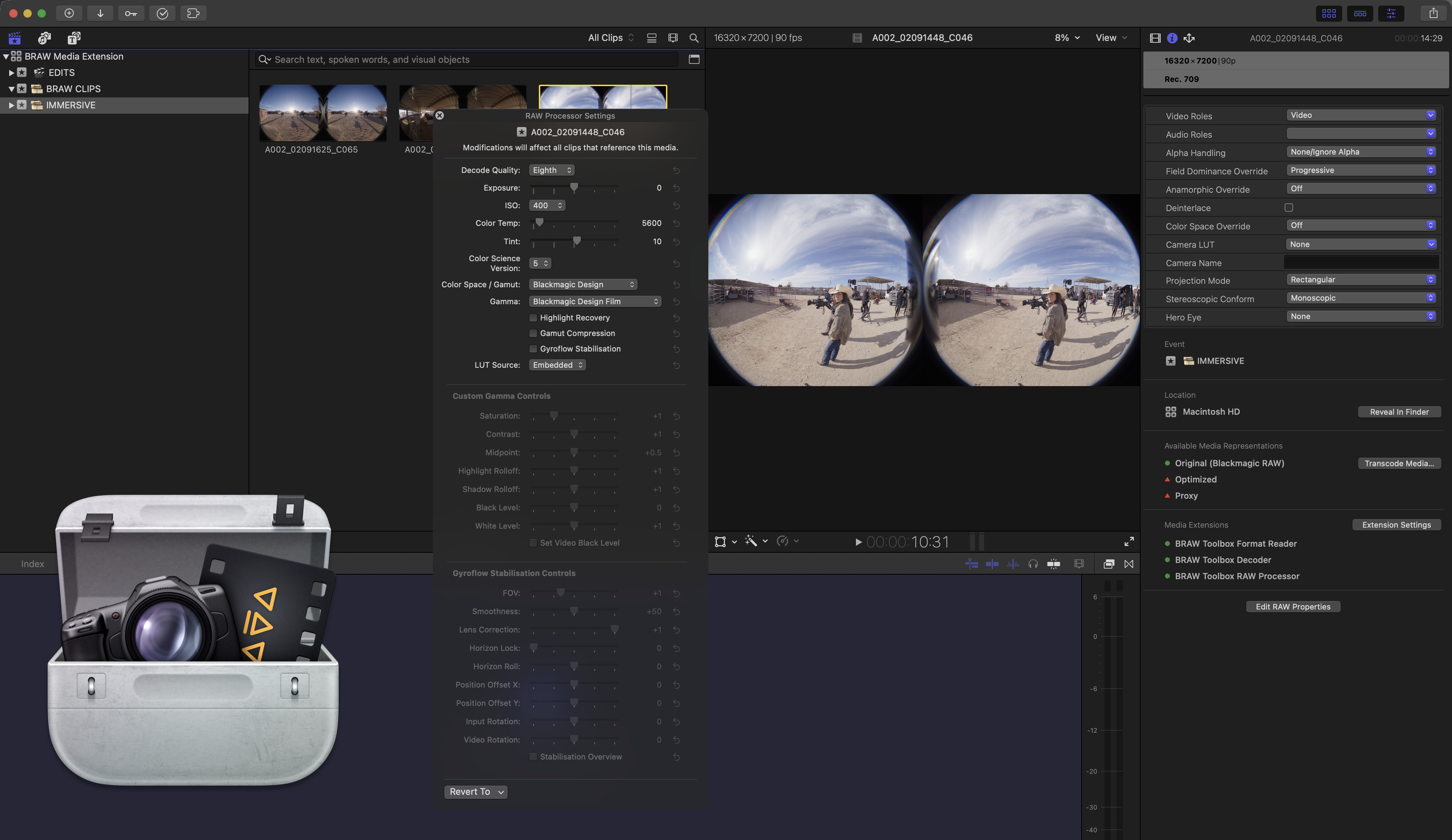
This is something I've been working on, literally for YEARS.
Back on 20th November 2024 I wrote:
Whilst Apple did announce at the 2024 Final Cut Pro Creative Summit that Final Cut Pro 11 now supports the new macOS system-wide MediaExtension Framework, and that Blackmagic will at some point release a Blackmagic RAW Media Extension - there is currently no time frame, so we have no idea if this is coming in days, weeks, or months.
In 2023 Apple announced a new framework called MediaExtension, that provides a means for developers to create format readers and video decoders for media that the system doesn’t natively support - such as Blackmagic RAW and Nikon NRAW.
This was supposed to come in macOS Sonoma, but they silently killed it - only for it to reappear in this years WWDC for macOS Sequoia.
Whilst it's been out for a while, the documentation is insanely complicated and limited and the only person I know who's done ANYTHING with it so far is the incredible Anton Marini, who's been building an ffmpeg Media Extension over on GitHub here.
I originally started playing with and testing MediaExtension's both back in 2023, and during the macOS Sequoia beta's, but never made much progress, as Final Cut Pro 10.8.1 didn't support Media Extensions anyway.
However, given there's no certainty as to when Blackmagic will release a Blackmagic RAW Media Extension, we're going to go back and see if we can bring a Blackmagic RAW Media Extension to market sooner rather than later.
Apple announced 3rd party Motion Templates were "coming soon" to iPad at launch, and that functionality is still not out - so we don't really want to waste time waiting for something that could be a year away.
For the last three years, I've been constantly thinking about Media Extensions and how I could get things working for BRAW Toolbox.
I've had MANY failed attempts.
I've chatted with MANY smart people - especially my friends and co-workers at Hedge.
I've paid the incredible Anton Marini for some freelance consulting time to pick his brain.
I've chatted with the amazing people at trade events, and have tried many times to get answers out of Apple.
It was HARD... there's little documentation, no sample code, submitting an Apple Developer Technical Support (DTS) ticket just got closed and refunded without comment, and no one from Apple could connect me to the MediaExtension team.
But... despite everyone telling me it was kinda impossible, and to just give up... I persisted, and inch-by-inch I eventually solved issues.
I used OpenAI's Codex. I used Claude Code. I used ChatGPT. I used them all together comparing notes.
Even with LLMs, it was HARD.
But eventually, with a lot of "human coding" and a lot of help from old mate Opus 4.7 1M Max, I EVENTUALLY got something working.
BRAW Toolbox v3.0.0 is now up on the Mac App Store for the world to play with! 🥳
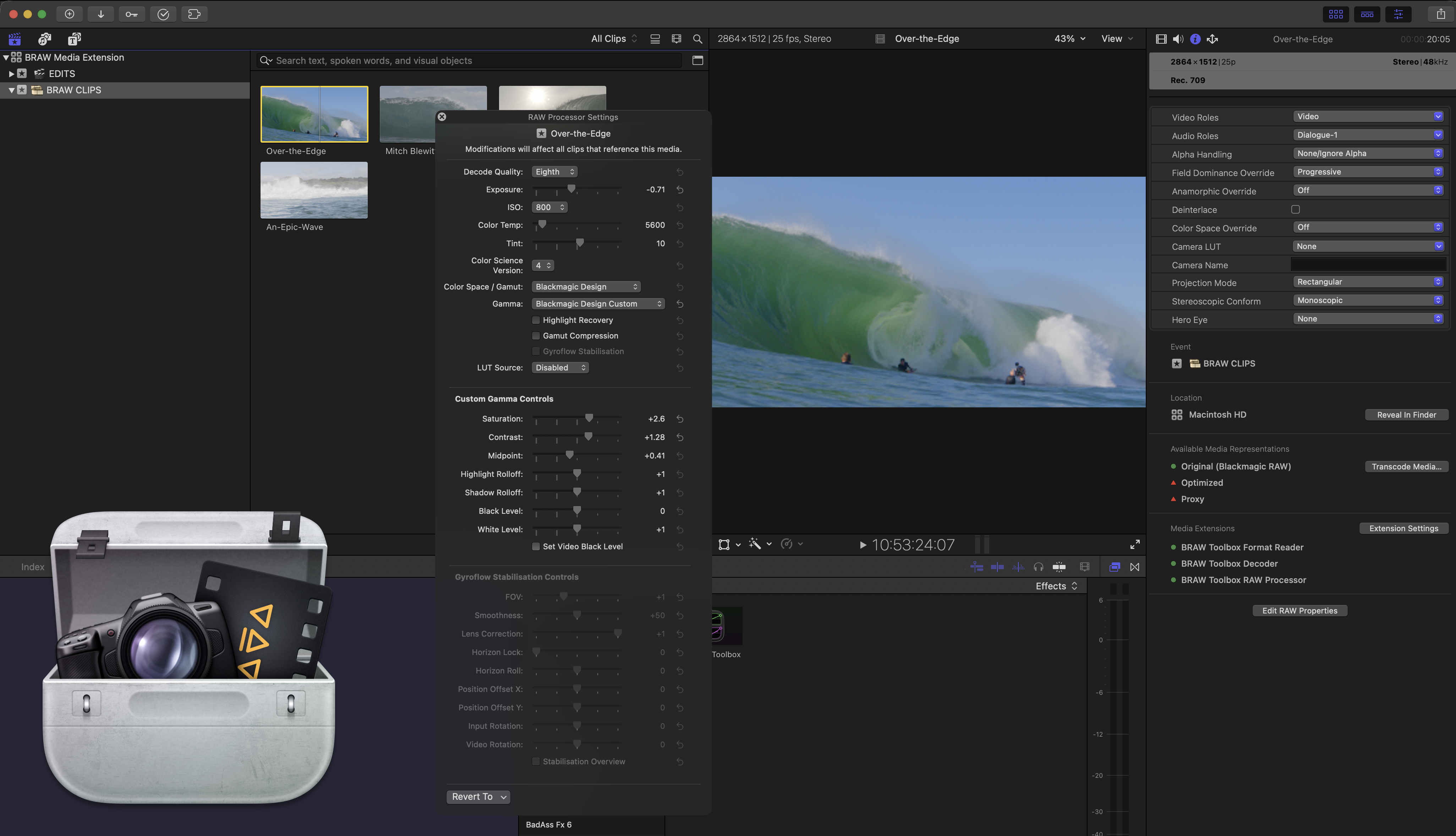
The original/legacy BRAW Toolbox is all still there, so we don't break projects where you've currently using BRAW Toolbox.
In some ways, the original might actually be better, as you can keyframe all the RAW parameters - something not possible with Media Extensions.
The hero BRAW Toolbox application (i.e. the application you actually download from the Mac App Store and launch from your /Applications folder) has had a facelift:
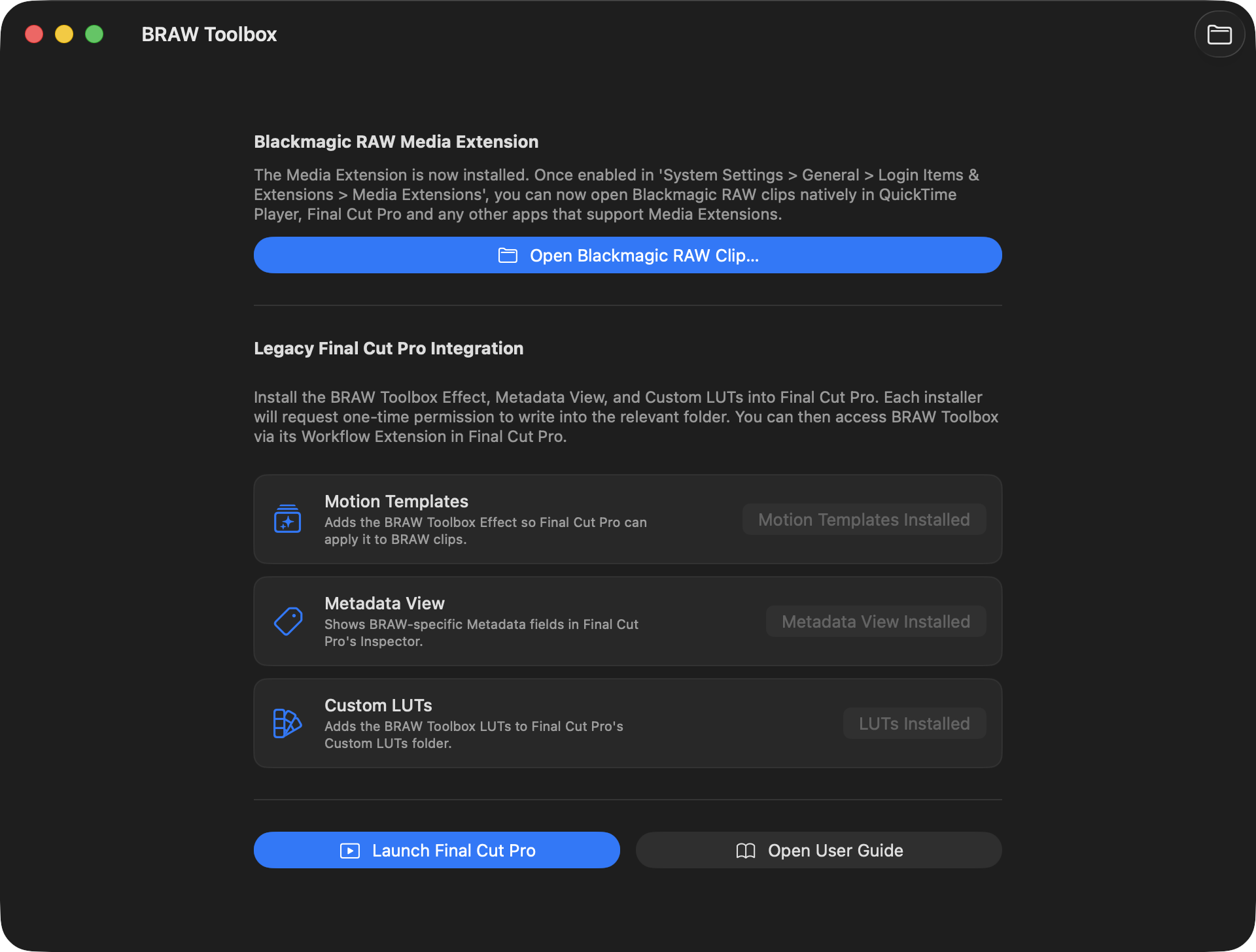
It now also contains a Blackmagic RAW Player for easy testing of the Media Extension:
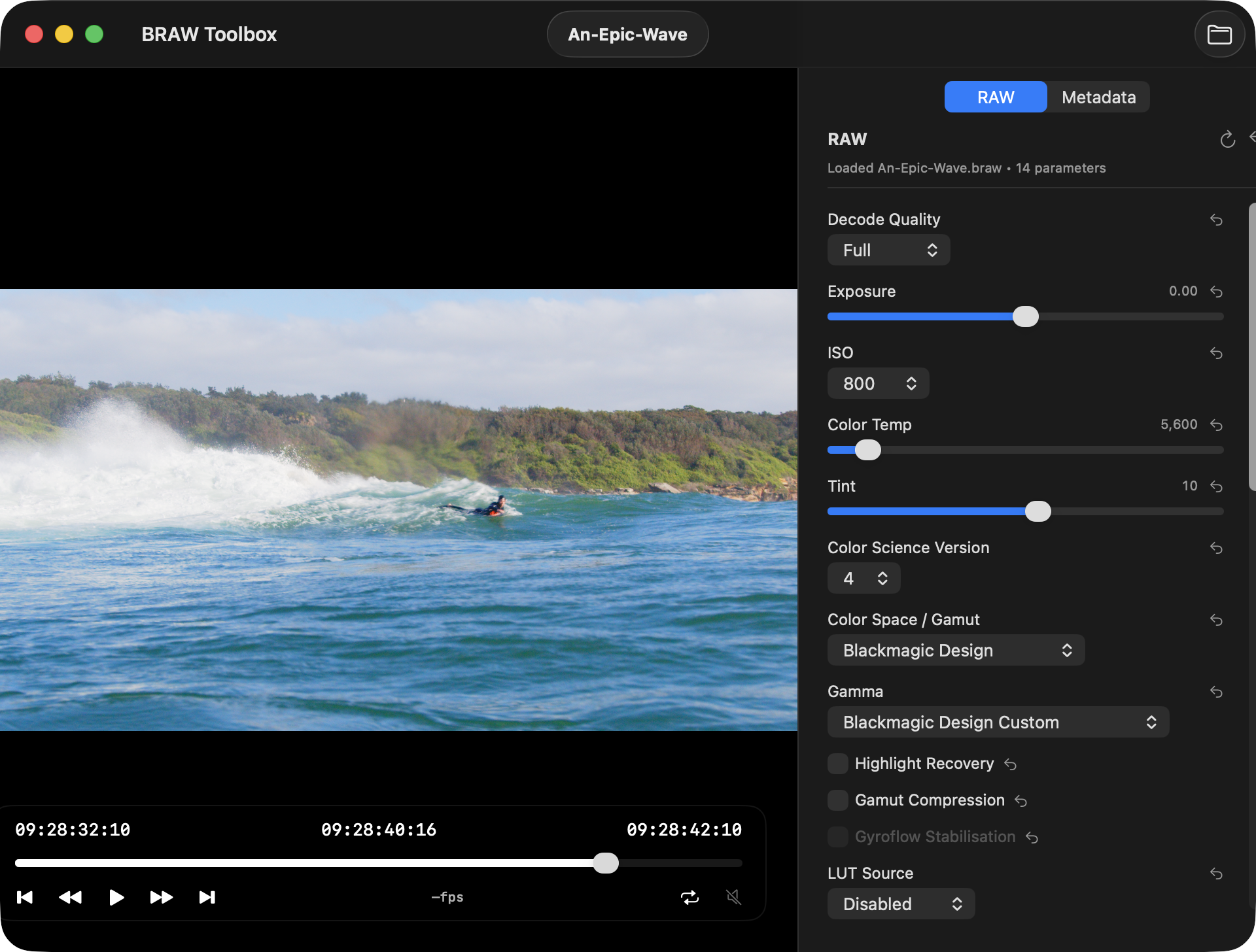
And thanks to the incredible AdrianEddy - the creator of Gyroflow - we even have Gyroflow built in:
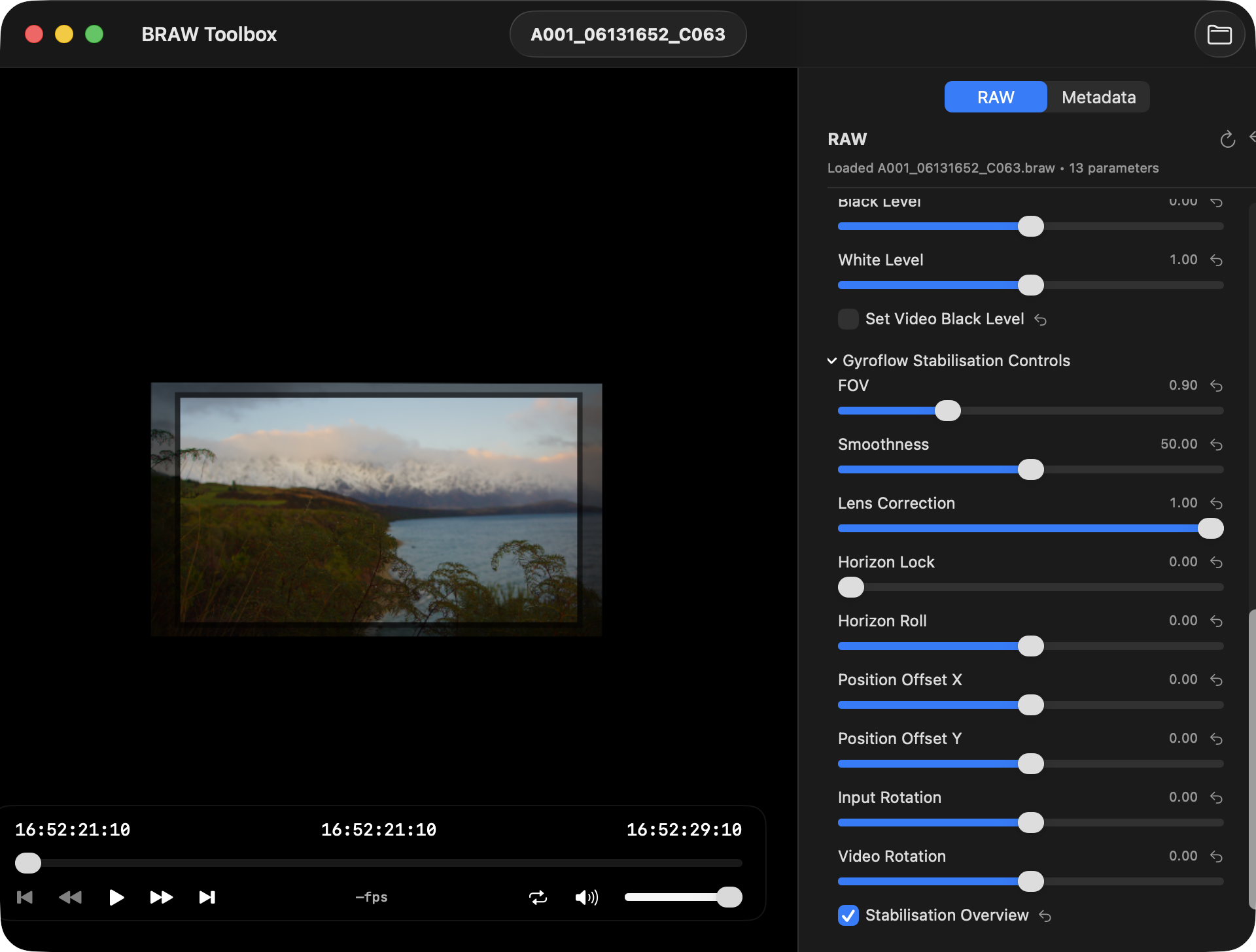
The original BRAW Toolbox was always a bit of a hack job. The website explains:
Because Final Cut Pro's decode API is private - we had to just make do with the two public API's we had access to - Workflow Extensions and FxPlug4.
We use the Workflow Extension API as our "user interface", where users can select the footage they want to import, and preset any RAW controls.
We use the FxPlug4 API as our "renderer". Essentially, BRAW Toolbox is just a Filter in Apple Motion, and an Effect in Final Cut Pro, but instead of "processing" the source clip, we replace the clip contents with the processed BRAW clip.
We use Blackmagic's official BRAW SDK - so you get all the same colour science and processing speed as DaVinci Resolve.
As far as we know, BRAW Toolbox is the first application on the Mac App Store to include an FxPlug4 effect.
Then in BRAW Toolbox v3.0.0 we added a Media Extension for native Blackmagic RAW in QuickTime Player, Final Cut Pro and any other application that supports Media Extensions!
Media Extensions is similarly a bit of a hack job... the BRAW SDK and the Media Extensions SDK aren't really compatible.
One expects a file path, and filesystem access - the other is totally sandboxed and just wants individual frame data for processing.
But, after lots of experimenting, and trying every trick in the book - I eventually got something working, that actually plays back well.
Media Extensions are REALLY locked down. The RAW Processor can't use App Group's, and you can't use Security-Scoped Bookmarks to get access to files. It's REALLY sandboxed.
So there was a LOT of problems to solve - and this was all unchartered territory. Whilst there's two open source Media Extensions in the wild now - neither use the RAW Processor, and neither actually try get metadata into Final Cut Pro.
Blackmagic have always been SUPER helpful with the BRAW side of things, but they couldn't help with the Media Extension side of things.
With no help from Apple... I just had to fly solo.
Again, Apple & Blackmagic did announce that an official Blackmagic RAW Media Extension was coming at the 2024 Final Cut Pro Creative Summit - however it's now 2026, and it's still not here.
I was fully expecting to see it at NAB 2026 - but when it wasn't mentioned in Grant's announcement video - I knew I just had to ship my own version.
The super interesting thing about Media Extensions (which shows that SOMEONE at Apple is thinking ahead!), is that you can pick which one you want to use for specific codecs in System Settings:
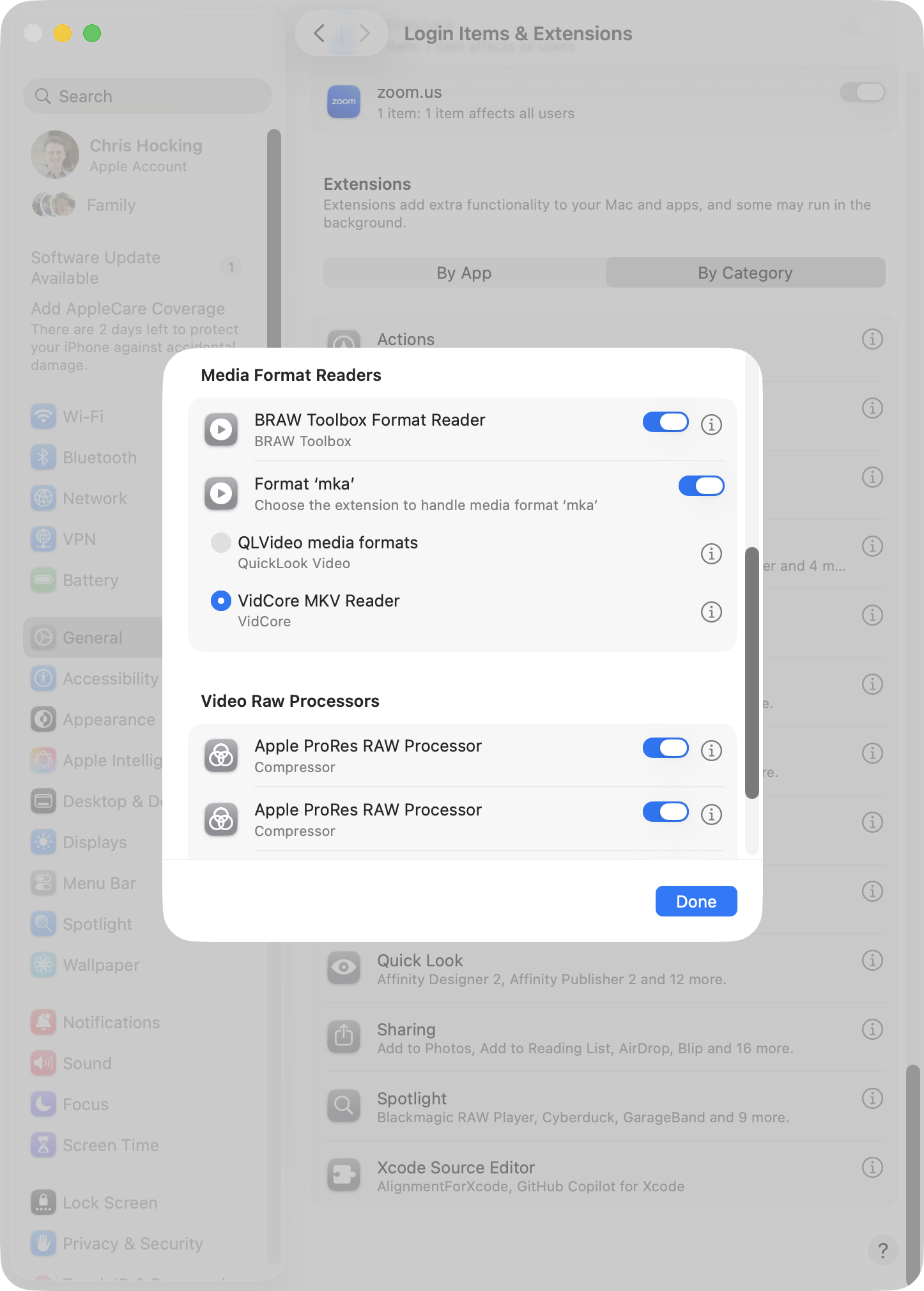
So if/when Apple & Blackmagic do ship the official Blackmagic RAW Media Extension, users will have a choice.
I'm going to GUESS that Blackmagic will do a minimal effort Media Extension - and probably not deeply support Blackmagic URSA Cine Immersive clips, and probably not feed in all the metadata to Final Cut Pro - because let's face it - Blackmagic want you to cut in DaVinci Resolve.
Regardless... it was exciting when BRAW Toolbox was the first solution to bring native Blackmagic RAW to Final Cut Pro, and now I'm super happy to bring Blackmagic RAW to the whole of macOS!
For a strictly limited time, as a thank you for your patience, love and support, BRAW Toolbox is currently discounted to USD$49.99 (down from USD$79.99) on the Mac App Store.
For users that have already purchased BRAW Toolbox - there's no upgrade fee - just download the latest version from the Mac App Store.
If you run into any bugs, or have ideas or feature requests, the best place to do this is on GitHub.
So what's next for BRAW Toolbox? I'm going deep into Immersive workflows.
You can read about my early Immersive Workflow notes on FCP Cafe.
I want to add a Share Destination to Final Cut Pro that allows you to export BRAW Immersive timelines directly for Vision Pro.
I want to build realtime previews from your Final Cut Pro BRAW Immersive timelines to your Vision Pro.
I want to make it so that you don't HAVE to use DaVinci Resolve - Final Cut Pro SHOULD be a valid workflow for Vision Pro Immersive, and it's CRAZY that it's currently not.
Onwards & Upwards!
Curves v1.2 is out now.
It includes the following changes:
- Add anchor point parameter: Hold the option key and drag the control point to offset the anchor point
- Improve motion blur for large slow-moving objects
- Fix scaling bug when scaling with Final Cut's built-in transform
You can download and learn more on the Mac App Store
ShotPut IO v1.1.1 (Build 9) is out now.
You can download and learn more on the Mac App Store