2026
February
8th February 2026
CommandPost v2.0.1 is out now!
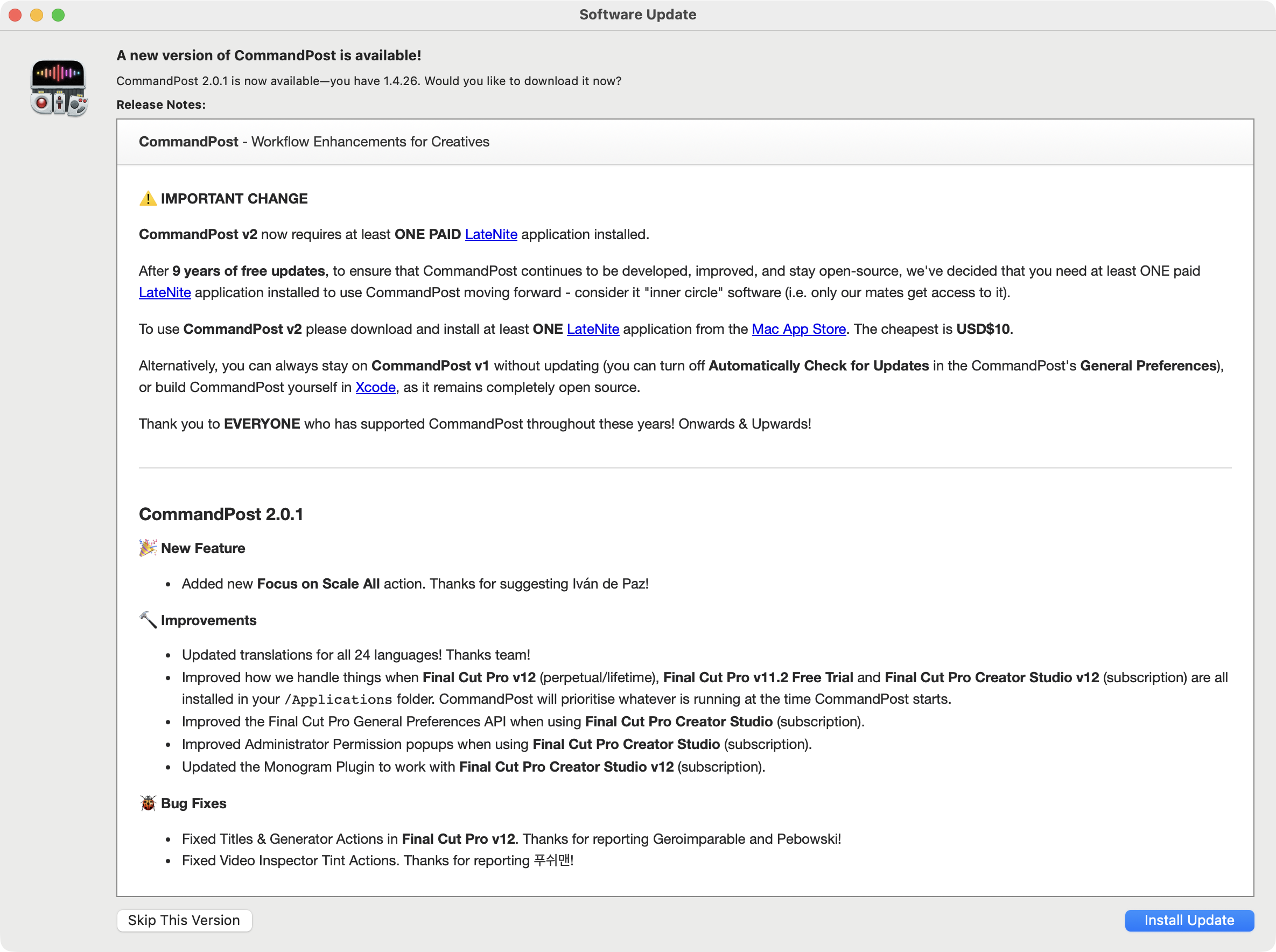
It includes the following changes:
NEW FEATURE:
- Added new Focus on Scale All action. Thanks for suggesting Iván de Paz!
IMPROVEMENTS:
- Updated translations for all 24 languages! Thanks team!
- Improved how we handle things when Final Cut Pro v12 (perpetual/lifetime), Final Cut Pro v11.2 Free Trial and Final Cut Pro Creator Studio v12 (subscription) are all installed in your
/Applicationsfolder. CommandPost will prioritise whatever is running at the time CommandPost starts. - Improved the Final Cut Pro General Preferences API when using Final Cut Pro Creator Studio (subscription).
- Improved Administrator Permission popups when using Final Cut Pro Creator Studio (subscription).
- Updated the Monogram Plugin to work with Final Cut Pro Creator Studio v12 (subscription).
BUG FIXES:
- Fixed Titles & Generator Actions in Final Cut Pro v12. Thanks for reporting Geroimparable and Pebowski!
- Fixed Video Inspector Tint Actions. Thanks for reporting 푸쉬맨!
You can download and learn more on the CommandPost website.
Whilst generally speaking the feedback we've gotten so far from CommandPost users is insanely positive, there are still a few people confused as to why CommandPost is no longer "free" to download. To give you some backstory...
Back on 15th September 2016, FCPX Hacks was born into the world. You can read the origin story on this old blog post.
I wrote:
Over the last few days, I’ve been having lots of discussions with other Final Cut Pro users on social media about how annoying the Reveal in Browser (aka "Match Frame") feature in FCPX is. The problem is that if you have hundreds of clips within your browser, when you match frame it’s really hard to instantly visually see where the playhead is in a sea of other clips. It’s also really annoying if you’ve got your playhead at a specific position in the browser, then continue editing in the timeline for a hour or so, and want to easily jump back to that browser playhead position to continue where you left off. It’s VERY hard to spot which clip is selected and where the tiny white playhead is hiding in the browser!
Basically, I really wanted to solve this problem for Scott Simmons, and I couldn't solve it with AppleScript or Automator (and at the time I had ZERO idea about Xcode), but I found a little open source project called Hammerspoon, and kinda fell in love.
I grew up with BASIC programming on a PC, and Lua (the scripting language used in Hammerspoon) was VERY similar.
Once I solved the Highlight Playhead problem, I started tackling hundreds of other Final Cut Pro Workflow issues.
Eventually FCPX Hacks became a monster with hundreds of features. You can read about it on this old blog post.
As FCPX Hacks grew though, something awesome happened. A Brisbane guy called David Peterson got in touch. He was a filmmaker, but also a professional programmer, and he had some ideas on how to fix up FCPX Hacks to make it better.
We started collaborating... a lot. He introduced me to GitHub. He slowly helped me transform my GIANT single Lua file (that was FCPX Hacks) into many individual files.
Eventually, we decided, rather than just shipping a bunch of Lua scripts, and asking users to install Hammerspoon - we forked Hammerspoon, renamed FCPX Hacks to CommandPost, and started shipping it as a self-contained application.
In November 2019, after 78 releases of FCPX Hacks and 91 beta releases of CommandPost, CommandPost v1.0.0 was released into the world.
At the time, with over 3300 active monthly users and over 1208 users in our Facebook Community, we were very happy with the progress CommandPost had made over the previous three years.
Over the next 7 years, we continued to update CommandPost and make it bigger and better.
More control surfaces were added. Every time Apple pushed out a Final Cut Pro update, we had to madly work to support it on launch day.
Apple has never given us access to early copies/betas/seeds of Final Cut Pro - so we get our hands on it the same day that you do - and generally speaking something breaks, because a user interface has changed, a button has been renamed, or the FCPXML DTD has been updated.
Whilst there were some amazing companies like Tangent and Loupedeck who have been INCREDIBLY supportive of CommandPost, for most control surface companies, they didn't really care about CommandPost, so we had to buy our own hardware to make things work.
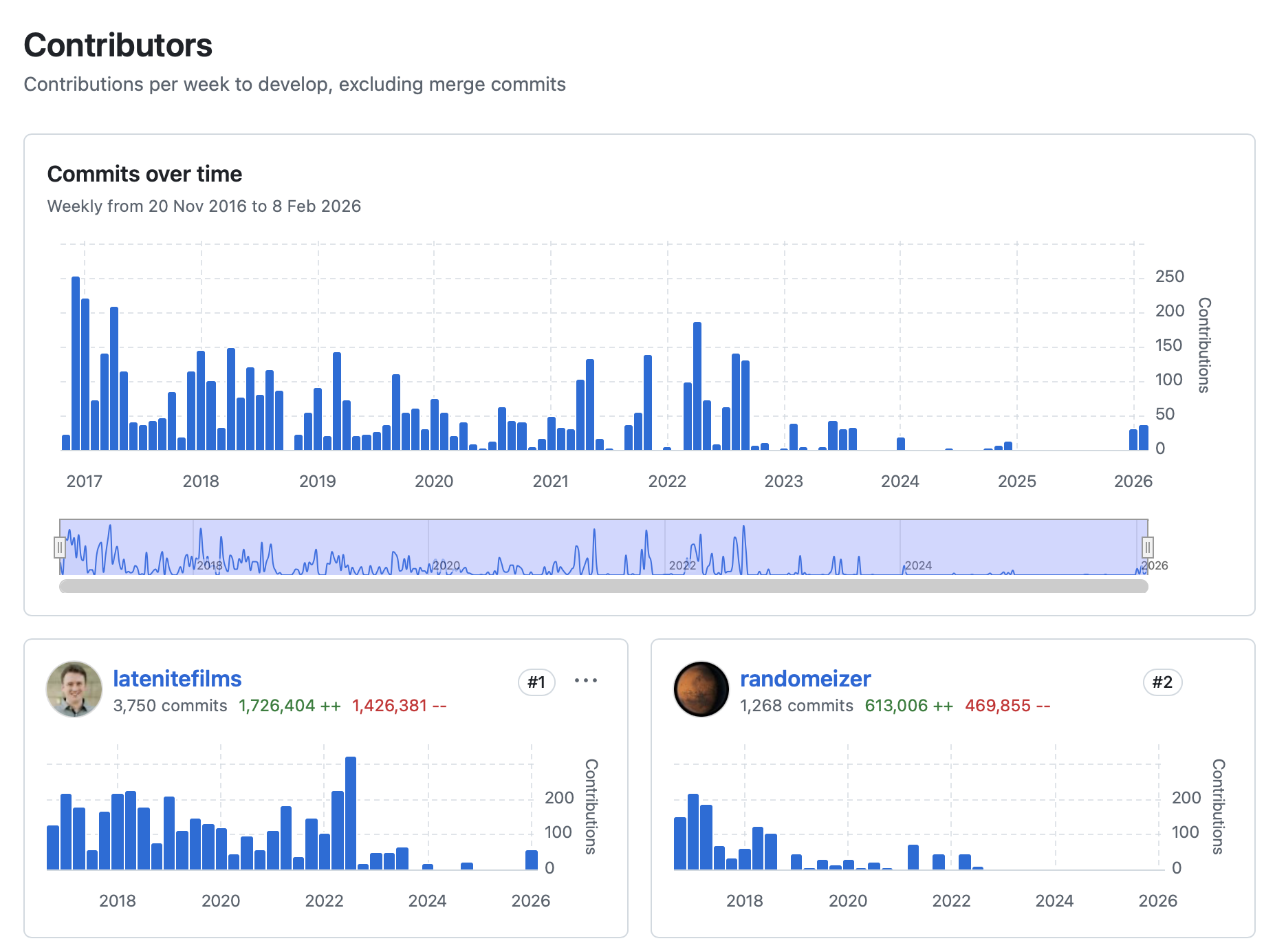
Over the years both David and I have spent an insane amount of hours on CommandPost, especially in the early days:
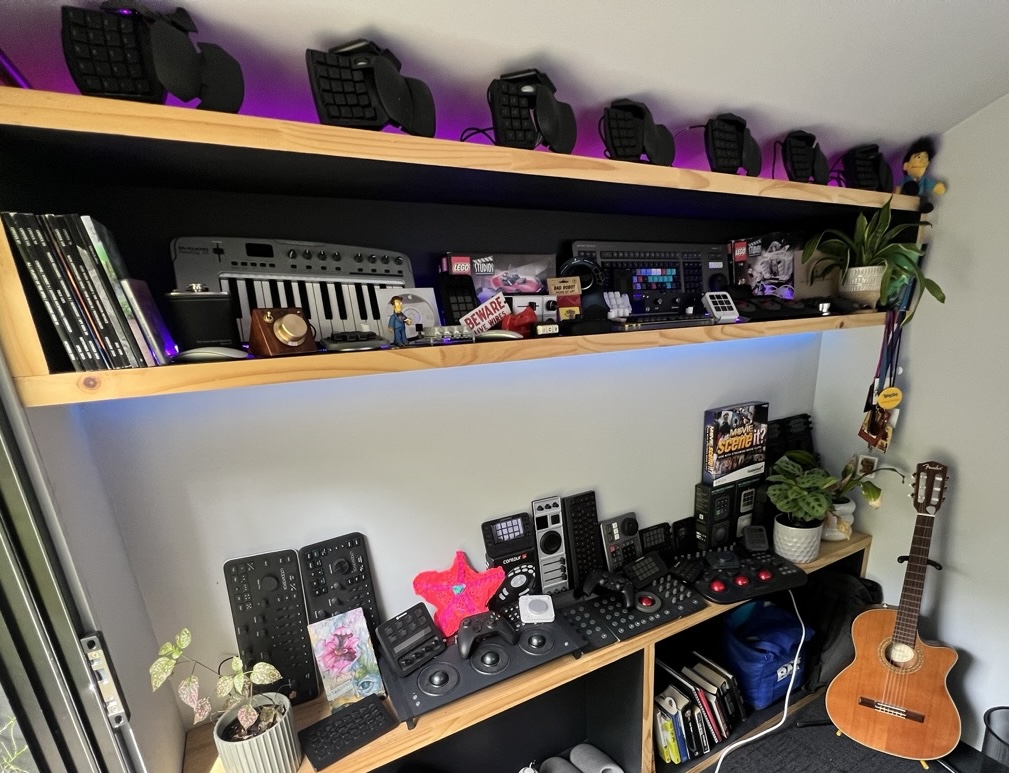
We've also spent a LOT of money on control surfaces out of our own pockets.
Whilst we've always offered a way to sponsor CommandPost on GitHub, very few took up the opportunity.
At the time of writing, the CommandPost GitHub repository currently has 9 sponsors, and my personal GitHub repository currently has 3 sponsors.
The GitHub income barely covers the cost of the domain, let alone buying control surfaces for testing.
The hope/dream has always been to get CommandPost onto the Mac App Store, but unfortunately the Mac App Store doesn't allow any applications that use Private APIs or applications that use the Accessibility API - so that basically rules out CommandPost all together.
However, there are "tricks" to get it on the Mac App Store - some apps get around the Accessibility API rules by having an optional helper application that does all the Accessibility work.
I spent a few months trying to get something onto the Mac App Store - but just hit road-block after road-block, so in the end I decided to come up with another plan.
Building out our own licensing system, and online shop was definitely an option, but I helped do that for Jumper, and it was a HUGE amount of work, and there's an on-going cost for Paddle & Keygen. Basically, this just all falls into the too hard basket, so I came up with something a bit more unique...
CommandPost v2 now requires at least ONE PAID LateNite application installed.
After 9 years of free updates, to ensure that CommandPost continues to be developed, improved, and stay open-source, we've decided that you need at least ONE paid LateNite application installed to use CommandPost moving forward - consider it "inner circle" software (i.e. only our mates get access to it).
To use CommandPost v2 please download and install at least ONE LateNite application from the Mac App Store. The cheapest is USD$10.
Alternatively, you can always stay on CommandPost v1 without updating (you can turn off Automatically Check for Updates in the CommandPost's General Preferences), or build CommandPost yourself in Xcode, as it remains completely open source.
HOPEFULLY this little bit of extra income will allow me to spend more time on CommandPost, so that I can continue to add more control surface support, and deeper integration into Final Cut Pro moving forward.
Thank you to EVERYONE who has supported CommandPost throughout these years!
Onwards & Upwards!