2026
January
29th January 2026
Happy Thursday! 👋

First up, MASSIVE congratulations to Achu P. Chandra for receiving a Kerala Government State Award for Best Video Editor for his documentary, Guardians of Himalayas. 🥳
This documentary was cut on Final Cut Pro, and you can read a detailed case study on FCP Cafe. Amazing work Achu!
Also, before we jump into the news of the day, I also wanted to let you know about something I started playing with last night...
I sent this message to the amazing Iain Anderson:
Oh, while I've got you... BRAW Immersive... reckon that would be useful to add to BRAW Toolbox somehow? Split screen the two cameras?
What followed was many messages back and forth about 360 degrees video and Immersive video, and a few hours later, I've added a Video Track parameter to BRAW Toolbox:
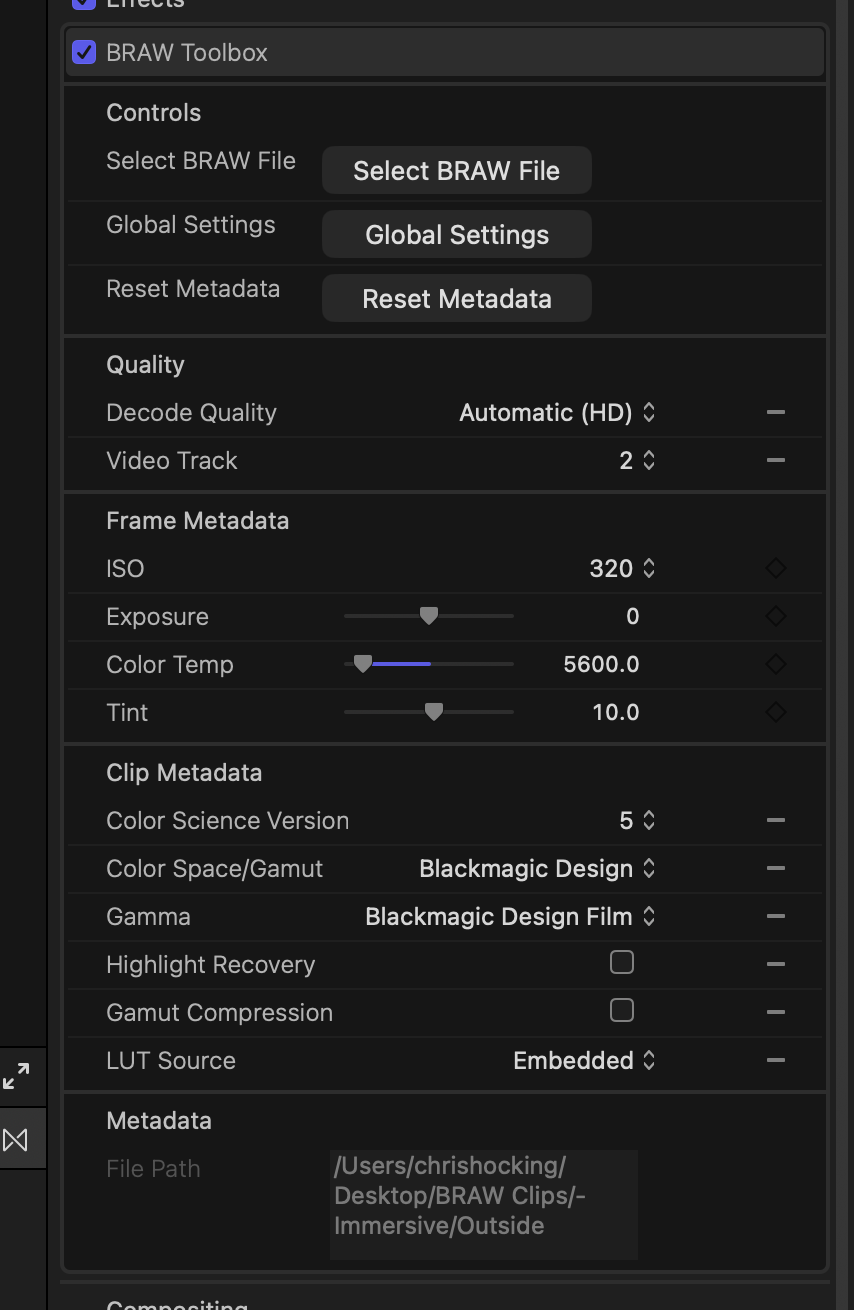
If you're shooting on a Blackmagic URSA Cine Immersive camera, this means you can now switch between the two video tracks in BRAW Toolbox.
Interestingly, the BRAW format actually supports MORE than two video tracks - I wonder if we'll see even crazier 360 degrees cameras from Blackmagic in the future?
You can then put two of the exact same clip on top of each other in a Final Cut Pro timeline, offset them, and edit with side-by-side video:
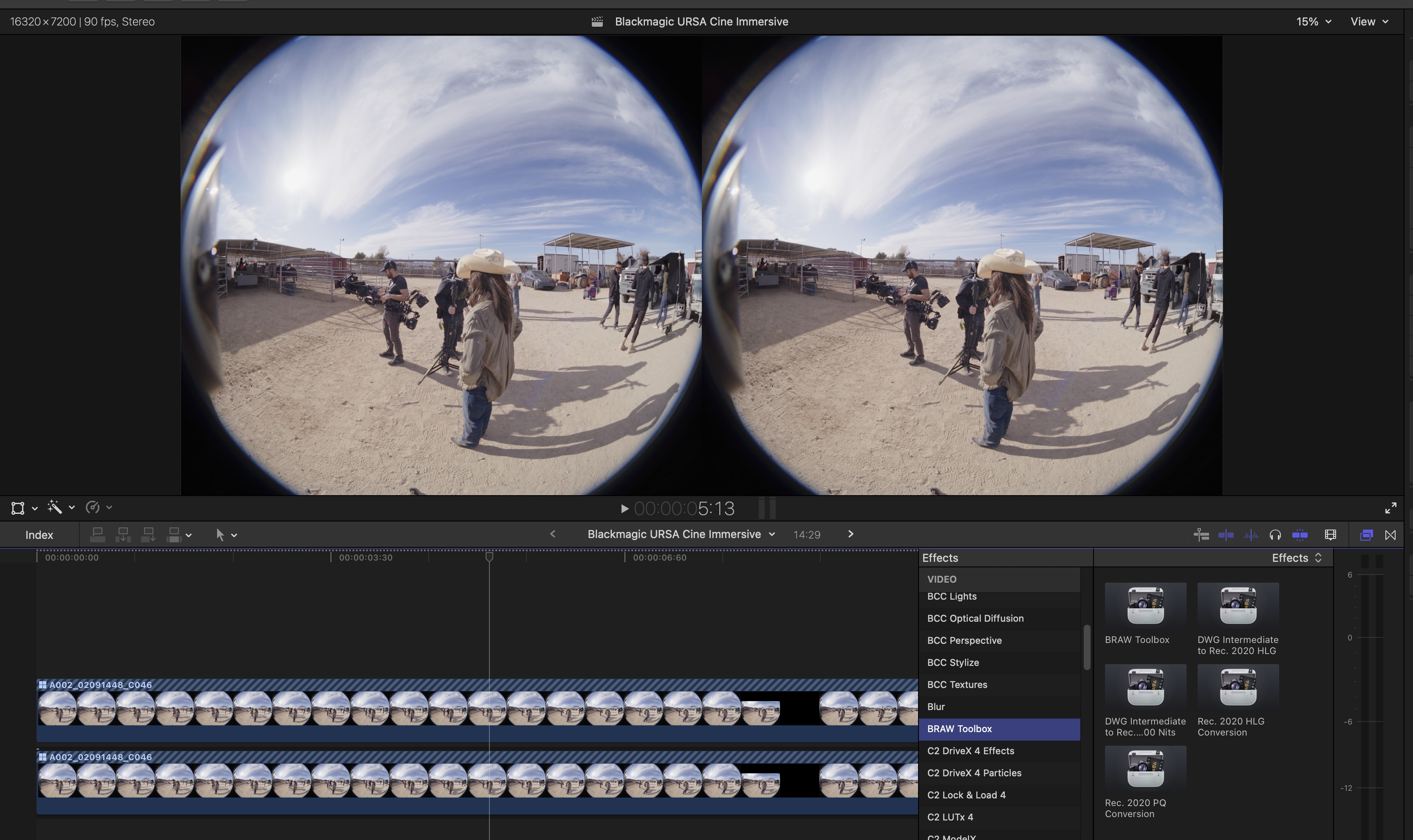
You'll notice that the timeline is an INSANE 16320x7200 @ 90fps, so unless you have a fully spec'd out Mac Studio, you'll most likely want to debayer at Eighth Decode Quality, which you can easily force for all clips in BRAW Toolbox.
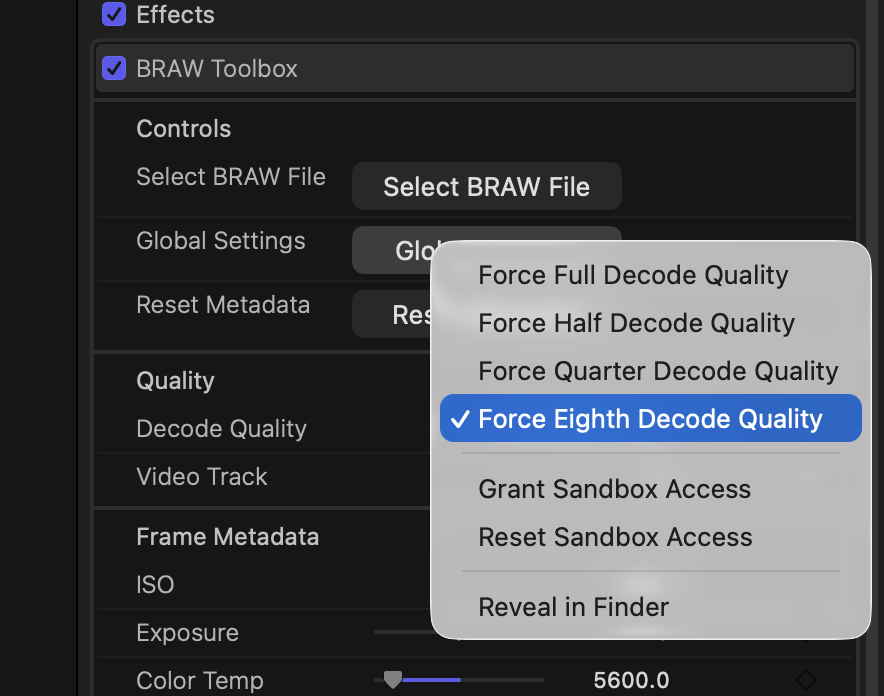
BRAW Toolbox v1.5.0 is now available on the Mac App Store, with the only change being this new parameter. Enjoy!
To be honest, I have no idea where this might go, as I don't own a Apple Vision Pro - but if you have any ideas, comments or suggestions, please reach out!
I'm hoping to add some big performance improvements to BRAW Toolbox over the coming weeks if all goes to plan too!
Today's the day - Apple Creator Studio is out now!
You can read Behind Kyle Hanagami's viral dance creations edited with Final Cut Pro on the Apple Newsroom.
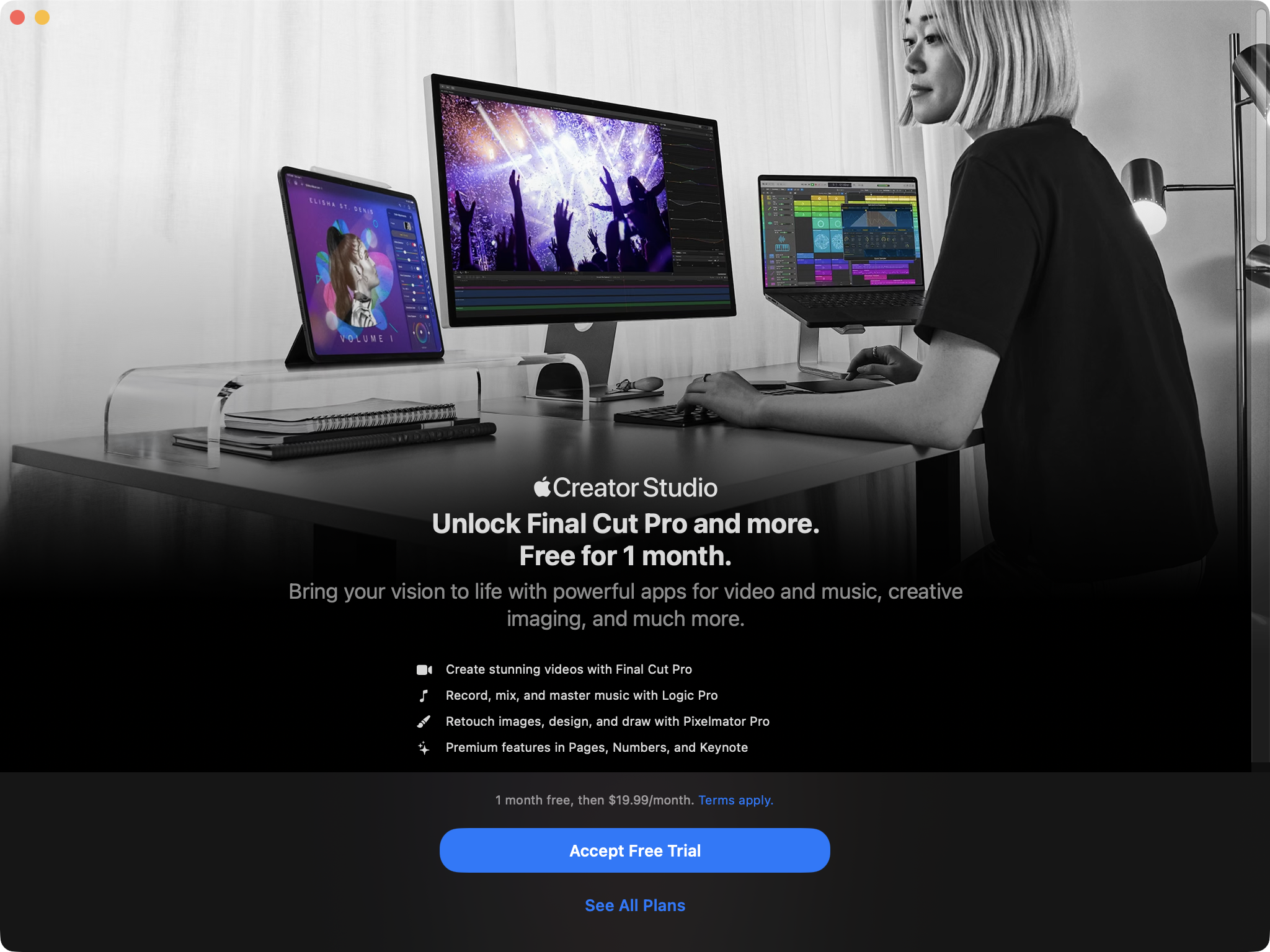
Unfortunately I was stuck in an edit suite all day, which is why this blog post hasn't come out earlier - however, it did mean that I've now played with Final Cut Pro v12.0 for an entire day on a real-world job.
Also, we did try reaching out to the Final Cut Pro Team and Apple Marketing to try get someone on the ground for the Apple Creator Studio launch - but all we got was radio silence. 🤷♂
Sadly, it doesn't seem like FCP Cafe is a priority for the Final Cut Pro team - they're really going after influencers and YouTuber's rather than traditional Film & Television editors.
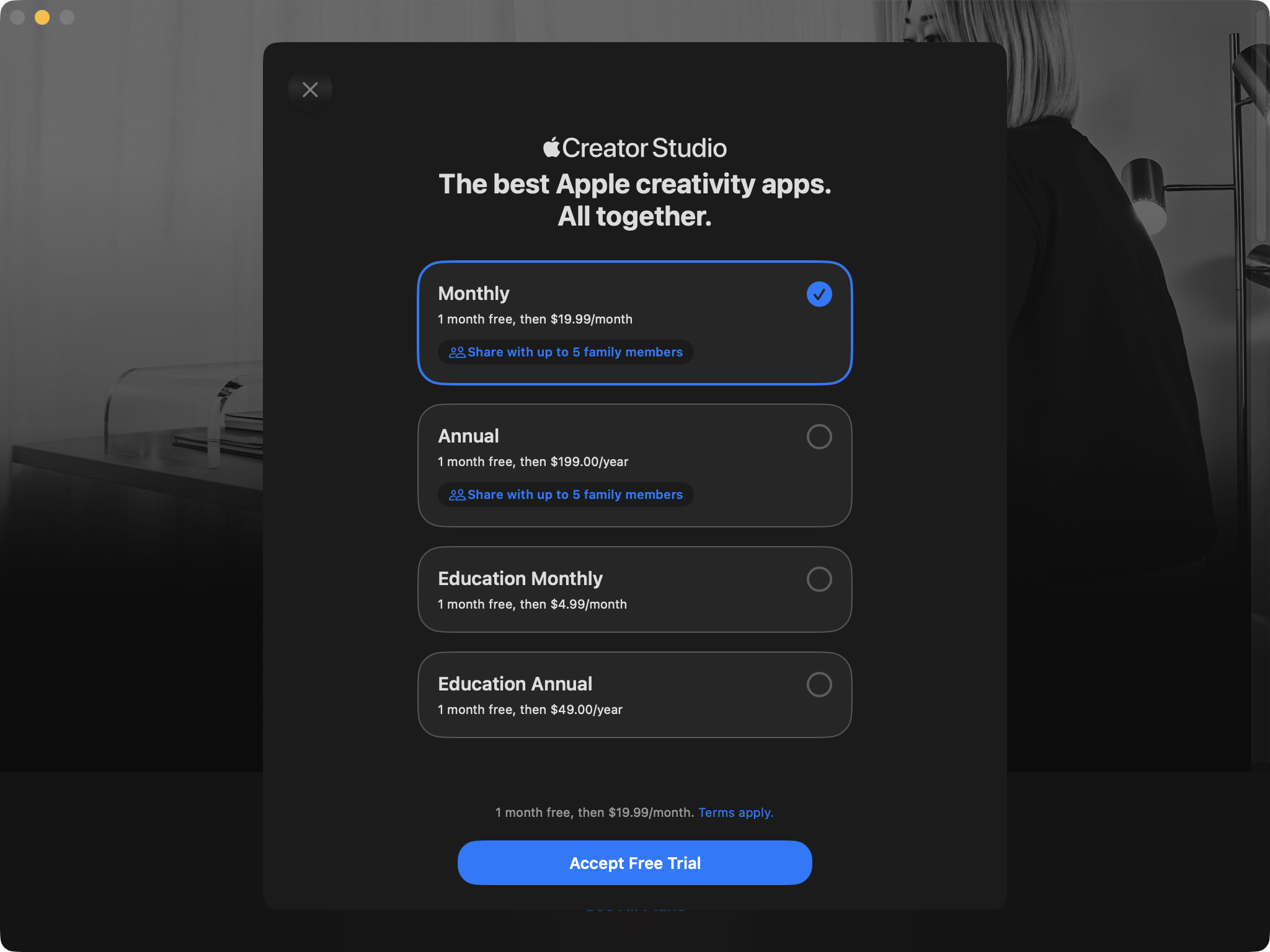
The below is pricing in Australia:
You can read Iain Anderson's great and detailed article What’s New in Final Cut Pro 12 and more on ProVideo Coalition.
It's awesome that Iain was able to include some kind works about Jumper:
I’ve wanted this for a very long time, even publicly wishing for it on a podcast and seeing Ulti.media create the FCP Video Tag app in response. Today, the third-party app Jumper probably leads this space, but we’ve seen similar features in the library management app Peakto, in previous versions of Strada (though not in the current release) and in Premiere’s Media Intelligence feature.
In comparative tests with Jumper and Premiere’s Media Intelligence, I think Jumper does the best job overall. Media Intelligence’s analysis is quickest, but it doesn’t always locate the part of a clip your search terms have matched, and a search for “apple” didn’t find all the Apple logos that FCP could. It’s a mixed bag, though — Final Cut Pro’s visual search didn’t find all the instances of “wheelchair” that the other two did.
...and BRAW Toolbox:
UPDATE: although BRAW support was promised in FCP at the last FCP Creative Summit in 2024, it’s still to arrive. For now at least, you can use BRAW Toolbox to access BRAW footage in FCP, and the recent update to v1.5 allows previewing of Immersive footage from the URSA Cine Immersive — even letting you choose which lens to view. Without at least 3D 180° support in FCP it’ll be hard to deliver the footage in a proper immersive format, but for previewing and potential spatial (non-immersive) uses, it could be very handy.
Bonus points if you can spot me in some of the screenshots in the article, haha.
You can watch Dylan Bates (The Final Cut Bro)'s video titled, Final Cut Pro 12.0 Update Has Arrived. Here's everything you need to know on YouTube:
Jenn Jager has posted this video titled FCP SUBSCRIPTION!? What I really think about Creator Studio on YouTube:

Mark Ellis Reviews has posted this video, titled The Apple Interview: Why Creator Studio Exists:
Technolobe has posted this video, titled I Asked Apple About Final Cut Pro, Creator Studio & More | ft. Bill Davis:
Good old Ripple Training is, as always, ready at launch with their Final Cut Pro 12 Deep Dive on YouTube:
And of course, the unstoppable Richard Taylor has been discussing things live on YouTube with his passionate community of followers:
It's worth having a read and a watch of the above to get a broad surface level look at these new updates.
But FCP Cafe isn't going for broad and mainstream...
FCP Cafe is a community for professional Final Cut Pro editors and developers.
So let's get geeky!
Here's the official release notes, along with some of our observations:
Final Cut Pro v12.0 includes the following features, enhancements, and fixes:
- Use Transcript Search to quickly find spoken words or phrases in your footage by searching for exact matches or using natural language descriptions. (Requires a Mac with Apple silicon.)
- Discover Visual Search, a fast and easy way to locate moments in your footage, including objects and actions, using natural language. (Requires a Mac with Apple silicon.)
- Let Beat Detection analyze any song to reveal its bars and beats, enabling you to easily align your video edits to the music’s rhythm.
- Accelerate your next edit with in-app guides on how to create a new library, import media, and add clips to a new timeline.
- Use the new toolbar menu to quickly create new projects, events, and libraries.
- Dive into editing with a special demo project featuring the talented singer-songwriter Allie Sherlock, and explore the exciting new features of Final Cut Pro firsthand.
- Fixes an issue that could cause an adjustment clip to disappear when using Overwrite to Primary Storyline to move a connected clip to the primary storyline.
- Resolves an issue that could cause role colors to change when upgrading a library from a previous version.
- Addresses an issue that could cause Paste Attributes to not allow pasting spatial conform on a single clip.
- Updates FCPXML to version 1.14.
In terms of undocumented bug fixes, whilst it's still early days, we have some early observations:
- Downscaling within FCPX leaves edge bleed from clips below top one #443 - I THINK this has finally been solved! Hopefully the days of having 1 pixel borders around downscaled clips is finally fixed!
- Renders being lost/missing after restart #44 - Early days, but I THINK this has also been fixed, or at least improved.
- We think there's been fixes related to Send to Compressor - as it's been pretty unreliable the last few updates.
Of course, it's very early days, so please comment on the above issues if you have any insight!
The only new keyboard shortcut additions are Enable Beat Detection and Beat Detection Grid.
Final Cut Pro for iPad v3.0 includes the following features and enhancements:
- Use Transcript Search to quickly find spoken words or phrases in your footage by searching for exact matches or using natural language descriptions. (Requires iPadOS 26.)
- Discover Visual Search, a fast and easy way to locate moments in your footage, including objects and actions, using natural language. (Requires iPadOS 26.)
- Let Beat Detection analyze any song to reveal its bars and beats, enabling you to easily align your video edits to the music’s rhythm.
- Effortlessly create visual highlights videos set to your music with Montage Maker, ready to share or use as a creative starting point for your edits. (Requires iPadOS 26.)
- Dive into editing with a special demo project featuring the talented singer-songwriter Allie Sherlock, and explore the exciting new features of Final Cut Pro firsthand.
- Elevate your videos with dynamic titles, add a personal flair with customizable graphic elements, and set the perfect pace with countdowns and timers.
- Streamline your workflow with multiple selection support in the inspector, allowing you to make batch adjustments and changes to several clips at once.
- Keep your projects moving with background exports and track their progress in Live Activities, perfect for multitasking across apps. (Requires iPad models with M3 or later and iPadOS 26.)
- Extend your workspace by connecting an external monitor to view and play back your edits with ease.
...and improvements and bug fixes:
- Clips under the timeline playhead and skimmer are automatically selected.
- Improves reliability when resizing Final Cut Pro for iPad with Stage Manager and Windowed Apps.
- Adds additional animation options for the Ken Burns effect.
- Addresses an issue that caused snapping indicators to sometimes not appear.
- Improves reliability when dragging to select multiple clips in the timeline.
- Addresses an issue that caused unexpected scrolling in the timeline and browser when opening or closing the content browser.
- Fixes an issue that prevented the multicam angle switcher from updating when the video or audio angle was changed in the inspector.
- Addresses a Live Multicam issue that sometimes caused the stabilization setting to change unexpectedly on a connected camera angle.
- Fixes a Live Multicam issue that caused clearing the transfer history to clear active transfers as well.
- Addresses an issue that caused the audio meter to appear incorrectly in pro camera mode.
- Improves reliability when recording voiceover with a third-party audio interface.
- Fixes an issue that prevented the Select All keyboard shortcut from selecting all expanded audio components.
- Addresses an issue that sometimes prevented the import of external projects with soundtracks.
- Improves reliability when exporting media from the browser or Projects screen.
- Improves reliability when importing a project using AirDrop.
- Improves accessibility labels for the color picker in the inspector.
- Fixes an issue that caused some inspector settings to not update when selecting different timeline titles.
- Includes stability and performance improvements.
To be honest, I don't really know ANYONE who's actually cutting things seriously in Final Cut Pro (for iPad), so I have no idea about undocumented bug fixes. 🤷♂️
Motion v6.0 includes the following features, enhancements, and fixes:
- Expand your creative freedom with the AI-powered Magnetic Mask, isolating people, objects and shapes in any footage without a green screen or time-consuming manual rotoscoping.
- 3D text is now dramatically faster on Apple silicon, with Metal-powered improvements to playback and rendering.
- Improves performance with FxPlug plug-ins that store large amounts of data.
- Resolves an issue in the Keyframe Editor that caused Bezier handles to become misaligned when Command-dragging multiple selected keyframes.
- Fixes an issue that could cause Motion to become unresponsive when using text scroll behaviors.
- Resolves an issue in which the Library browser did not consistently respect the "Show scroll bars" setting in System Settings.
- Resolves an issue in which the text ruler background did not appear for vertical text using the 'Scroll' layout method.
- Fixes a rendering issue with the Concentric Polka Dots generator that occurred on some Mac models.
- Addresses an issue that caused some controls and labels in the HUD to appear too dark.
Again, I don't really spend much/any time in Apple Motion, so I don't really have any insight on undocumented bug fixes.
Compressor v5.0 includes the following improvements:
- Create files for an Apple Immersive Video package for playback and HTTP live streaming on Apple Vision Pro.
- Stability and performance improvements.
Poor old Compressor - doesn't really seem like a major update.
As usual, Logic Pro v12.0 has so many fixes and changes, that you can just read about them on the release notes page.
To be honest, there's nothing really announced that we didn't already know from when they announced Apple Creator Studio back on 14th January, so I won't go too deep into the new features - you can read Iain's article and watch the videos above to recap what's new.
What we do now know is that Final Cut Pro v12.0 (lifetime/perpetual) retains it's icon and bundle identifier - com.apple.FinalCut.
The new Final Cut Pro v12.0 (subscription) has a new bundle identifier - com.apple.FinalCutApp.
Interestingly, the subscription version is actually called Final Cut Pro Creator Studio.app, and they use localisation to make it APPEAR as Final Cut Pro in Finder.
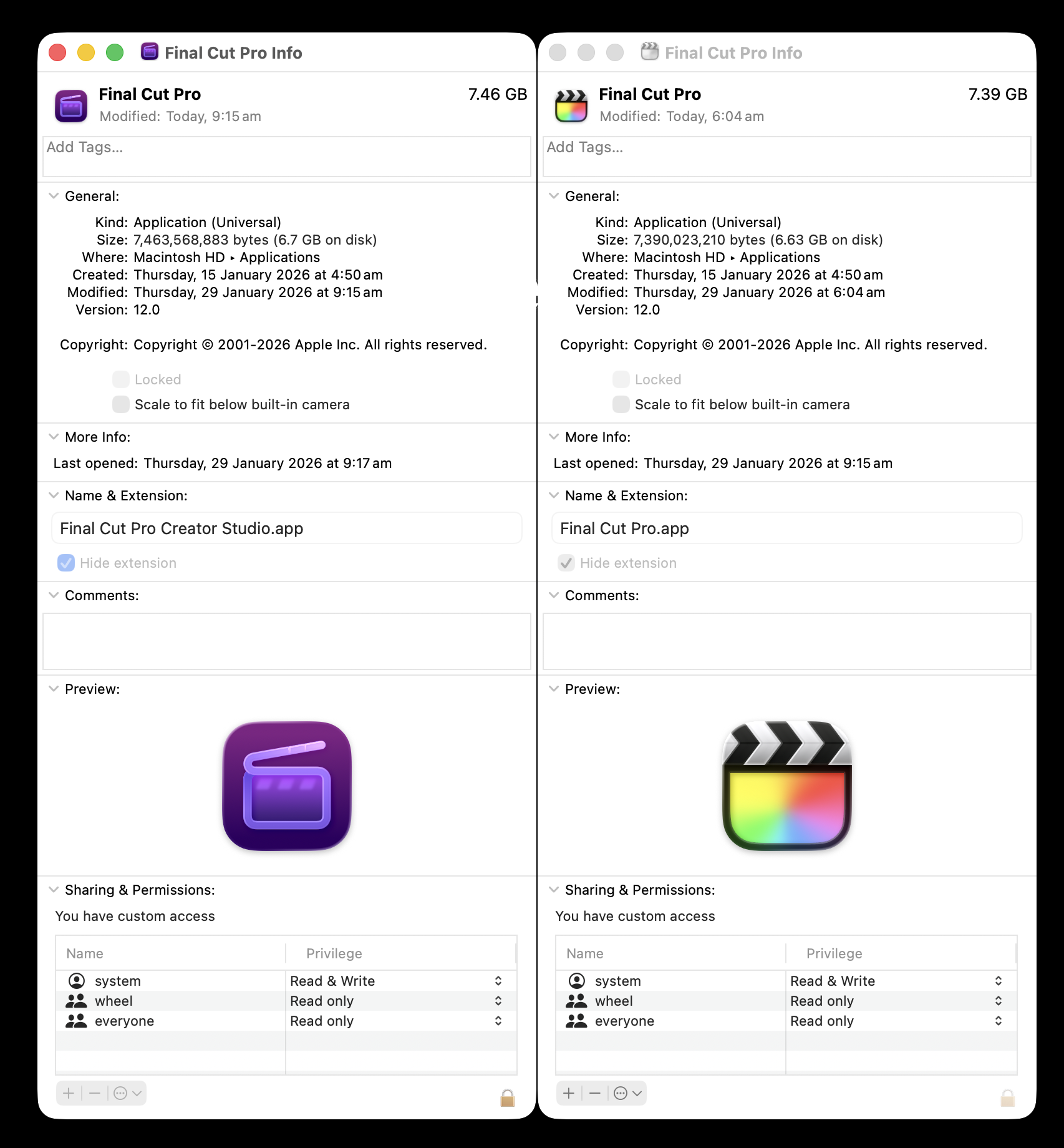
From a branding and communication perspective for FCP Cafe, this is probably a better way to talk about the two different products - Final Cut Pro, and Final Cut Pro Creator Studio.
The Final Cut Pro library database format has been updated - meaning any old Final Cut Pro library will need to be updated (make sure you create a ZIP'ed backup first!).
Here's the version information:
You can learn more about the Final Cut Pro Library Database file on FCP Cafe's Developer Section.
If you need to get from Final Cut Pro (Mac) or Final Cut Pro Creator Studio (Mac) to Final Cut Pro Creator Studio (iPad), the good news is that Transfer Toolbox v1.5.0 has been submitted to the Mac App Store for review, so hopefully by the time you read this it will already be out.
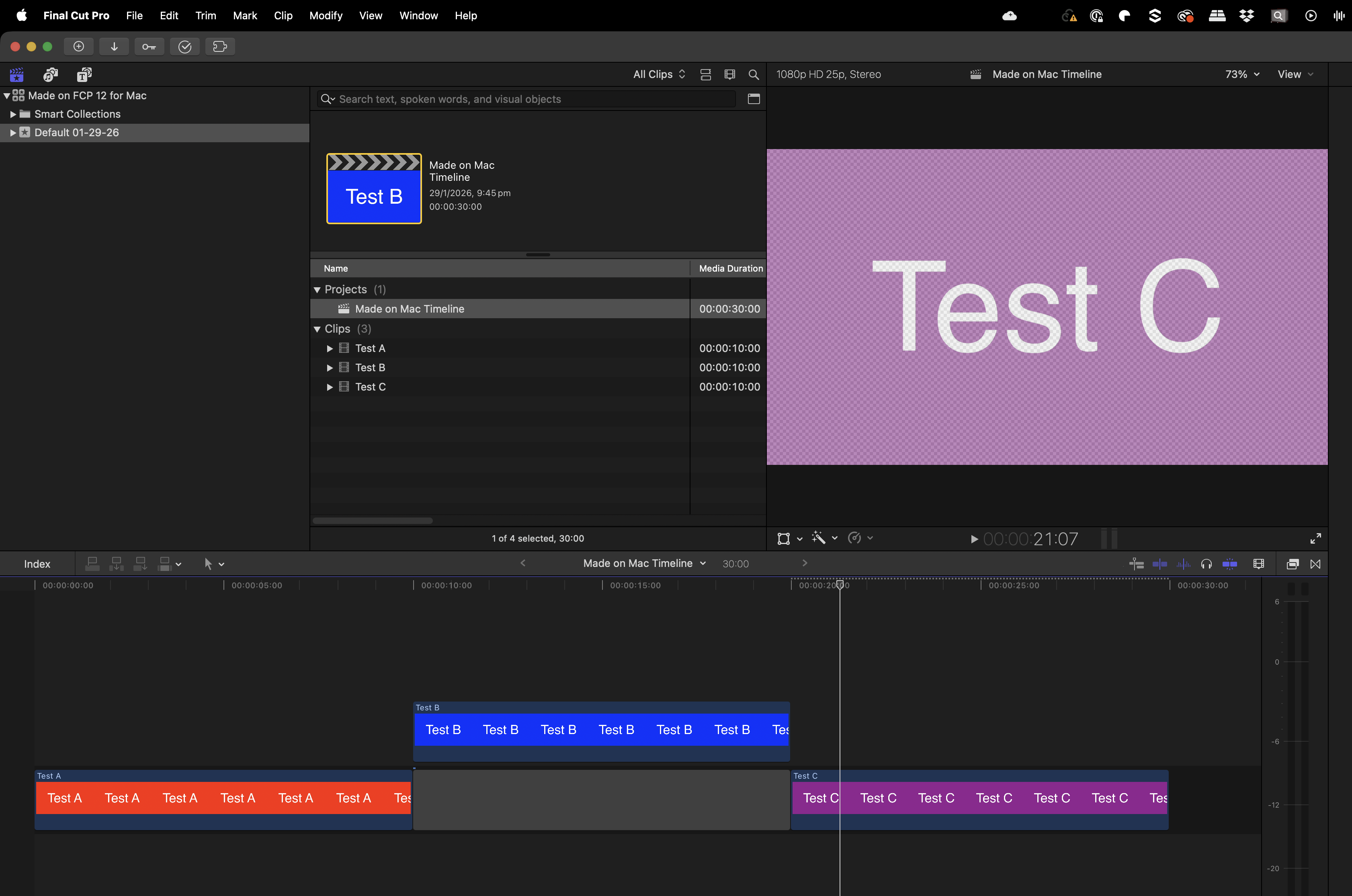
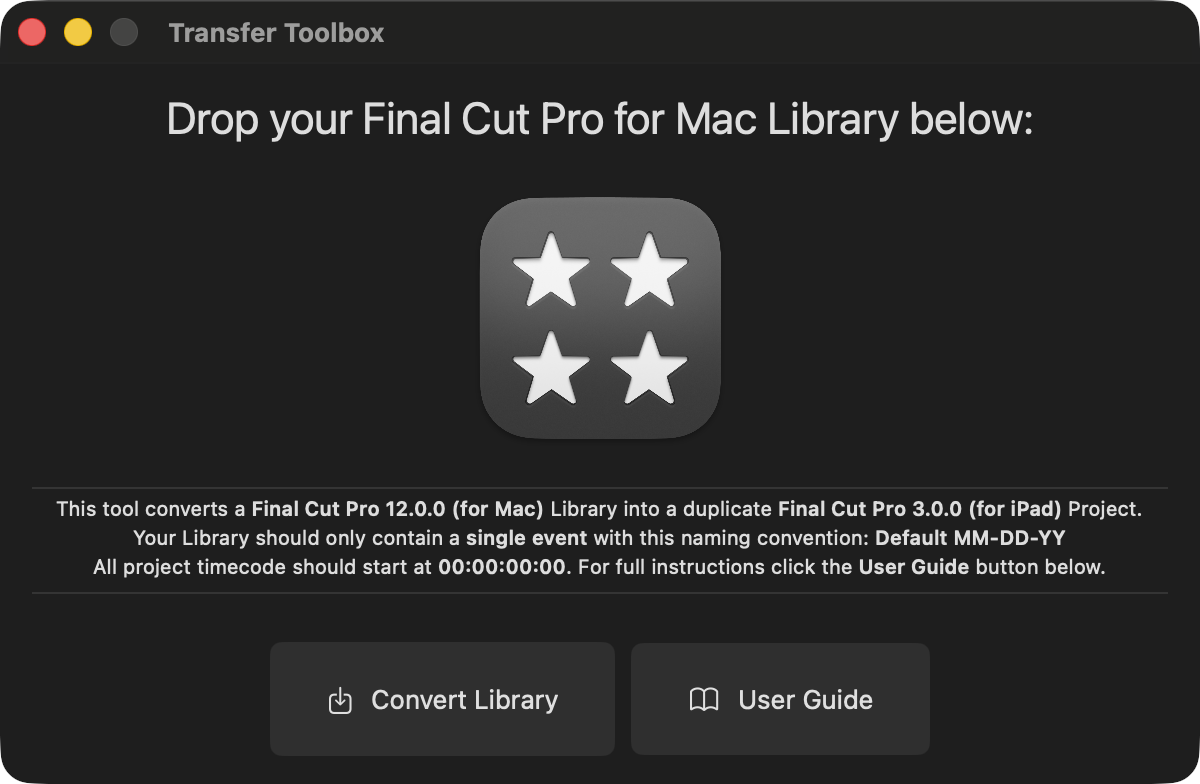
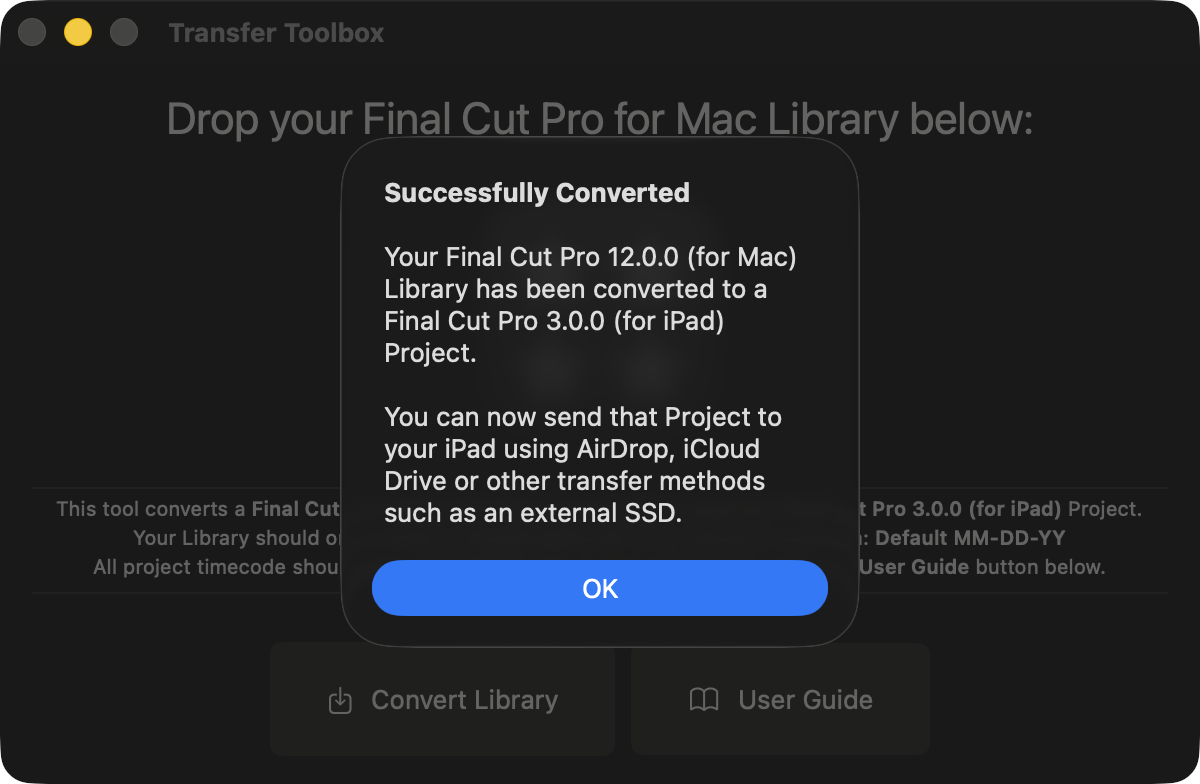
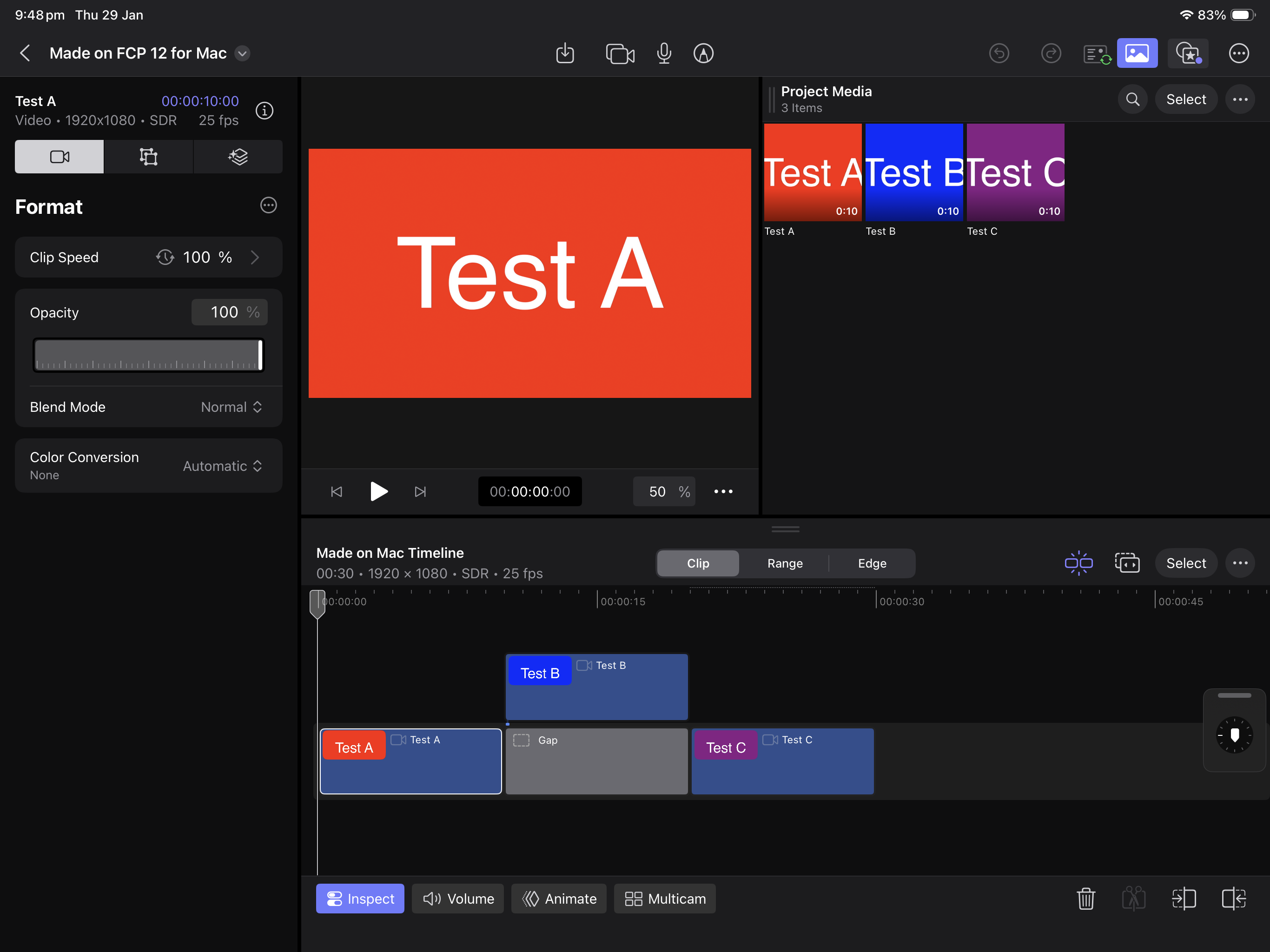
You can learn more about Transfer Toolbox on the Transfer Toolbox website.
FCPXML has been updated to FCPXML v1.14 with some minor additions:
<!ELEMENT smart-collection ((match-text | match-ratings | match-media | match-clip | match-stabilization | match-keywords | match-shot | match-property | match-time | match-timeRange | match-roles | match-usage | match-representation | match-markers | match-analysis-type)*)>

<!ATTLIST match-text rule (includes | doesNotInclude | is | isNot | startsWith | endsWith | isRelatedTo) "includes">

<!ATTLIST match-text scope (all | notes | names | markers | transcript | visual | all-text) "all">

<!ELEMENT match-analysis-type EMPTY>
<!ATTLIST match-analysis-type enabled (0 | 1) "1">
<!ATTLIST match-analysis-type rule (isAvailable | isMissing) "isAvailable">
<!ATTLIST match-analysis-type value (any | transcript | visual) "any">
For a lot of applications working with FCPXML, these changes will be irrelevant, and not break anything.
FxPlug v4.3.4 has been updated and includes the following:
- Improved stability and reliability.
- FxPlug SDK now requires macOS 13.0 (Ventura) or later.
- Improved performance in FxPlugs that use custom data parameters.
- Fixed an issue where 3rd party FxPlugs that use the project API might get an invalid URL for the media folder of their effect.
- Improved performance by fixing a number of small memory leaks that can occur when using the
FxAnalysisAPI. - Fixed a potential crash when scheduling frames in an interlaced project using the
FxTimingAPI. - Fixed an issue where a plugin could leak instances.
- Fixed an issue where a plugin using the
FxAnalysisAPImay receive incorrect inputs during analysis. - Fixed a potential crash in Motion when an FxMatrix is initialized with
-[FxMatrix44 initWithFxMatrix:] - Fixed an issue where the host app could crash when a plug-in calls the
-setVersionAtCreation:method of the versioning API. - Fixed an issue where dragging the OnScreen Controls could cause the render to jitter.
- Building with Swift 6 is known to cause compilation issues with example plug-ins. The fix is fairly straightforward. The
@NSApplicationMainline in the wrapper application can be replaced with@main. AnNSLockcan be added to theMTLDeviceCacheand locked at the start of the methods ofMTLDeviceCachethat usedeviceCachesproperty, and unlocked before returning from the method. TheMTLDeviceCacheclass can then be marked as@unchecked Sendable. - Analysis plugins built with older SDK versions (XPC version 10 or earlier) may see some performance degradation when processing higher-resolution clips (e.g. 8K) in Motion. Update your plugins to use the latest FxPlug SDK to ensure they utilize XPC version 11.
Whilst it's great to have an FxPlug update, it's kinda sad that they didn't have the time/interest/resources to actually update their sample plugins.
If you compare Blackmagic's RAW SDK to Apple's FxPlug4, it's INSANE and sad at how good Blackmagic is at supporting 3rd party developers compared to Apple.
However, documentation and samples aside, it's AWESOME that Apple continues to update and improve FxPlug.
Some of my plugins, such as Metaburner and BRAW Toolbox make extensive use of FxPlug, so hopefully this will make them even more stable and performant in Final Cut Pro v12.
Workflow Extensions SDK v1.0.3 as been updated, and the release notes are as follows:
- A Workflow Extension built with this version of SDK is compatible with Final Cut Pro 10.4.9 or later running on macOS 11 or later on Intel hardware. It will be compatible with Final Cut Pro 10.5 or later running on macOS 11 or later on Apple Silicon systems.
- Refer to Workflow Extensions documentation for general topics in developing a workflow extension.
Known Issues and Limitations:
- Workflow Extensions SDK v1.0.3 may not be compatible with the Swift 6 Runtime due to initialization of the principal
ViewControllerclass from a background thread. Complete the initialization of this object by dispatching its inherited initialization synchronously to the main thread, or use an earlier toolchain. - Workflow Extensions SDK is not fully compatible with Hardened Runtime. In particular, the extension doesn’t work if it is built with Library Validation. If you are building your extension with Hardened Runtime, check the Disable Library Validation checkbox in the Runtime Exceptions section of the Hardened Runtime settings group of the Signing & Capabilities tab in Xcode.
- In addition to the above, check the Apple Events checkbox in the Resource Access section of the same Hardened Runtime settings group.
- There may be issues in window Z ordering in relation to other types of floating windows and popovers Final Cut Pro uses, for example the marker popover.
- The OS service Final Cut Pro uses to discover workflow extensions also finds workflow extensions inside apps installed in non-standard locations. It may be necessary to remove those in addition to the one installed in the Applications folder when you wish to uninstall a workflow extension.
- In relation to the above, when there are multiple workflow extension instances installed in different locations with the same extension bundle version, which one the OS service will choose is undetermined. It is recommended to maintain a single copy of a particular workflow extension along with its container app in the standard installed location as much as possible.
- Part of the implementation of the
ProExtensionHostframework currently uses Apple Events as the messaging transport with the host. The extension, being sandboxed, requires the security entitlement below to send Apple Events to Final Cut Pro and its variants such as Final Cut Pro Trial. Beginning in Winter 2026, an additional new variant (com.apple.FinalCutApp) should be included:
<key>com.apple.security.scripting-targets</key>
<dict>
    <key>com.apple.FinalCut</key>
    <array>
        <string>com.apple.FinalCut.library.inspection</string>
    </array>
    <key>com.apple.FinalCutApp</key>
    <array>
        <string>com.apple.FinalCut.library.inspection</string>
    </array>
    <key>com.apple.FinalCutTrial</key>
    <array>
        <string>com.apple.FinalCut.library.inspection</string>
    </array>
</dict>- See Enabling Scripting of Other Apps for additional information.
- In addition to the entitlement above, the container application requires the following
Info.plistentry:
<key>NSAppleEventsUsageDescription</key>
<string>Extensions can interact with Final Cut Pro.</string>- The text string is used as a message that tells the user why the extension is sending AppleEvents to Final Cut Pro. See
NSAppleEventsUsageDescriptionfor additional information. A future version of the ProExtensionHost framework may use a different implementation. - A workflow extension is not expected to link against the
ProExtensionHostframework. The SDK has its headers only and does not include the framework binary. As a result, the extension does not have direct access to proxy object class symbols or their class methods, particularly the class method used in conjunction with the-isKindOfClassmethod. The extension can use the property that returns the object type as an enum value to determine the object’s type.
As far as I can tell, there's no real code or header changes - the only thing that's change is you need to add the new com.apple.FinalCutApp bundle identifier so that things work with Final Cut Pro Creator Studio.
So, what's the difference between Final Cut Pro and Final Cut Pro Creator Studio?
Feature set wise, they're identical. Under the hood there's subtle changes - here's the percentage of differences:
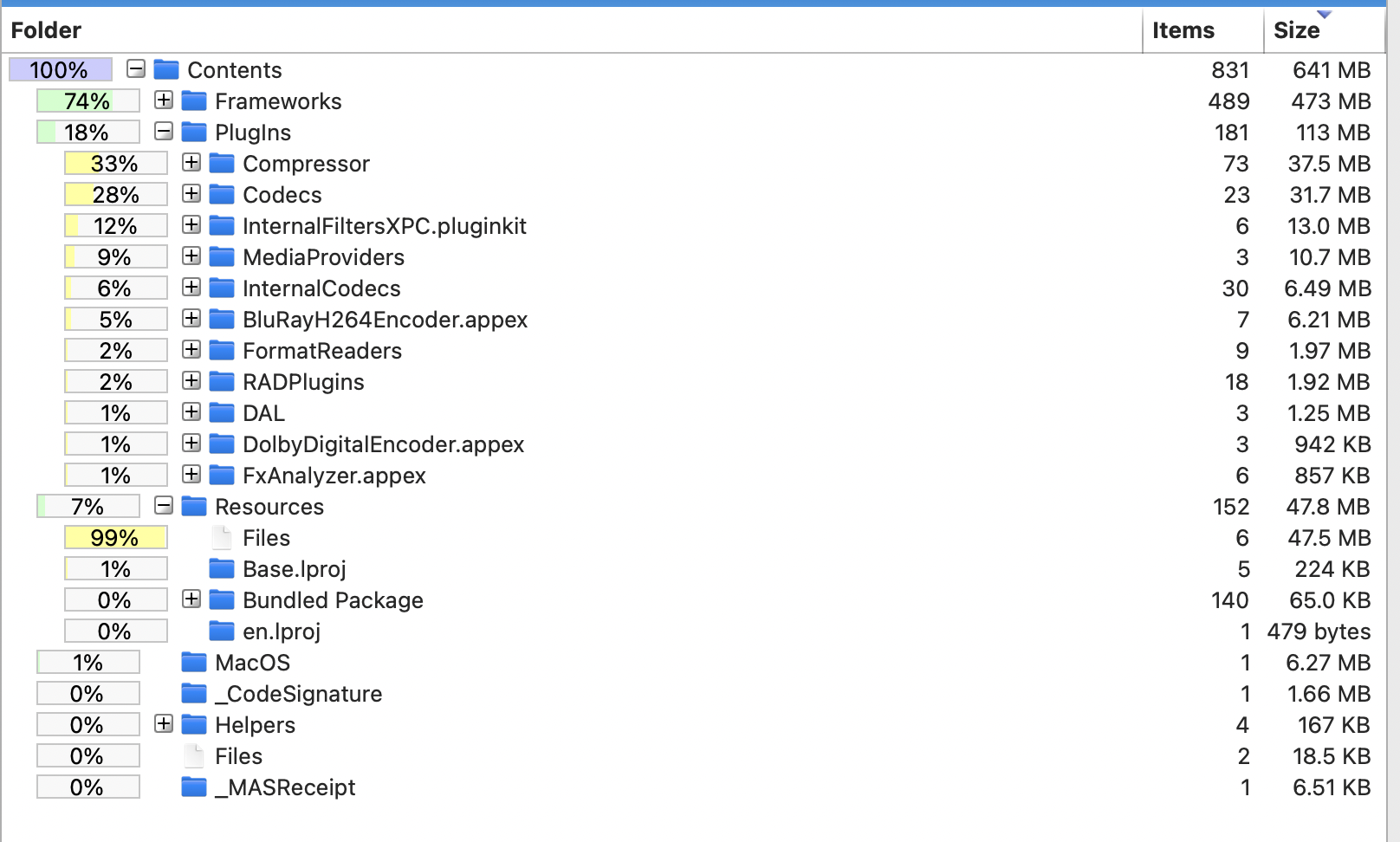
But really... the different frameworks are mostly related to things like subscription handling, on-boarding and different artwork.
For all intents and purposes - Final Cut Pro and Final Cut Pro Creator Studio are the same.
However, if we compare Final Cut Pro on Mac and Final Cut Pro on iPad, we see that they are very different.
Final Cut Pro on Mac has 54 frameworks, whereas Final Cut Pro on iPad has a whopping 102 frameworks.
Now, if we get into some REALLY nerdy details... thanks to an awesome little script by Joe Marler, we can see the split between Objective-C, C++ and Swift:
First up we have Final Cut Pro (on Mac):
Next up we have Final Cut Pro Creator Studio (on Mac):
...and last, but not least, Final Cut Pro Creator Studio (for iPad):
So now if we compare the above:
We can see that Final Cut Pro is still mostly C++, and very little Swift - even on iPad - which is SUPER interesting.
If we look back to our 15th November 2025 blog post, we wrote:
For those that are interested, it looks like Apple is currently hiring lots of people for it's Creativity Apps and ProApps teams:
- Pro Apps Acquisition Business Lead
- Sr. Software Engineer-Video Apps
- Software Engineering Manager, Shared UI / UX - Creativity Apps
- Senior UI Software Engineer, Creativity Apps
- Software Engineer, Creativity Apps
- Senior Software Engineer, Creativity Apps
- Software Engineering Manager, Creativity Apps & Frameworks
- Senior Software Engineer, Creativity Apps & Frameworks
- Software Engineer - LLM Workflows - Apps
- Sr iOS Engineer, Photography Editing & Creativity Tools
Some interesting tidbits from these job ads include:
- The scope of this role is broad and the opportunity to drive customer impact is high. In this role, you will chart the strategic direction of our Pro Apps (including but not limited to Final Cut Pro and Logic Pro) across all Growth & Acquisition initiatives. As the Pro Apps Acquisition Business Lead, you will be responsible for driving the growth of the Pro Apps subscriber base through initiatives that achieve meaningful business results. The ideal candidate is able to set a clear vision for a multi-year growth plan, is adept at simplifying the complex, and influencing across a highly matrix organization. The role requires an experienced leader who will partner directly with product, engineering, marketing, design and finance working cross-functionally to deliver results.
- As a Senior Software Engineer, you’ll help drive the modernization of persistence systems that must handle multi-gigabyte projects with real-time responsiveness. You will be a technical contributor within the team while collaborating across Apple’s creative applications ecosystem.
- The Creativity Apps team is seeking a highly skilled Software Engineer with hands-on experience with media management, collaboration, persistence, or syncing. As a Software Engineer, you will play a key role in designing, implementing, and maintaining robust cloud syncing, media management, efficient on-device storage, and collaboration solutions to enhance our products and services.
- The Creativity Apps team is looking for a senior engineer with expertise in Apple platforms to help architect and build media management and collaboration features for creative tools. You’ll be working with the world-class teams behind Final Cut Pro, Logic Pro, and iWork to create next-generation tools for creators.
- Develop and enhance the data model, persistence infrastructure and shared frameworks used across Final Cut Pro applications.
- Contribute to the migration of legacy Objective-C systems to modern Swift applying best practices for maintainability and testability.
- Develop new capabilities using Swift structured concurrency and Grand Central Dispatch, ensuring thread safety and optimal performance.
- Collaborate closely with product and platform teams to deliver foundational improvements that enable seamless workflows across applications.
- Identify and resolve complex bottlenecks in multi-threaded, latency-sensitive environments processing large media files.
It certainly seems like behind the scenes, a lot is happening at Apple in the ProApps departments.
It looks like a big effort is being placed on updating a lot of Final Cut Pro's legacy Objective-C code to modern Swift is happening - although it's a massive long-term project.
It seems like the major Swift rewrite is an on-going project with a LONG way to go.
As expected the reaction from social media has been mixed.
For example, Chance_Noise_1702 on Reddit writes:
Extremely disappointed. Was expecting useful AI tools to be integrated. The "beat detection" feels so redundant. I've been editing for decades, and I don't really need vertical lines to visually indicate when the tempo of a song changes— I can already determine this through an audio clip's waveforms (as I'm sure 99% of editors can do easily as well). Maybe the so-called 'AI beat detection' is good if you're a beginner trying to learn how to mix sound? But for the "pros" using Final Cut "Pro", I don't see it.
Also, the beat lines showing 'where to splice and make track sound continuous'. This is pretty easy to do naturally by simply listening to a track and determining, no?
The "visual search" also underwhelms. I'm a filmmaker by profession. When I finish shooting for the day, the first thing I'll do is import that day's footage, and organize it into folders accordingly, based on scene(s) we filmed that day. So, I can't imagine ever having a use to an "AI visual search" for objects/elements, text, types of shots, etc. to help locate footage. I already have shot lists, shooting schedules, and organized folders to go off of for that.
Really underwhelmed, and frankly disappointed. FCP is falling dangerously behind competitors. I've been finding myself using Adobe more and more. In fact, even the new 'Capcut' desktop editing app is MILES ahead of FCP in terms of features/effects. Embarrassing and pointless update imo.
I've been editing with Final Cut Pro all day, and I have to say I LOVE the beat detection - it's really awesome.
The project I was cutting today was started in Final Cut Pro v11.2, so I already had manually added markers on my music tracks to help me cut to the beat - and interestingly, my markers pretty much already perfectly lined up with Apple's.
My only real complaint is that I find the interface to be completely visually overwhelming and annoying - there's simply too many green lines on the screen!
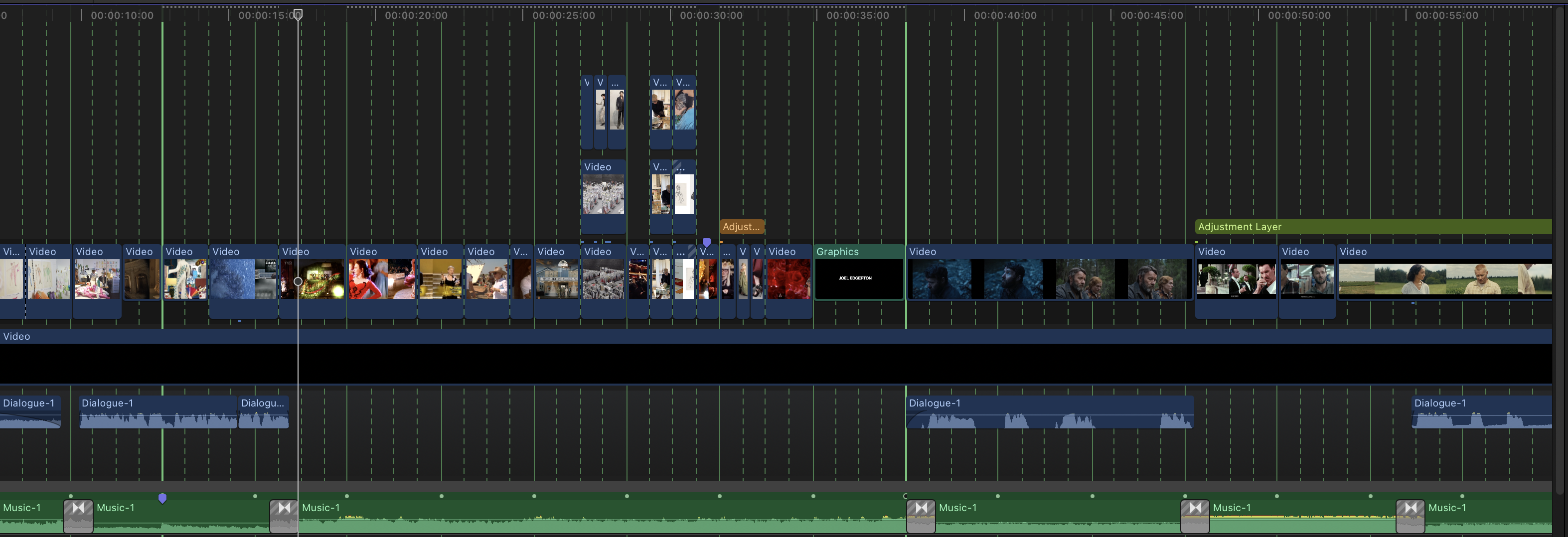
I kinda wish it had a "focus" mode and it only revealed the markers at an area close to the playhead, and an opacity setting, so you could make it super subtle.
In my head I'm imagining if it has a "focus" mode, wherever my mouse or playhead is, I can see a those beat markers highlighted, but the lines slowly "fade out" in a circle, so your eye is directed JUST to the beat markers you NEED to see at the time.
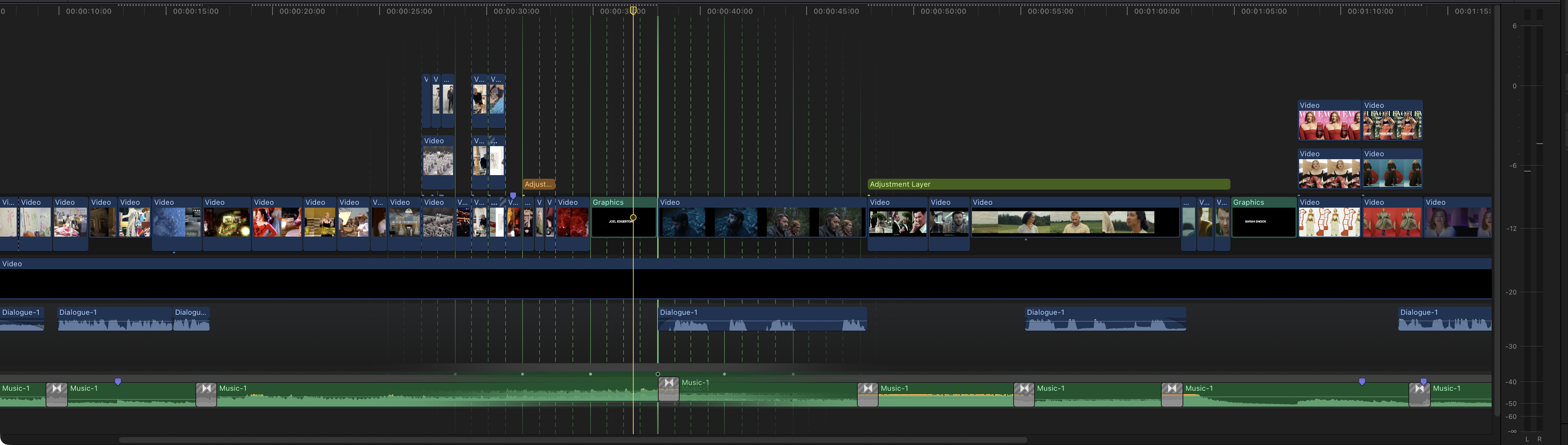
I've added a feature request on FCP Cafe's Feature Wish List.
So I definitely disagree with Chance_Noise_1702 - I think the Beat Markers are AWESOME! Thank you Final Cut Pro team!
In regards to the visual search - I have to agree - the quality of the search results kinda sucks. Although that's not really unexpected, given how quickly it analyses things.
The problem with this Final Cut Pro update is that for a year now, we've already had Jumper in the world, so you have a direct comparison in terms of search quality - and Jumper just kills Final Cut Pro in terms of visual search quality.
Back on 14th January 2026 I wrote:
We would ASSUME that both Transcript & Visual Search will be on by default in the
Import Settings.As someone who directly helped bring Jumper to Final Cut Pro, it'll be super interesting to compare Jumper and Apple's offering in terms of speed, quality and ease-of-use.
I'm ASSUMING that Apple's machine learning models will be super fast - especially as they're supporting all Apple Silicon devices.
The quality - who knows until it ships. We do know that lots of people are using Jumper in Adobe Premiere, even though Media Intelligence is built in natively, simply because Jumper's search results are better - i.e. Jumper understands what a
Millennium Falconis.My GUESS is that Apple will have to tread very carefully with their machine learning models - and like with Adobe, Apple's models also won't know what a Millennium Falcon is (for example).
Personally, I think Apple's Transcript & Visual Search will work awesome for most users. It'll be fast, native, and super handy.
Even today, when it comes to searching transcriptions, I sometimes find it faster and easier to just throw all my footage into a timeline, generate captions and search the Timeline Index to find specific things - as opposed to firing up Jumper.
However Jumper's advantage is that the same analysis files can be shared between Mac & PC, and between Final Cut Pro, DaVinci Resolve, Adobe Premiere Pro and Avid Media Composer. It also works in multiple languages - which Final Cut Pro won't do on launch.
...and I think I was basically spot on.
Interestingly, after spending a day switching between Final Cut Pro and Final Cut Pro Creator Studio on Mac - I've found the subscription version to be a lot more unstable, and crashy.
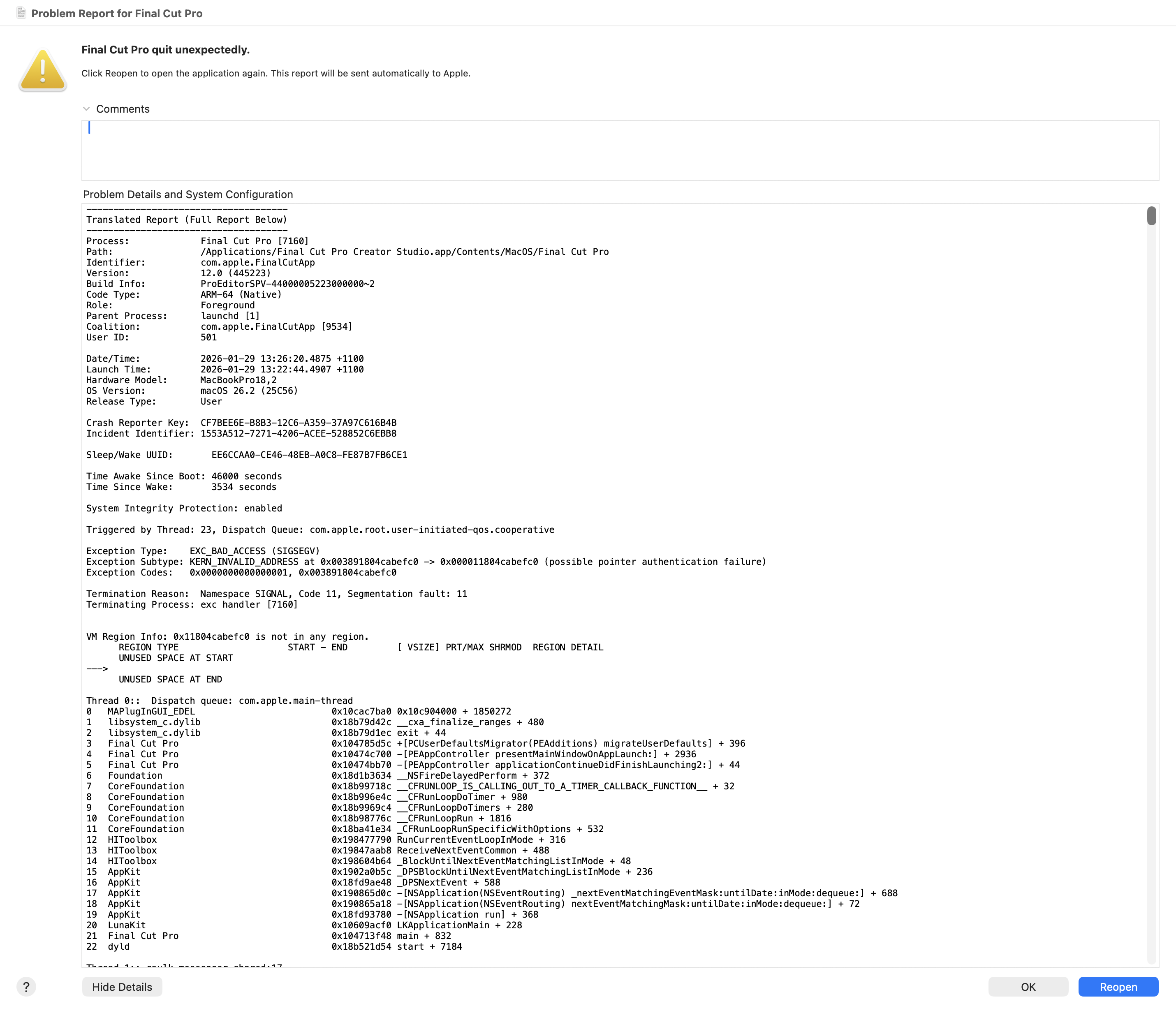
There seems to be bugs and issues with the on-boarding flow, subscription management and migrating preferences.
My GUESS is that Apple was never able to do any deep real-world testing with users having both Final Cut Pro and Final Cut Pro Creator Studio installed on the same machine - as I'm pretty sure all the top-secret-don't-exist beta builds were just a single application (i.e. Final Cut Pro Beta.app) - so there's probably a lot of unexpected flows and user setups that they simply didn't test or consider.
However, generally speaking Final Cut Pro v12.0 worked pretty well today - and did what it needed to do.
Unfortunately you can't open Final Cut Pro and Final Cut Pro Creator Studio at the same time out-of-the-box:
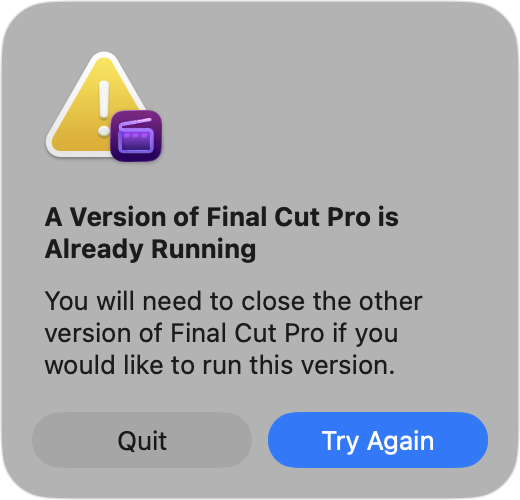
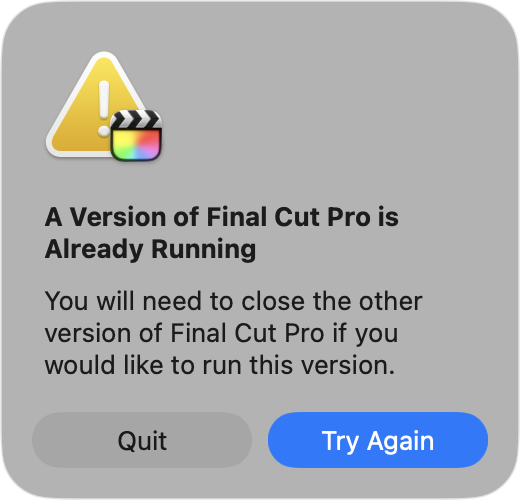
...which is not surprising. However, you can just launch one from Terminal to get around this block.
So, what about third party apps?
- As mentioned above Transfer Toolbox v1.5.0 is already on it's way to the Mac App Store.
- Capacitor will require an update for
FCPXML v1.14support. This has been submitted to the Mac App Store, so we're just waiting on Apple to review. - Metaburner will require an update for
FCPXML v1.14support. We'll get to this for FxFactory and the Mac App Store ASAP. - Hedge Arctic v26.1 is out now with Final Cut Pro v12.0 support!
- CommandPost will definitely need an update for Final Cut Pro Creator Studio. It currently works with Final Cut Pro, but there will no-doubt be bugs. I'll try and jump on CommandPost fixes ASAP.
- Gyroflow Toolbox is working great, but we'll update to the latest FxPlug4 SDK ASAP.
- BRAW Toolbox is working great, but we'll update to the latest FxPlug4 SDK ASAP.
- Recall Toolbox is working great, but we'll update to the latest Workflow Extension SDK ASAP.
- LUT Robot is working great, but we'll update to the latest Workflow Extension SDK ASAP.
- Marker Toolbox is working great, but we'll update to the latest Workflow Extension SDK ASAP.
- Fast Collections is working great, but we'll update to the latest Workflow Extension SDK ASAP.
- News Import is working great, but we'll update to the latest Workflow Extension SDK ASAP.
Yes... I make far too many apps, haha (with more to come!).
Here's a sneak peak at something I'm working on in collaboration with the amazing Knut Hake and Sam Pluemacher:
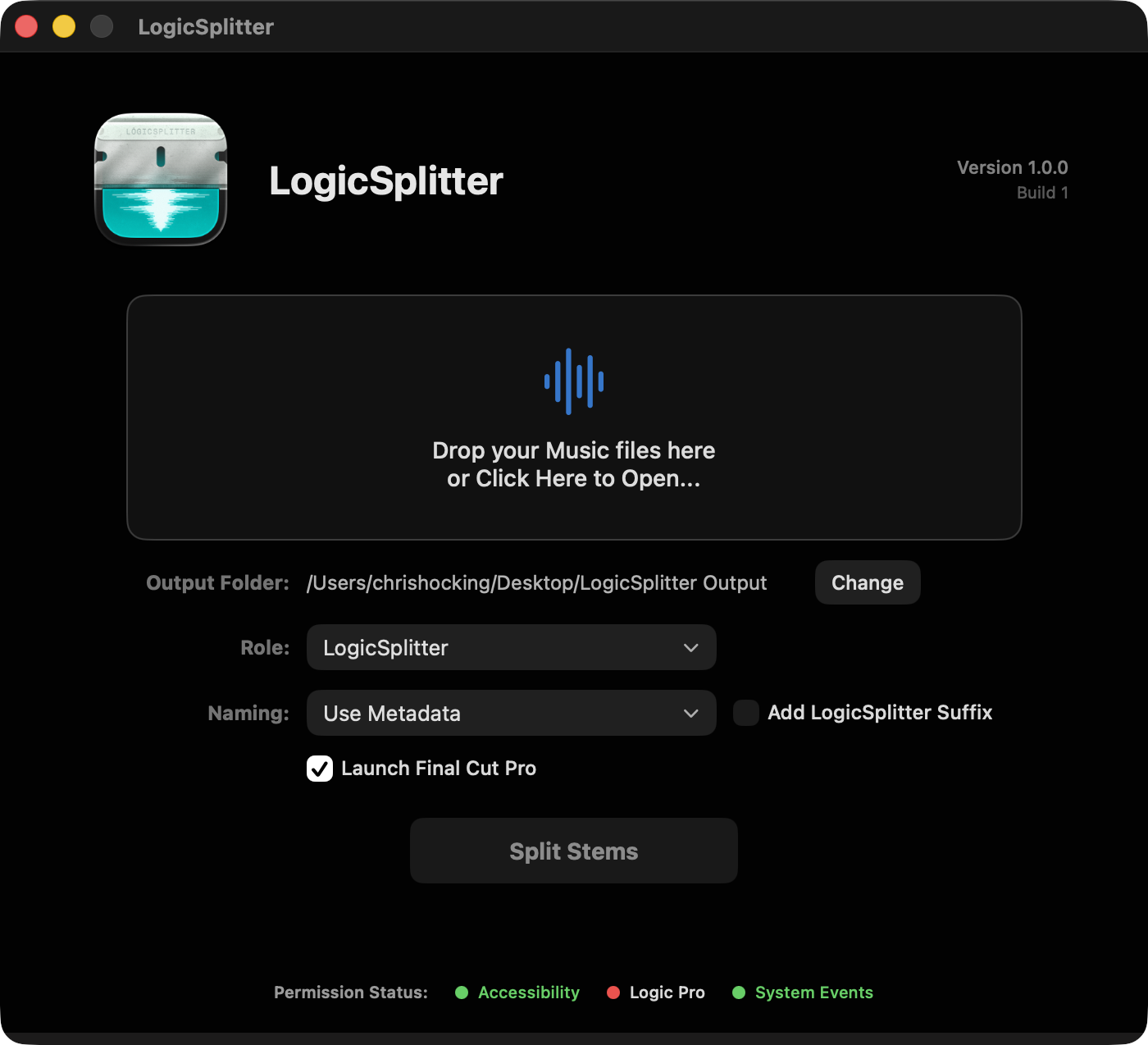
This will also require some tweaks for the latest Logic Pro update - so stay tuned for it's eventual release!
And that basically sums up everything I can think of after a day of cutting!
If you run into any bugs or crashes, please report them to FCP Cafe. If you have any comments or questions, fire away in the comments section below.
Thanks team! Happy editing!