# Explore LateNite's Tools
## Introduction
This website has been thrown together by [Chris Hocking](#chris-hocking) from [LateNite](https://latenitefilms.com).
**LateNite** is an independent production studio committed to investing in emerging creatives with strong, unique voices, helping tell their stories in a creatively supportive and collaborative environment. Our work uses humour to explore outsider stories that are unmistakably human and straddle the line between light and dark.
Constantly looking for ways to innovate, at LateNite we're as passionate about production and post production as we are about storytelling.
Our pursuit of creative excellence has seen us work closely with global cinematic technology companies to craft post workflow solutions and critically celebrated software in-house.
For example, our debut free and open-source application **CommandPost**, has been downloaded well over **258 thousand times**.
It's been used for projects at **Netflix**, **Pixar** and the **BBC**. People at companies such as **Apple**, **Avid** and **Adobe** use it daily.
All of the 2024 and 2025 **Apple WWDC** videos were graded using [Tangent panels](https://www.tangentwave.co.uk) in Final Cut Pro controlled by [CommandPost](https://commandpost.fcp.cafe). 🥳
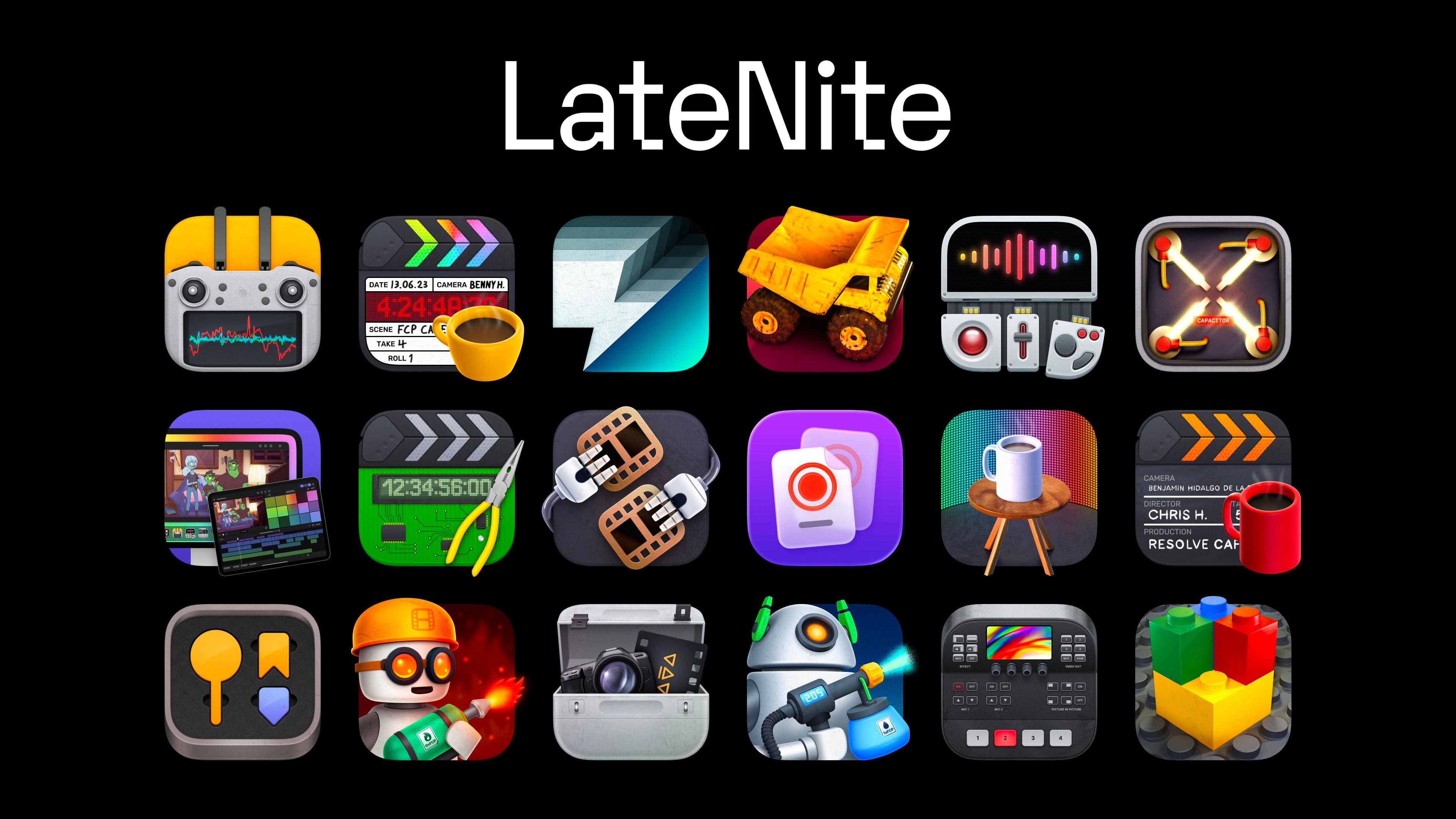
This page showcases all the stuff we've build, throw together and collaborated on. Enjoy!
---
## Chris Hocking
Based in Melbourne (Australia), Chris has been working in the entertainment industry for over two decades.
He was previously the Post Production Supervisor at Melbourne's award winning editing house **The Butchery**, and finishing house **The Refinery**.
He has an incredibly strong and varied technical and business background, ensuring that each production makes use of the best and most relevant technology and workflows.
He is the creator of the open source macOS application, [CommandPost](https://commandpost.fcp.cafe), which has been downloaded well over 277K times - as well as a suite of Final Cut Pro tools on the [Mac App Store](https://fcp.cafe/latenite/).
His producing credits include the SBS2 series [The Wizards of Aus](https://latenitefilms.com/live-action/the-wizards-of-aus/), the Fairy Tale unit on Foxtel mini series [Lambs of God](https://latenitefilms.com/collaborations/lambs-of-god/), and the ABC ME project [The Legend of Burnout Barry](https://latenitefilms.com/live-action/the-legend-of-burnout-barry/).
Chris is a member of [Screen Producers Australia](https://www.screenproducers.org.au), [Australian Screen Editors](https://www.screeneditors.com.au), and is an [Adobe Certified Expert](https://www.credly.com/badges/3dd5788a-3256-464f-a0f2-e1e70216d3ce).
You can follow Chris on:
- [Twitter](https://x.com/chrisatlatenite)
- [Mastodon](https://mastodon.social/@latenitefilms)
- [Bluesky](https://bsky.app/profile/latenite.bsky.social)
- [Threads](https://www.threads.com/@chrisatlatenite)
However, the best place to chat is on [Discord](https://ltnt.tv/discord).
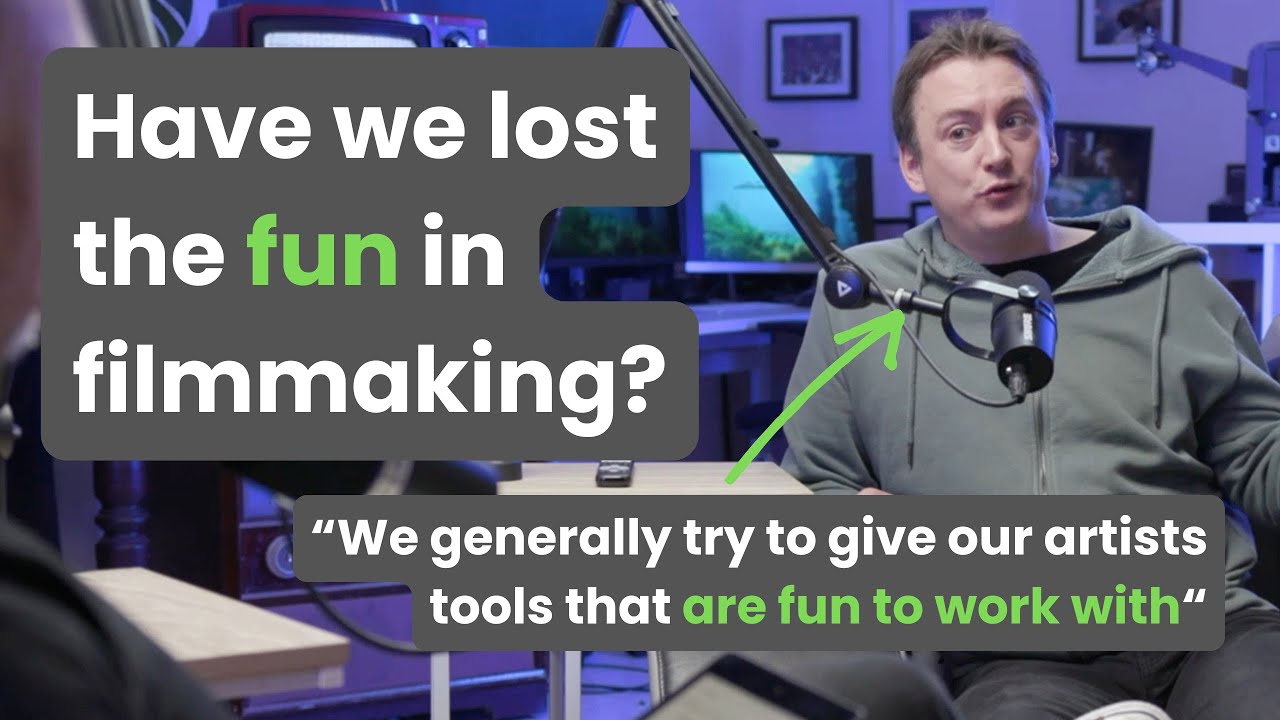
If you want to learn more about Chris' backstory, you can watch him on [Ascent Media's podcast](https://ascentmedia.com.au/ascendyourstory):
[](https://www.youtube.com/watch?v=Ik4_jlKK_Tg)
You can also watch or listen Chris on [Samantha Bell](https://www.samanthabell.com.au)'s [Natural Genius](https://naturalgenius.com.au/) podcast.
You can watch it on [YouTube](https://www.youtube.com/watch?v=WLByY6z1cR4):
[](https://www.youtube.com/watch?v=WLByY6z1cR4)
Or you can also listen to it on [Spotify](https://open.spotify.com/episode/0LdfHsWbaec7WAst52PsOe) and [Apple Podcasts](https://podcasts.apple.com/us/podcast/31-chris-hocking-saying-yes-solving-problems-and/id1866513082?i=1000758937097).
You can also listen to Chris on:
- [Coming up Next Podcast (12th July 2016)](https://podcasts.apple.com/au/podcast/coming-up-next/id1019053801?i=1000372372572)
- [FCP Radio (1st Feb 2023)](https://podcasts.apple.com/au/podcast/final-cut-pro-radio/id1061415673?i=1000597468348)
---
## Custom Tools & Consulting
If you have a specific post production workflow problem you need to solve or automate, we can help.
We are **experts** in everything Final Cut Pro, FCPXML, FxPlug4, Workflow Extensions and professional post production workflows.
We've been active beta testers for Adobe, Avid, BorisFX, CoreMelt, Automatic Duck, Soundly, Maxon and many others.
We’ve developed custom plugins and solutions for post production studios, production companies, and individual editors all over the world.
For example, we developed a transcription plugin for [Apollo: Missions to the Moon](https://www.imdb.com/title/tt9782756/) (edited by [David Tillman](https://twitter.com/davidtillman)) as well as specific CommandPost features for Denmark’s second largest production company, [Metronome Productions](https://web.archive.org/web/20220629061650/https://fcp.co/final-cut-pro/news/867-metronome-celebrate-a-documentary-series-cut-on-fcpx-with-a-birthday-cake).
The **FCPXML Titles Processor**, **Shot Data** and **Titles to Keywords** in CommandPost’s Toolbox are other examples of commissioned tools.
[LUT Robot](https://lutrobot.fcp.cafe) and [News Import](https://latenitefilms.github.io/NewsImport/) are other examples of tools we've built for specific productions, but have also released publicly.
We also provide **consulting services** on technology, workflow and software development.
For example, we've helped **Dylan Bates (The Final Cut Bro)** migrate his [Motion Template Version Fixer](#motion-template-version-fixer) from Python to Swift/SwiftUI.
We have also provided advice and support to **Sebastian Krogull** with his first FxPlug4 application [FidelityFuze](https://www.fidelityfuze.com).
[Email us](mailto:support@latenitefilms.com) to discuss your specific requirements.
---
## Developer Tools
Below are some of our developer tools:
---
### FCPXMLKit
**FCPXMLKit** is a private framework we developed for [Metaburner](#metaburner) & [Capacitor](#capacitor).
It was created by David Peterson.
It's also currently used in several of our other applications such as [Keyframe Toolbox](https://keyframetoolbox.fcp.cafe) and [VFX Toolbox](https://vfxtoolbox.fcp.cafe).
FCPXMLKit provides support for parsing, manipulating and exporting of FCPXML files.
It currently fully supports FCPXML `v1.6` to `v1.13` - although we are actively working on supporting older FCPXML versions, and full FCP7 XML support.
It can be licensed for third party use. If you're interested please get in touch for a quotation and further information.
---
## Pro Editor Bundles
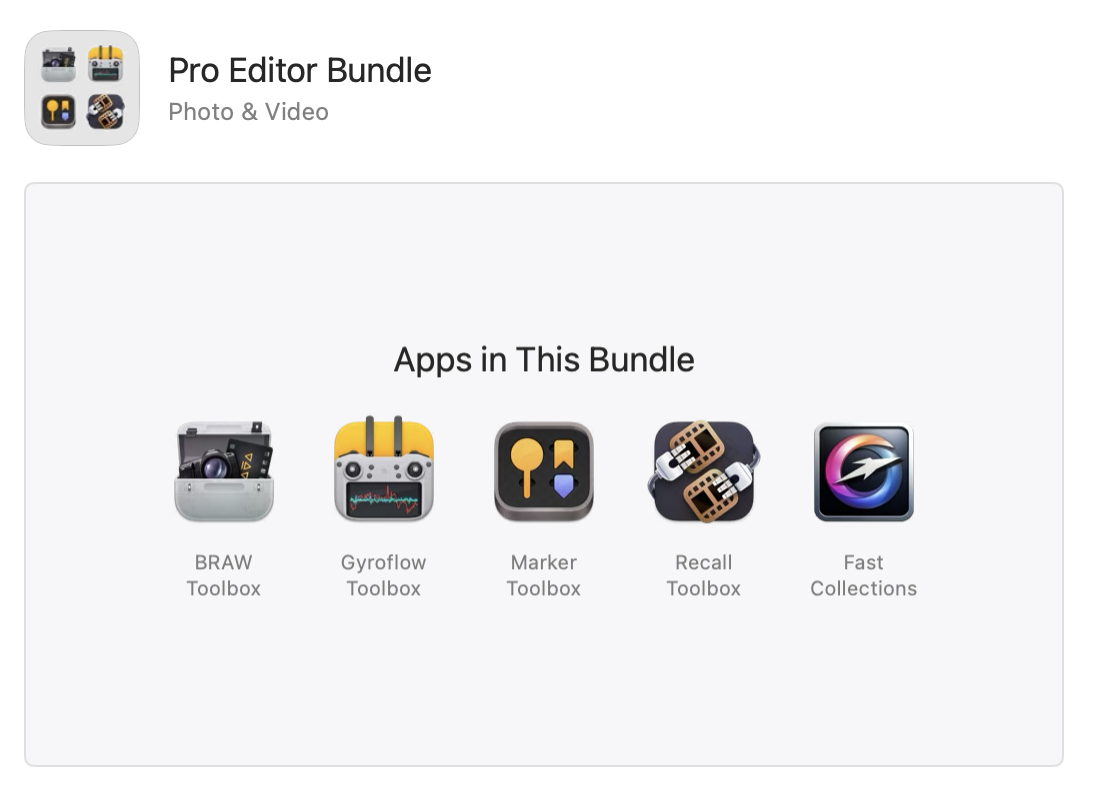
For only **USD$100** (save USD$29.95!), you can now buy [BRAW Toolbox](https://brawtoolbox.fcp.cafe), [Gyroflow Toolbox](https://gyroflowtoolbox.fcp.cafe), [Marker Toolbox](https://markertoolbox.fcp.cafe), [Recall Toolbox](https://recalltoolbox.fcp.cafe) & [Fast Collections](https://fastcollections.fcp.cafe) as a bundle!
Better yet, for an **extra USD$50**, you can also get [LUT Robot](https://lutrobot.fcp.cafe) and [Capacitor](https://capacitor.fcp.cafe) (save USD$9.93)!
However, if you want **EVERYTHING**, the **Pro Editor Bundle v3** is only **USD$179.99** (save USD$9.92) and includes:
- [BRAW Toolbox](/latenite/#braw-toolbox)
- [Capacitor](/latenite/#capacitor)
- [Fast Collections](/latenite/#fast-collections)
- [Gyroflow Toolbox](/latenite/#gyroflow-toolbox)
- [LUT Robot](/latenite/#lut-robot)
- [Marker Toolbox](/latenite/#marker-toolbox)
- [Metaburner](/latenite/#metaburner)
- [News Import](/latenite/#news-import)
- [Recall Toolbox](/latenite/#recall-toolbox)
The Mac App Store also supports **Complete My Bundle** - which credits customers for apps they’ve already purchased within a bundle. You only pay the balance for the remaining apps.
You can find the bundles on the **Apple Mac App Store** here:
- [**Pro Editor Bundle**](https://apps.apple.com/app-bundle/pro-editor-bundle/id1717681153).
- [**Pro Editor Bundle v2**](https://apps.apple.com/app-bundle/pro-editor-bundle-v2/id1750813030).
- [**Pro Editor Bundle v3**](https://apps.apple.com/app-bundle/pro-editor-bundle-v3/id1814969493).
---
## Free Apps
Here's some of our free tools used by professional editors worldwide...
---
### CommandPost
**The Swiss Army Knife for Post Production Professionals**
CommandPost is a **free** and [open source](https://github.com/CommandPost/CommandPost/blob/develop/LICENSE.md) macOS application that makes your post production and editing life faster and more fun.
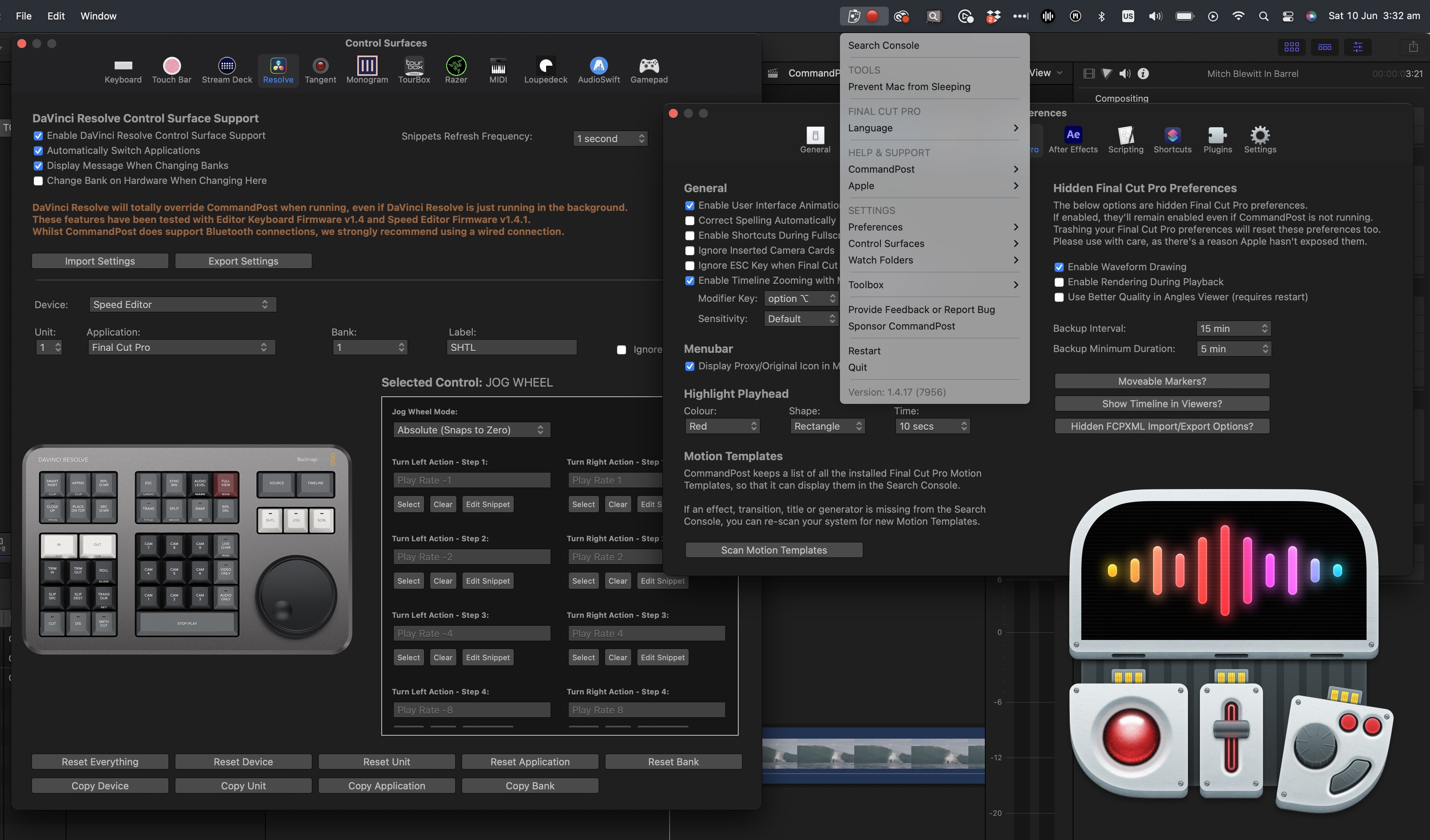
It adds **hundreds** of features to Apple’s [Final Cut Pro](https://www.apple.com/final-cut-pro/) to make it even better and more enjoyable to edit with.
It has **extensive** control surface support - allowing you to control your Mac anyway you want. It's also fully **native on Apple Silicon**.
It's been downloaded over **[258 thousand times](https://hanadigital.github.io/grev/?user=commandpost&repo=commandpost)**, and there are over **[3 thousands members](https://www.facebook.com/groups/commandpost/members)** in our active [Facebook Community](https://www.facebook.com/groups/commandpost/).
We also have a growing [Discord community](https://ltnt.tv/discord).
It's been used for projects at **Netflix**, **Pixar** and the **BBC**. People at companies such as **Apple**, **Avid** and **Adobe** use it daily.
All of the 2024 **Apple WWDC** videos were graded using Tangent panels in Final Cut Pro controlled by CommandPost. 🥳
[!button text="Visit Website" target="blank" variant="info"](https://commandpost.io)
---
#### User Quotes
> _“ Titles to Keywords is a huge timesaver when editing complex scenes. Couldn’t live without it anymore. And directors love that every delivery of any line from any take is just one click away! ”_
> **[Knut Hake](http://www.knuthake.de)** - _Editor on Netflix's Blood Red Sky_
> _“ CommandPost and FCP are so intertwined on my day to day that I see them as one app! ”_
> **[Marcos Castiel BFE](http://www.marcoscastiel.com/)** - _Editor on Netflix's Turn of the Tide_
> _“ Command Post started as a FCPX utility but it goes further than that. You can use it to map almost any function to supported hardware devices to work with any app like a BMD Speed Editor and Avid Media Composer! ”_
> **[Marc Bach](https://www.interfacelab.tv)** - _Editor & Colourist_
> _“ Chris's support is the best you will find anywhere on the planet. He was proactive and able to implement features for me on the spot. 5 STAR product 5 STAR support. ControllerMate is what I used to use. CommandPost is faster and easier. ”_
> **[Ross Batten](https://www.roscoaudio.com.au)** - _Senior Sound Designer (ProTools)_
> _“ Search Console is like Spotlight on steroids. It can quickly find and execute any obscure command, NLE and OS-wide, fire up keyboard makros (scripts), and especially, find and place Effects and Effect Templates, directly onto selected clips in my FCP timeline. It constantly saves me clicks. ”_
> **[Florian Duffe](https://florian-duffe.de/en/flow-en/)** - _Editor_
> _“ CommandPost is so many things for so many people. For me it is a Final Cut Pro automation system that unlocks hidden features and uniquely supports advanced workflows. CommandPost’s secret weapon? Deep connections with the postproduction community which mean that it constantly improves as the needs of editors and post professionals evolve. ”_
> **[Alex ‘4D’ Gollner](https://alex4d.com)** - _Motion Template Creator_
> _“ Chris, you have no idea how helpful your Titles to Keywords toolbox has been on our latest production. Without the toolbox these 2-3 hour long timelines (around 900 keywords) would have been nearly impossible to tag with the FCP built in way. It's very long scenes with around 50 lines of text for all characters. ”_
> **[Sam Pluemacher](https://www.imdb.com/name/nm10223233/)** - _Assistant Editor on Netflix's Blood Red Sky_
> _“ As someone who doesn’t like clicking to do things, CommandPost makes my work much more likeable! ”_
> **[Oli Frost](https://olifro.st/)** - _Editor_
> _“ CommandPost supports my Loupedeck, Stream Deck and Razer devices with advanced Final Cut Pro integrations. Eliminating the need for multiple apps and reducing complexity. ”_
> **[Sam Pluemacher](https://www.imdb.com/name/nm10223233/)** - _Assistant Editor on Netflix's Blood Red Sky_
> _“ CommandPost is the first thing you should install If you like to tinker. This genius app extends Final Cut Pro in all kinds of ways, enabling advanced workflows, automation, and even integration with external hardware such as MIDI controllers. Recommended. ”_
> **[Iain Anderson](https://iain-anderson.com)** - _Author of Final Cut Pro Efficient Editing_
---
### Hammerspoon
Hammerspoon is a tool for powerful automation of macOS.
It's been downloaded over **927,379 times**!
At its core, Hammerspoon is just a bridge between the operating system and a Lua scripting engine.
What gives Hammerspoon its power is a set of extensions that expose specific pieces of system functionality, to the user.
Hammerspoon is the "engine" behind CommandPost.
Chris is one of the active maintainers of the Hammerspoon project.
You can download and learn more on the [Hammerspoon website](https://www.hammerspoon.org).
---
## Mac App Store
Below are all the products currently for sale on the official Apple **Mac App Store**.
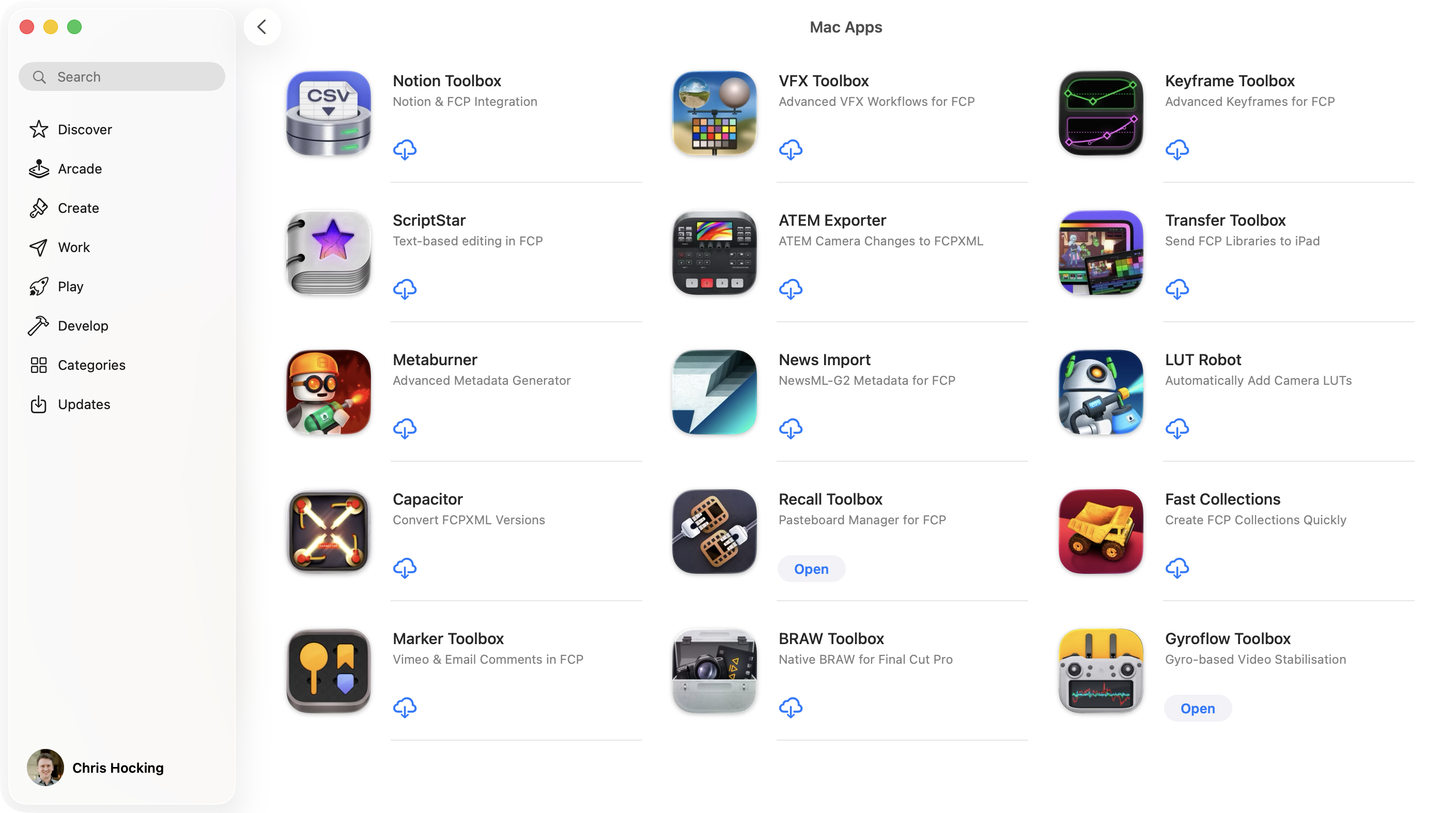
You can view them all on the [Mac App Store](https://apps.apple.com/developer/latenite-films-pty-ltd/id1652018641).
---
### ATEM Exporter
**ATEM Exporter** is a native Swift + Swift UI Mac Application that listens to a [Blackmagic ATEM switcher](https://www.blackmagicdesign.com/products/atem), and logs all the camera changes.
> [:icon-desktop-download: Click here to **buy** on the **Mac App Store**](https://atemexporter.fcp.cafe/buy/)
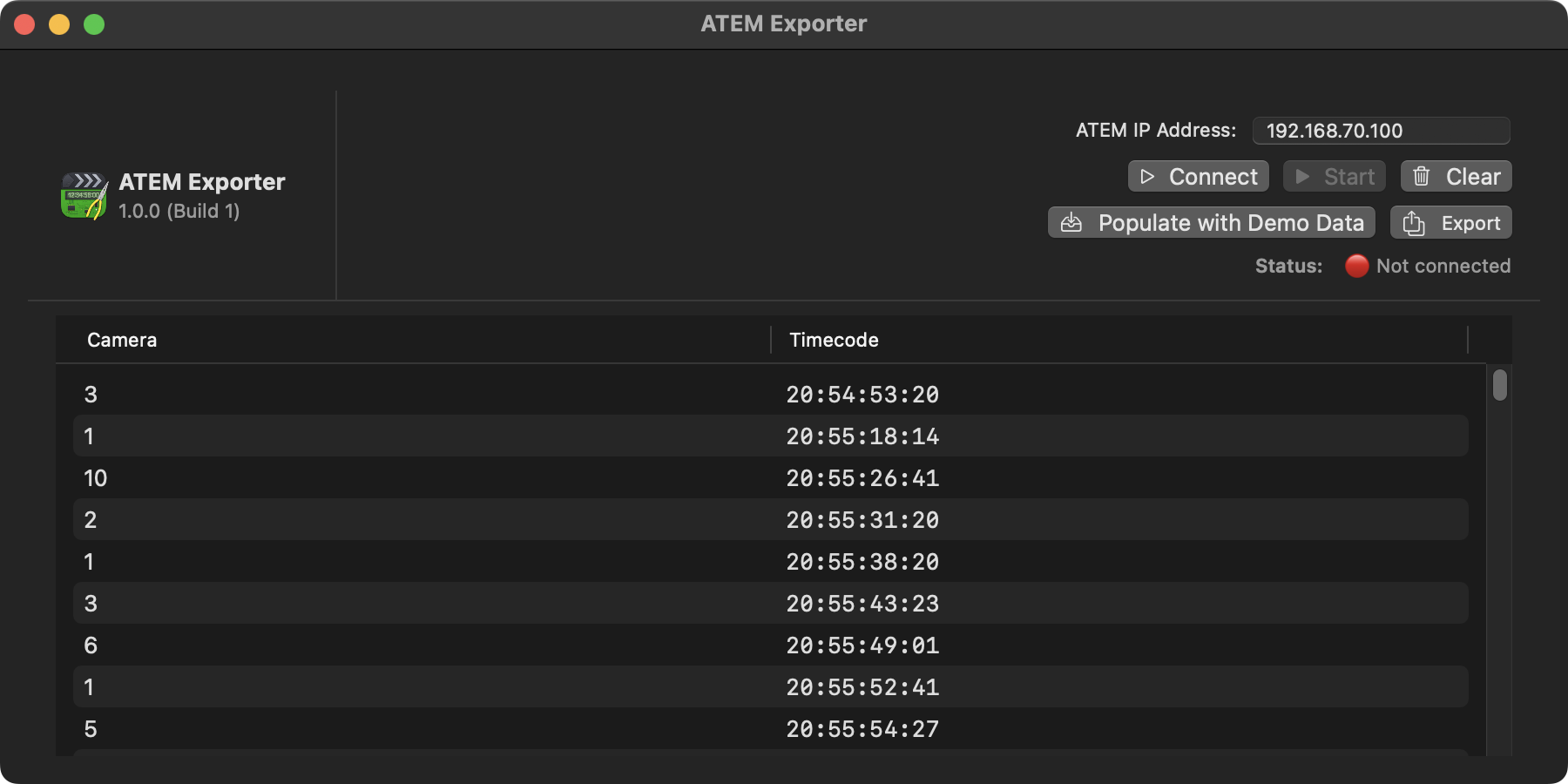
You can export the camera changes as a Final Cut Pro `FCPXML`, to use in Final Cut Pro or Blackmagic DaVinci Resolve.
You can export a **Program Cut**, which allows you to use your program feed from an external recorder (such as a [Blackmagic HyperDeck](https://www.blackmagicdesign.com/products/hyperdeck)), and add cut points each time there's a camera change.
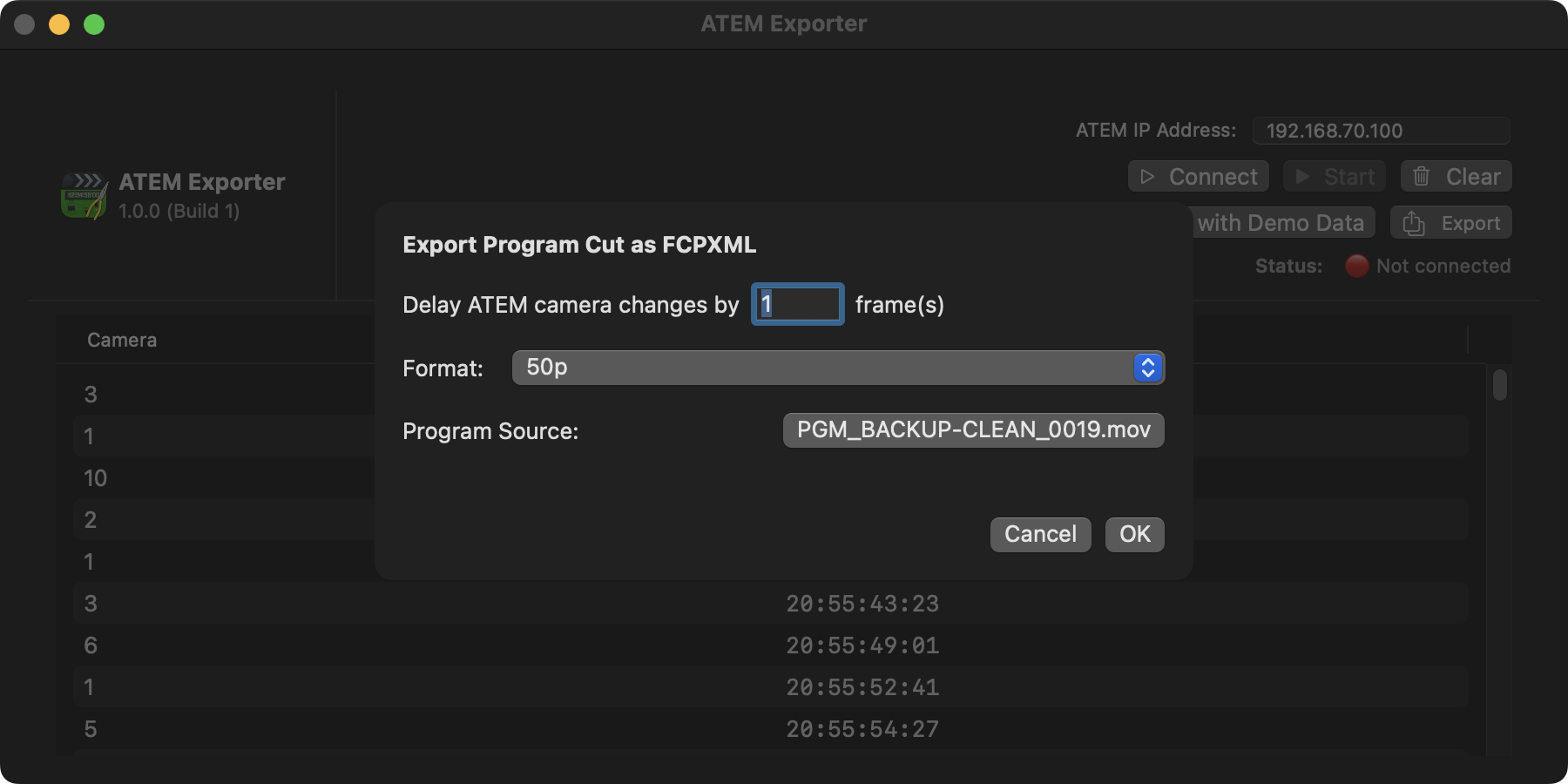
You can also export a **Multicam**, which allows you to use your program feed as well as any ISO (i.e. independent camera) recordings, and export a Multicam clip for Final Cut Pro or DaVinci Resolve.
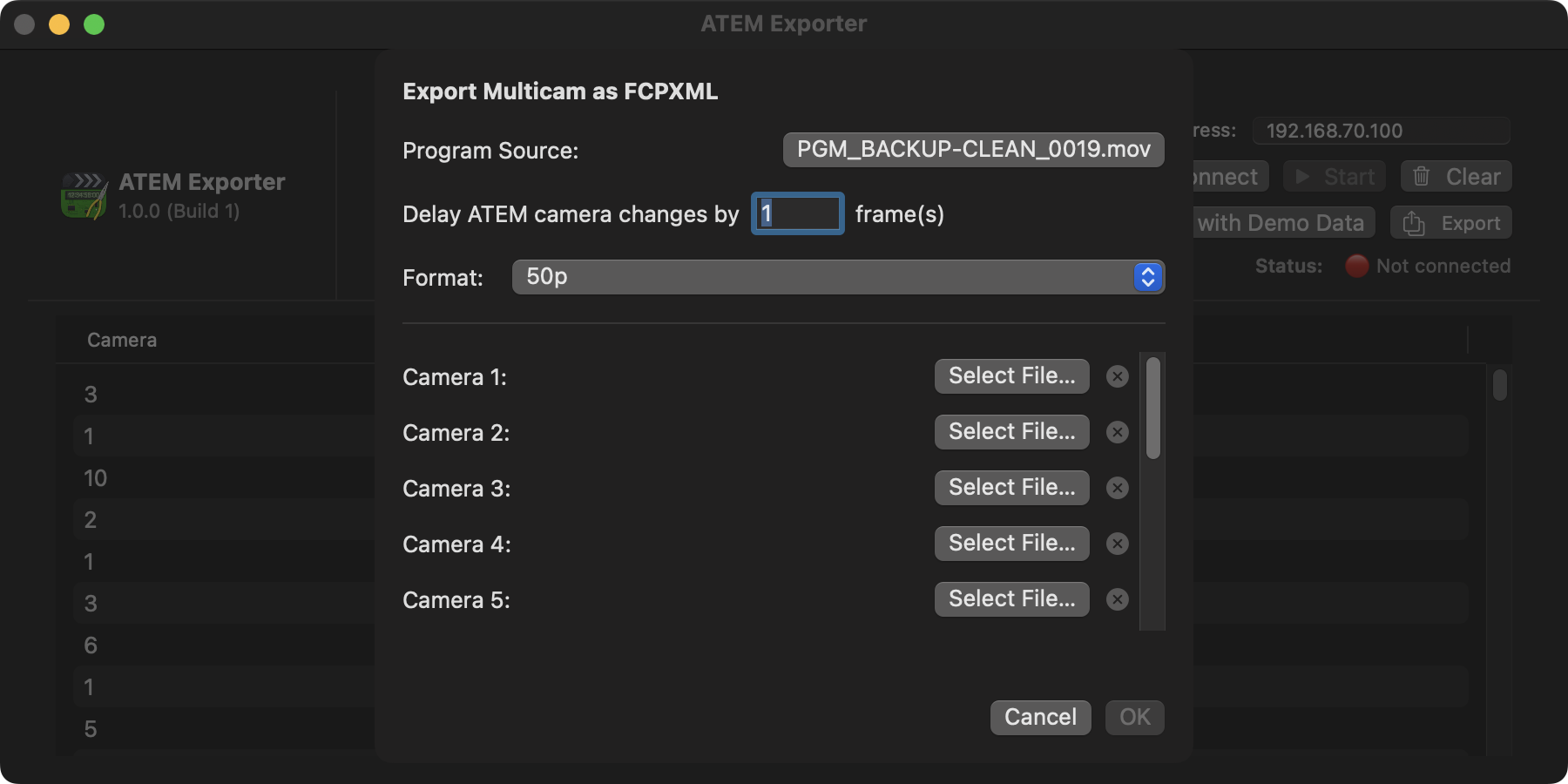
ATEM Exporter was built in a few hours during a live event, and has **only** currently been tested in a real-world live production using an **Blackmagic ATEM Constellation 8K**, Blackmagic HyperDeck's and AJA recorders for ISOs - so we welcome any user feedback for other ATEM's!
You can learn more on the [ATEM Exporter website](https://atemexporter.fcp.cafe).
---
### BRAW Toolbox
**BRAW Toolbox** allows you to import Blackmagic RAW files directly into Final Cut Pro without transcoding.
No more waiting. No more transcoding. No more massive ProRes files.
Save hours of time, and terabytes of storage!
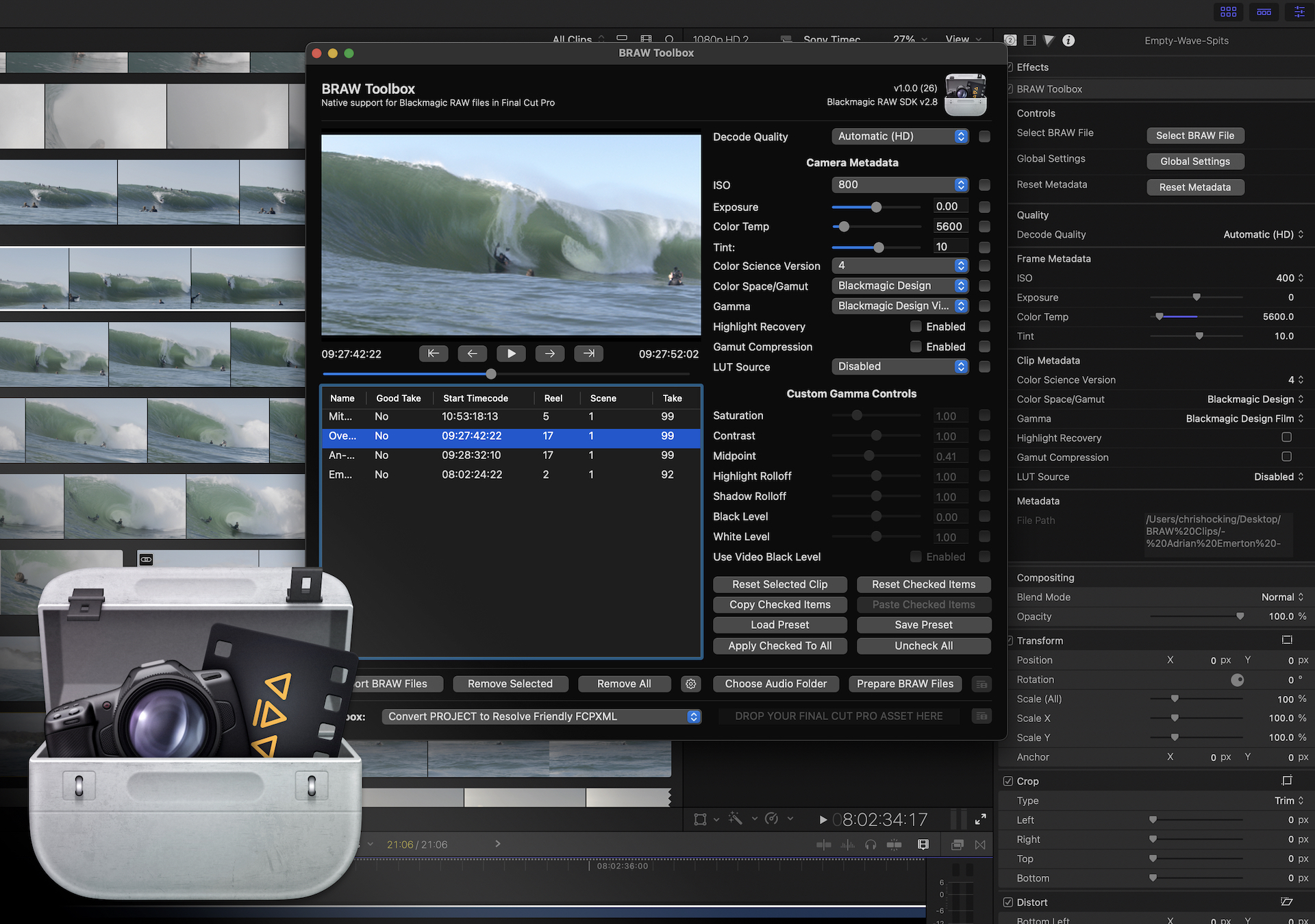
The BRAW Toolbox Workflow Extension allows you to prepare all of your footage prior to import. You can easily and quickly change all the RAW parameters, and copy and paste settings from different BRAW clips. You can even save and restore Presets that contain specific parameters, saving time for example, if you always use the same Gamut & Gamma.
Once imported into Final Cut Pro, you can still modify the RAW parameters at any time.
You can even keyframe the ISO, Exposure, Color Temp, Tint and Custom Gamma Controls!
BRAW Toolbox comes with a Metadata View that allows you to view every piece of BRAW Metadata directly within the Final Cut Pro Inspector.
There are automatic Decode Quality options for both HD and UltraHD projects, and you can also work at a low Decode Quality, then apply a "Global Setting" to force Full Quality prior to exporting - meaning you never have to worry about creating proxies for performance. BRAW Toolbox gives you complete freedom and flexibility.
You can also use the Workflow Extension to send your project/timeline to DaVinci Resolve for grading - all using BRAW files directly from the camera!
BRAW Toolbox requires Final Cut Pro 10.6.5 or later.
[!button text="Visit Website" target="blank" variant="info"](https://brawtoolbox.fcp.cafe)
---
#### User Reviews
:::review
This developer did what Apple Couldn't/Wouldn't
This app is a great solution to a common problem Final Cut Pro users have: getting Blackmagic Raw footage into the app. At first it might seem like a bizarre workaround, but you only have to go through the process of setting it up once, and then you can easily import your Blackmagic footage right into FCP. Honestly, from that point on it works so incredibly well that I really struggle to understand why Apple has made it so difficult. Except it's not difficult, not anymore. This is great software: a small developer solving a problem that a big one (Apple) can't. That's innovation, my friends.
_moosefuel – Feb 3, 2023 (Apple App Store Review)_
:::
:::review
The tool we have dreamed of is here.
For lovers of Final Cut Pro who have struggled with the endless BRAW proxy XML loop, this is a dream come true. BRAW natively inside Final Cut. Controls for RAW adjustments at your fingertips. Is it the full Resolve interface? No, doesnt need to be, Between BRAW ToolBox and FCP, most edits can be done natively without ever having the leave the Final Cut NLE. If you shoot any BRAW camera, this is the best of both worlds if you live in the FCP ecosystem. Thank you latenightfilms team for this, its a huge step forward and a wonderful plugin.
_Chasing Photography – May 16, 2023 (Apple App Store Review)_
:::
:::review
Perfect!
Just perfect.
_Viaswage – Feb 18, 2023 (Apple App Store Review)_
:::
:::review
Great!
Love this! thank you!
_NarimanGafurov – Feb 6, 2023 (Apple App Store Review)_
:::
:::review
UMMMMMM THANK YOU, YOU'RE A GENIUS
I've needed this for years!!!!!! You are a genius and this is incredible!!! Thank you so much!!! No clue how BM never made this.
_gordonfromvan – Feb 4, 2023 (Apple App Store Review)_
:::
:::review
I've been waiting for this!
I can finally use my two Blackmagic cameras and shoot in BRAW. As a Final Cut Pro editor, I'm really excited. The app is working great! I really appreciate the team at LateNite for all the hard work it took to get this up and running. Well worth the money to be able to handle BRAW seamlessly.
_Scott_Hartman – Feb 2, 2023 (Apple App Store Review)_
:::
:::review
Boom!
Such an amazing plugin and works fantastic!
_Grant Digital Sky – Feb 2, 2023 (Apple App Store Review)_
:::
:::review
Absolutely Amazing.
Solves a massive problem and works beautifully!
_Jmurphy8503 – Jan 31, 2023 (Apple App Store Review)_
:::
:::review
The impossible made possible.
Amazing to work natively with BRAW in my favourite editor. Thank you!
_MadMitch1993 – Jan 30, 2023 (Apple App Store Review)_
:::
---
### Capacitor
**Capacitor** allows you to easily convert between FCPXML versions.
For example, if you're working on **Final Cut Pro 10.7**, but you have an online artist on an older Autodesk Flame, you can convert from FCPXML `v1.11` to `v1.9`.
Or if you have an old FCPXML in your archives, you can upgrade from `v1.8` to `v1.10`.
Because Capacitor ensures it outputs FCPXML following Apple's strict DTD rules, you can also use Capacitor to "clean" FCPXMLs.
Learn more [about Capacitor](https://capacitor.fcp.cafe).
---
### Fast Collections
**Fast Collections** is a **Final Cut Pro Workflow Extension** that allows you to quickly create a **Smart Collection** from a list of **Keywords**.
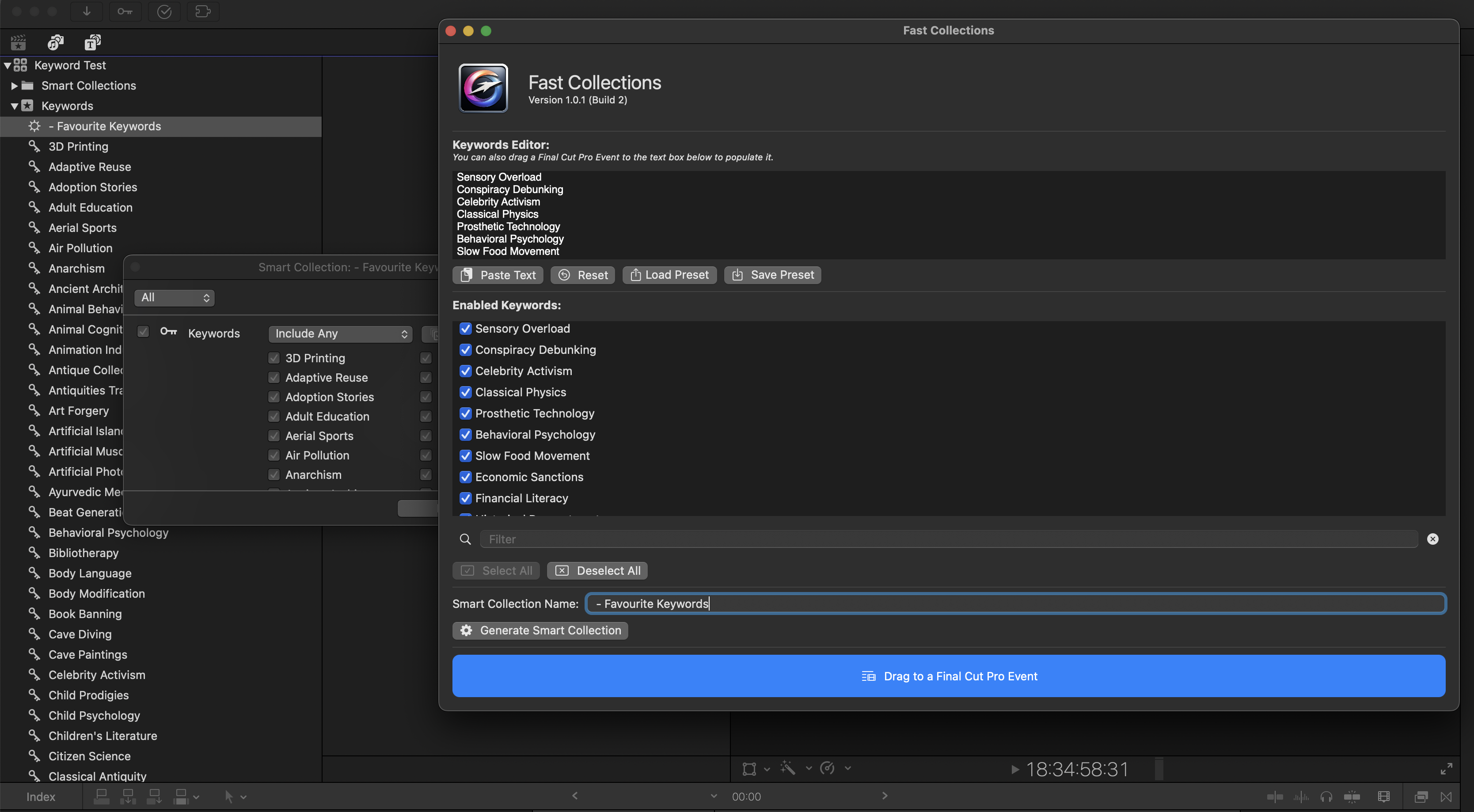
When you're working on massive long-form projects, such as **feature-length documentaries** with **hundreds of clips** and **thousands of keywords**, the Final Cut Pro interface can grind to a halt when using the built-in Smart Collection panel.
This simple Workflow Extension allows you to create a new **Smart Collection**, using a list of supplied keywords within seconds, rather than minutes.
If you have **thousands of keywords** across many events, it can take a long time to create a new Smart Collection with your preferred keywords directly within Final Cut Pro - but with **Fast Collections**, it can now take seconds.
[!button text="Visit Website" target="blank" variant="info"](https://fastcollections.io/)
---
### Gyroflow Toolbox
**Gyroflow Toolbox** allows you to import Gyroflow Projects into Final Cut Pro.
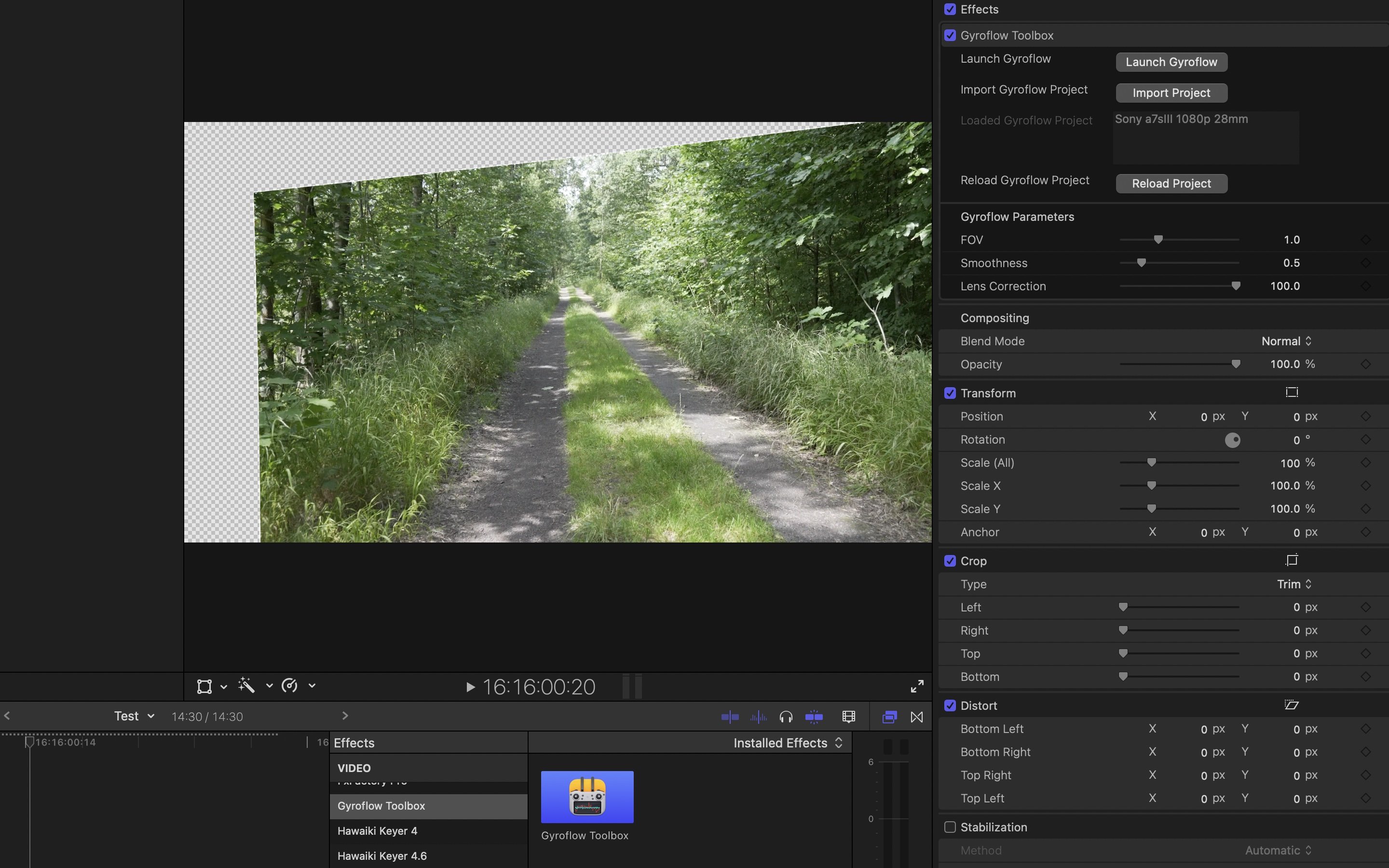
Gyroflow is a free and open source third-party application that can stabilise your video by using motion data from a gyroscope and optionally an accelerometer. Modern cameras record that data internally (GoPro, Sony, Insta360 etc), and Gyroflow stabilizes the captured footage precisely by using them. It can also use gyro data from an external source (eg. from Betaflight blackbox).
Gyroflow Toolbox allows you to take the stabilised data from Gyroflow and use it within Final Cut Pro as an effect, so you don't have to export a ProRes from Gyroflow!
You can even use this in conjunction with BRAW Toolbox (also on the App Store), to stabilise Blackmagic RAW files!
None of this would be possible without the incredible Gyroflow project and the incredibly help and support from their main developer, AdrianEddy.
[!button text="Visit Website" target="blank" variant="info"](https://gyroflowtoolbox.fcp.cafe)
---
#### User Reviews
:::review
Nice product!
Thank you Chris!
_NarimanGafurov – Feb 6, 2023 (Apple App Store Review)_
:::
:::review
The Best Way to Stabilize Pro Res RAW
I record both internally and externally with an Atomos Ninja, on my FX3 with the end goal of delivering HDR. I record internal to capture Gyroscopic data that my FX3 records. This allows me to Use GryoFlow, and Thus GryoFlow Toolbox to stabilize Pro Res RAW footage. This tool has made it possible, and works awesomely. I highly recommend this tool it will help immensely.
_Tydar94 – Jan 27, 2023 (Apple App Store Review)_
:::
---
### Keyframe Toolbox
**Keyframe Toolbox** finally brings advanced keyframe animation to Final Cut Pro.
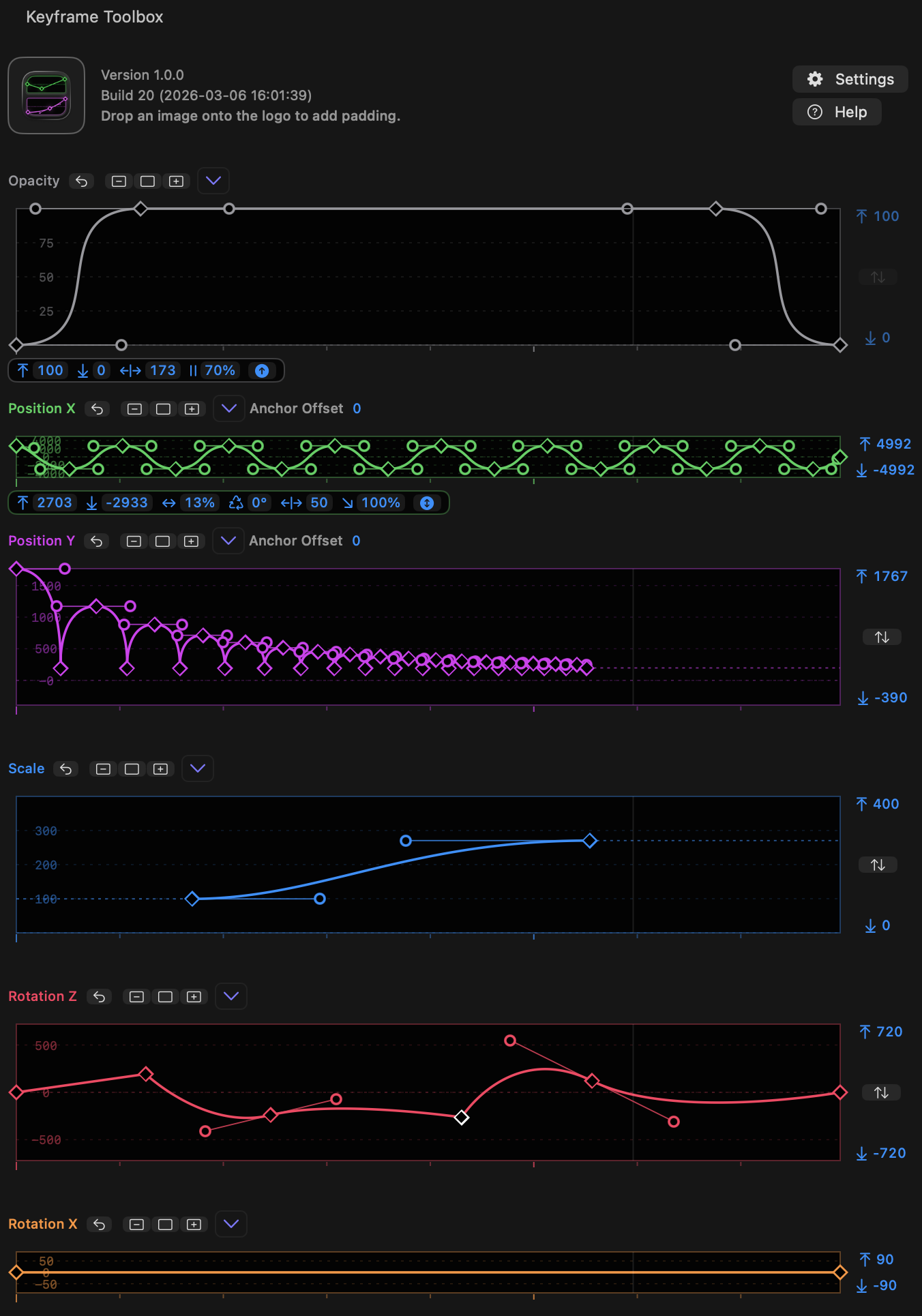
Whilst Final Cut Pro has some basic keyframe controls for Opacity, Position, Scale, Rotation, it includes only limited control over how keyframes transition into one another. In many contexts, only linear keyframes can be created, leading to clunky animations. Though the classic Final Cut Pro included basic keyframe graphs, no version of the modern Final Cut Pro has ever offered a complete set of integrated keyframe controls.
It's time.
Built directly into the Final Cut Pro Inspector, Keyframe Toolbox gives you complete control of your keyframes so you can really refine your movements, rotations, scales, fades and virtual focus pulls. This is a power-user’s tool to help editors and animators create complex, precise animations on the Final Cut Pro timeline.
Keyframe Toolbox takes all the very best keyframe controls from Apple Motion (color, repeating animation patterns), Adobe After Effects (scalable keyframe groups), Blender (precise value editing) and more. We've made our graphs as easy to edit as curves in Adobe Illustrator, and included flexible oscillations and other common patterns to make it easy to create and then tweak many kinds of animations.
Keyframe Toolbox is a one-time purchase, not a subscription, and we hope you love it.
You can download and learn more on the [Keyframe Toolbox website](https://keyframetoolbox.fcp.cafe).
---
### LUT Robot
**LUT Robot** allows you to automatically apply Camera LUTs with matching filenames.
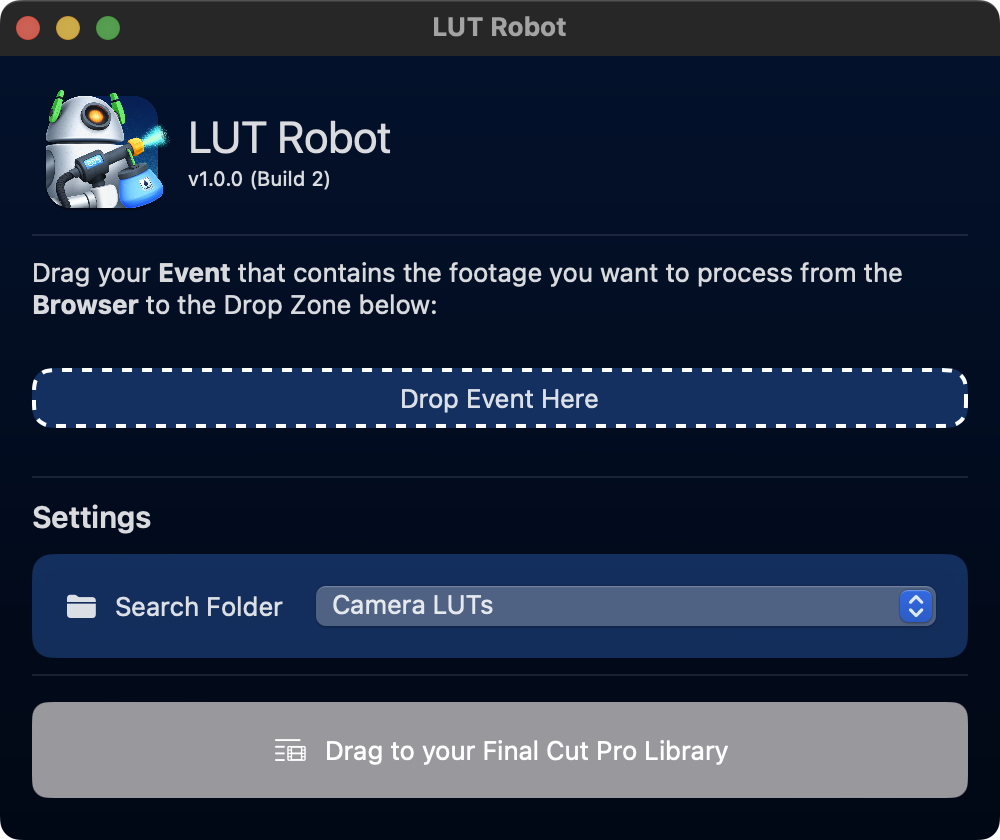
When working on big long-form projects, such as feature films and television shows, DITs on-set create unique Camera LUTs for each shot.
For example, the production might be shooting on an ARRI Alexa and when they hand over the rushes, they also hand over LUTs for each camera file.
LUT Robot automatically applies Camera LUTs with matching filenames, saving hours of work for Assistant Editors, who until now, had to manually set the Camera LUT for each clip.
You can select a specific sub-folder within your Camera LUTs folder to scan.
This is a simple niche app, that saves high-end professional assistant editors using Final Cut Pro hours of time.
[!button text="Visit Website" target="blank" variant="info"](https://lutrobot.fcp.cafe)
---
### Marker Toolbox
**Marker Toolbox** allows you to import Vimeo CSV, Wipster CSV, Dropbox Replay JSON & Email Comments into Apple's Final Cut Pro via a handy Workflow Extension.
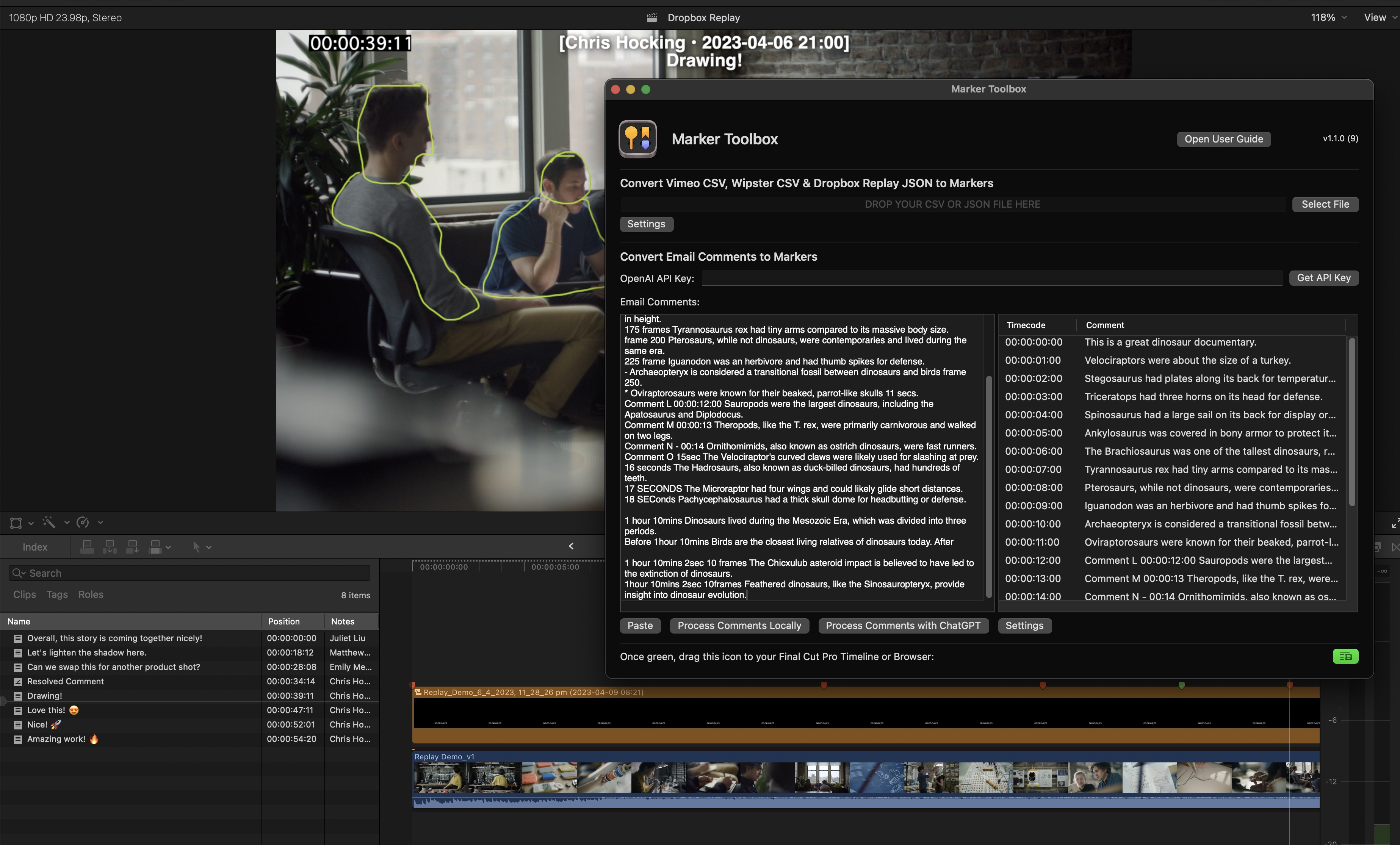
You can also OPTIONALLY use OpenAI's ChatGPT to help translate email comments into markers using your own personal OpenAI API key!
If you use Vimeo Review pages or Wipster to share video edits with clients to consolidate feedback, you can simply export a CSV file from Vimeo or Wipster, and drag it into the Workflow Extension to convert the comments into Markers within Final Cut Pro. It's fast and easy!
Dropbox Replay works exactly the same way, except Marker Toolbox will also import any drawn annotations!
Similar to Frame.io's Workflow Extension, the markers come in as a Compound Clip, that you can then "break apart" so that the markers are attached to the clips in your Primary Storyline, meaning that your clients comments stay in the correct position as you make revisions to the edit. For each marker, there's also a title, so that you can easily visually see the comments right in your Viewer - this is great if you need to export an edit with all your client feedback "burnt" into the export.
Replies and the date the comment was added can be included in the Marker names. It also takes "resolved" comments in Vimeo, Wipster & Dropbox Replay, and marks them as "completed" in Final Cut Pro!
You can also easily copy and paste client feedback from emails into the Workflow Extension. In most cases, you can use the "Process Comments Locally" button to use a custom-built algorithm that converts each line of text into a comment. However, you can also the power of OpenAI's ChatGPT to help translate more complicated feedback into markers. You can customise the ChatGPT prompt, and also pick the ChatGPT Model. You supply your own OpenAI API key, giving you full control.
This can be a MASSIVE time saver, as you can simply copy and paste a long list of email comments, and ChatGPT will do the work to convert them into easy-to-read Final Cut Pro markers, that you can then easily navigate via the Timeline Index.
Marker Toolbox requires Final Cut Pro 10.6.5 or later.
[!button text="Visit Website" target="blank" variant="info"](https://markertoolbox.fcp.cafe)
---
#### User Reviews
:::review
I’ve been absolutely flat out while working in Thailand.
[Wipsters](https://www.wipster.io) has been great, helping me manage projects and reviewers across four countries. Stoked [Marker Toolbox](https://markertoolbox.fcp.cafe) can send Wipster notes straight into #fcpx
_Alister Robbie via [Twitter](https://twitter.com/alisterrobbie/status/1664105856475238400)_
:::
:::review
Excellent addition to FCP
This is a great tool. I have my clients make notes on Vimeo, and Marker Toolbox lets me download a .csv of those comments and create markers on the FCP project/timeline at the proper locations, with notes visible and that will follow the clips as I move them. Once downloaded and installed it's easy. Downloading the .csv and running it through Marker Toolbox and adding the Markers to the project/timeline takes less than a minute, then you're ready to go. Really great find!
_Robert heinlein's son – May 31, 2023 (Apple App Store Review)_
:::
:::review
Amazing simple
I wanted an app like this since I started editing. Now for the first time I can process the comments I get via an e-mail on an edit from the start and not, as I usually do, begin at the end of the edit and work backwards.
_Blazy – Apr 6, 2023 (Apple App Store Review)_
:::
---
### Metaburner
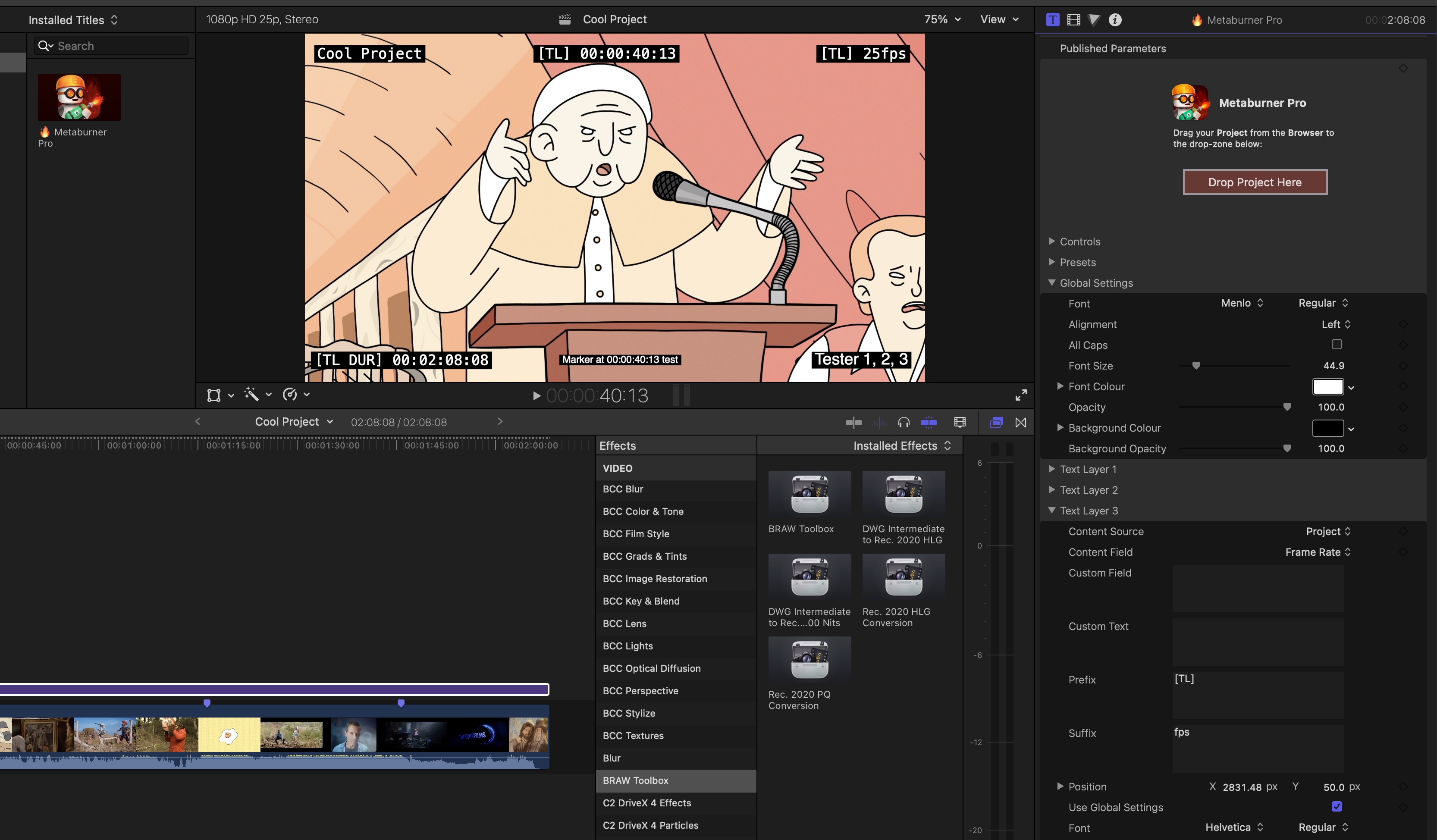
**Metaburner** is an Advanced Metadata Generator for Final Cut Pro.
!!!success Download Now!
You can download Metaburner via [FxFactory](https://fxfactory.com/install/metaburner) or on the [Mac App Store](https://apps.apple.com/app/metaburner/id6475315396).
!!!
You can access it via a **Title** in the Titles sidebar.
Metaburner gives you **25 text layers** that you can populate with whatever metadata you want.
You can even stack multiple Metaburner Titles on top of each other for **unlimited** metadata fields!
To begin, simply drag your Final Cut Pro Project from the Browser into the Metaburner Title Inspector via a drop zone, and then Metaburner has full access to everything that's in the FCPXML.
There's also a **Lua scripting environment** built-in, so you can even "code" your own text for unlimited possibilities.
You can even share Lua variables between multiple Metaburner titles for some crazy possibilities!
Got ideas or questions? Post them on our [Discussions page](https://github.com/latenitefilms/metaburnerpro/discussions)!
Found a bug? Post about it on our [Issues page](https://github.com/latenitefilms/metaburnerpro/issues).
You can learn [more about Metaburner](https://metaburner.fcp.cafe).

---
### News Import
**News Import** is a **Final Cut Pro Workflow Extension** that allows you to import **NewsML-G2** and **VPMS** metadata into Final Cut Pro.
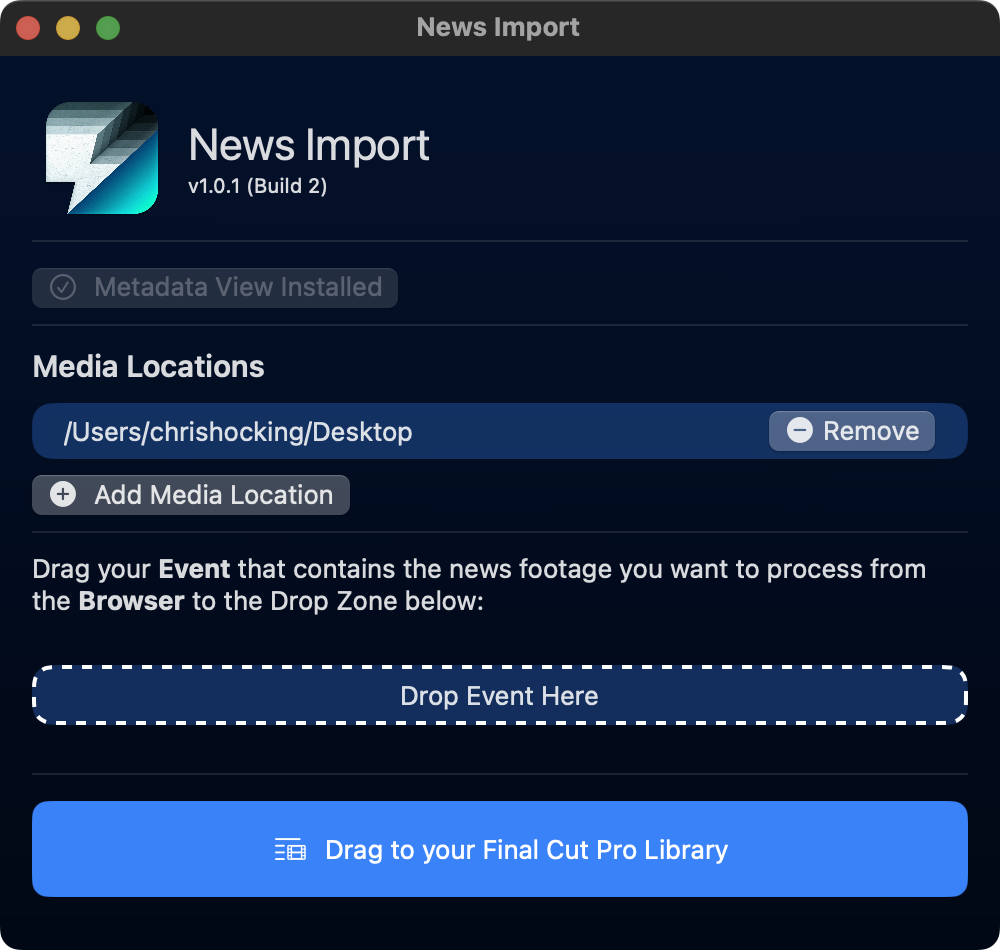
If you have footage that contains a `.newsml.xml` and/or `.vpms.xml` sidecar file, this tools allows you to access this metadata from within a supplied Final Cut Pro Metadata View.
This is useful if you're working with news outlets that use the NewsML-G2 standard or a VPMS system, and you need to reference this metadata for deliverables.
News Import works well alongside other 3rd party applications such as [Producers Best Friend](/ecosystem/tools/#producers-best-friend).
This is a simple niche app, that saves high-end professional assistant editors using Final Cut Pro hours of time.
Learn more [about News Import](https://newsimport.fcp.cafe).
---
### Notion Toolbox
**Notion Toolbox** is a macOS application for merging CSV files and importing data into Notion databases.
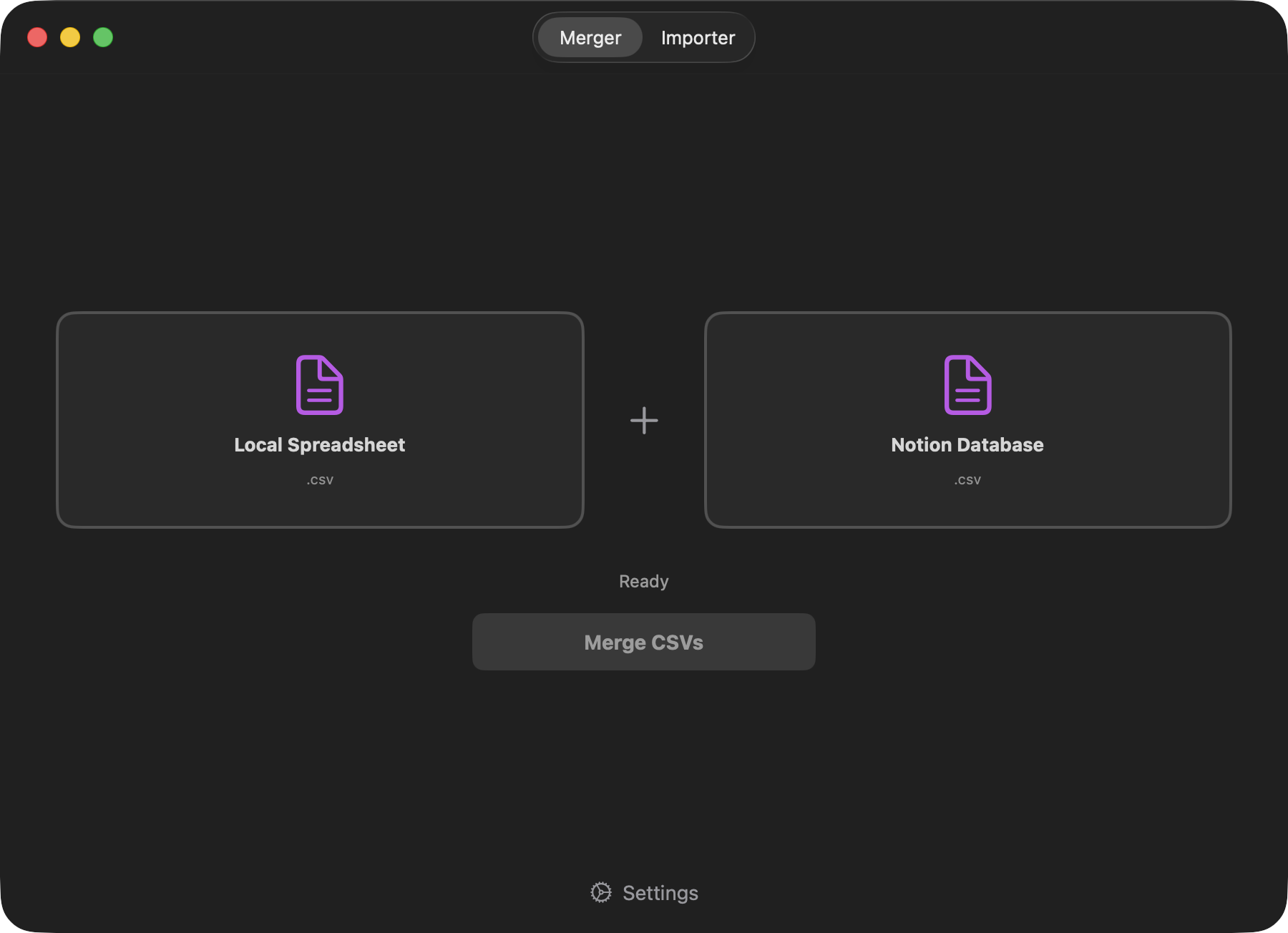
You can download and learn more on the [Notion Toolbox website](https://notiontoolbox.fcp.cafe).
---
### Recall Toolbox
**Recall Toolbox** is a Final Cut Pro Workflow Extension that acts as a Shared Pasteboard.
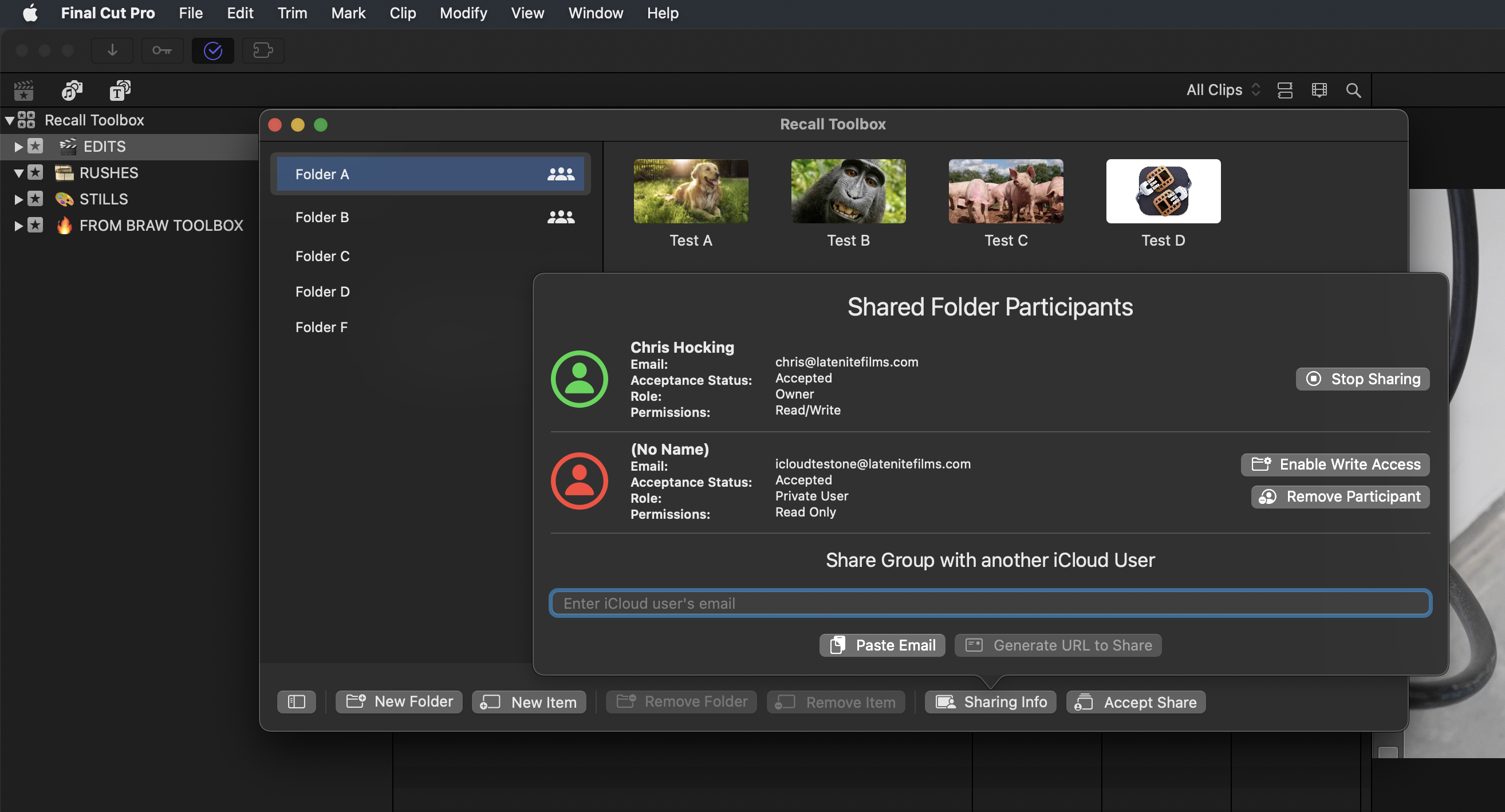
Anything that you can copy and paste in Final Cut Pro, Recall Toolbox can store.
#### Build for Final Cut Pro
There are third party tools like the amazing Copy 'Em (for Mac), but they're not quite as visual as Recall Toolbox, and they're not built from the ground up for Final Cut Pro users.
Recall Toolbox works as a Final Cut Pro Workflow Extension, so it's window position gets saved with your custom Workspaces.
Whilst CommandPost has had a Shared Pasteboard & Pasteboard Buffers for years, it's really optimised for Control Surfaces. You can access the Shared Pasteboard from the CommandPost menubar, and it is super powerful, but it's not as visual - you just get text, not a fully customisable thumbnail.
Recall Toolbox feels like a natural extension to Final Cut Pro, with a similar look and feel to Final Cut Pro's Effects Browser.
#### iCloud Sync
Recall Toolbox automatically syncs to ALL your devices on the same iCloud account automagically!
#### iCloud Sharing
You can share folders with other iCloud users, and control permissions. For example, you could have a "read only" folder that contains client logos for a current job!
[!button text="Visit Website" target="blank" variant="info"](https://recalltoolbox.fcp.cafe)
---
### ScriptStar
**ScriptStar** brings text-based editing to Final Cut Pro.
> [:icon-desktop-download: Click here to **buy** on the **Mac App Store**](https://scriptstar.fcp.cafe/buy/)
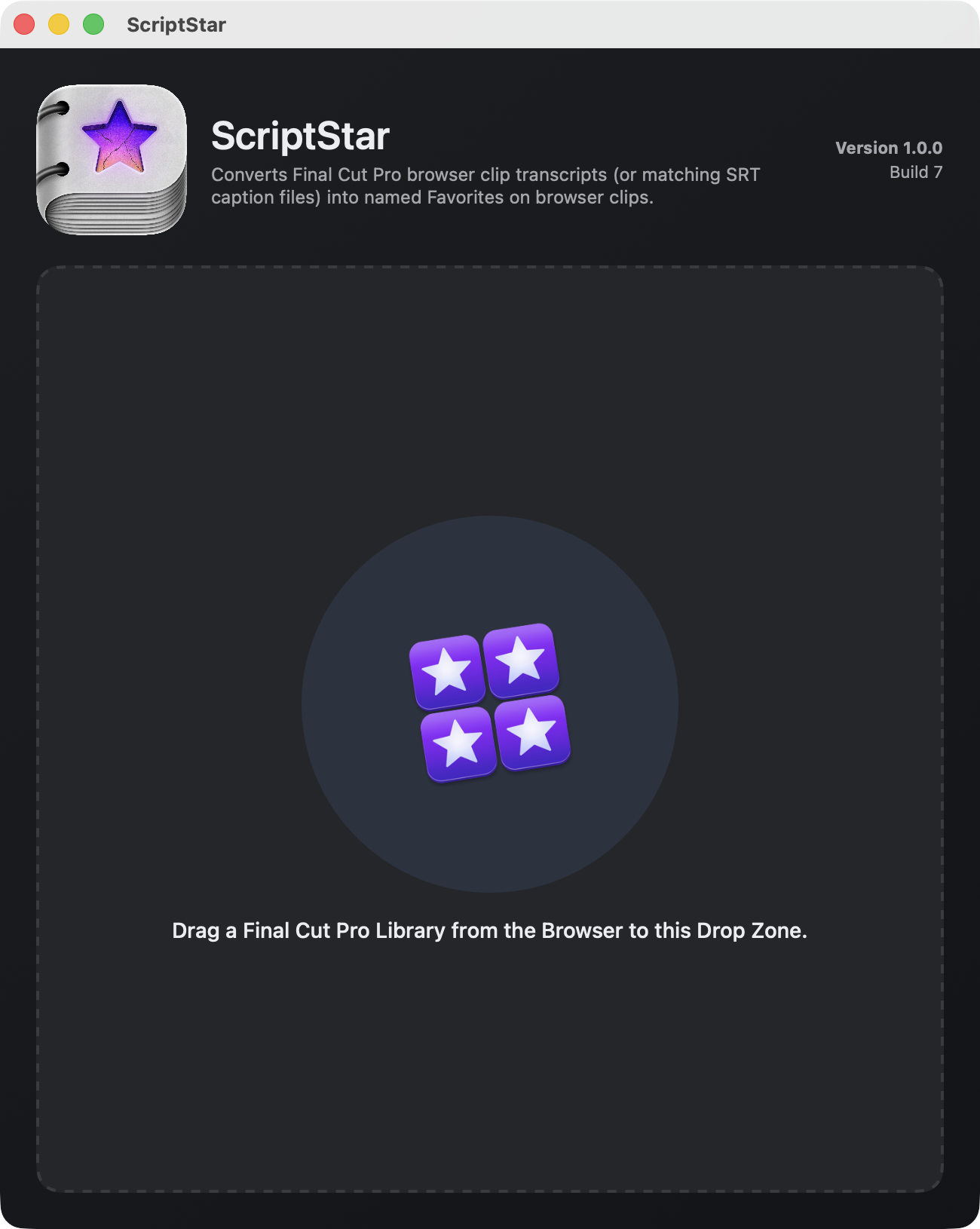
It converts Final Cut Pro’s built-in transcripts into named favourite ranges on the same browser clips. This lets you see exactly what was said, instantly select it, and add it to your timeline.
You can learn more on the [ScriptStar website](https://scriptstar.fcp.cafe).
---
### Transfer Toolbox
Transfer Toolbox allows you to convert **Final Cut Pro (for Mac)** Libraries into **Final Cut Pro (for iPad)** Projects!
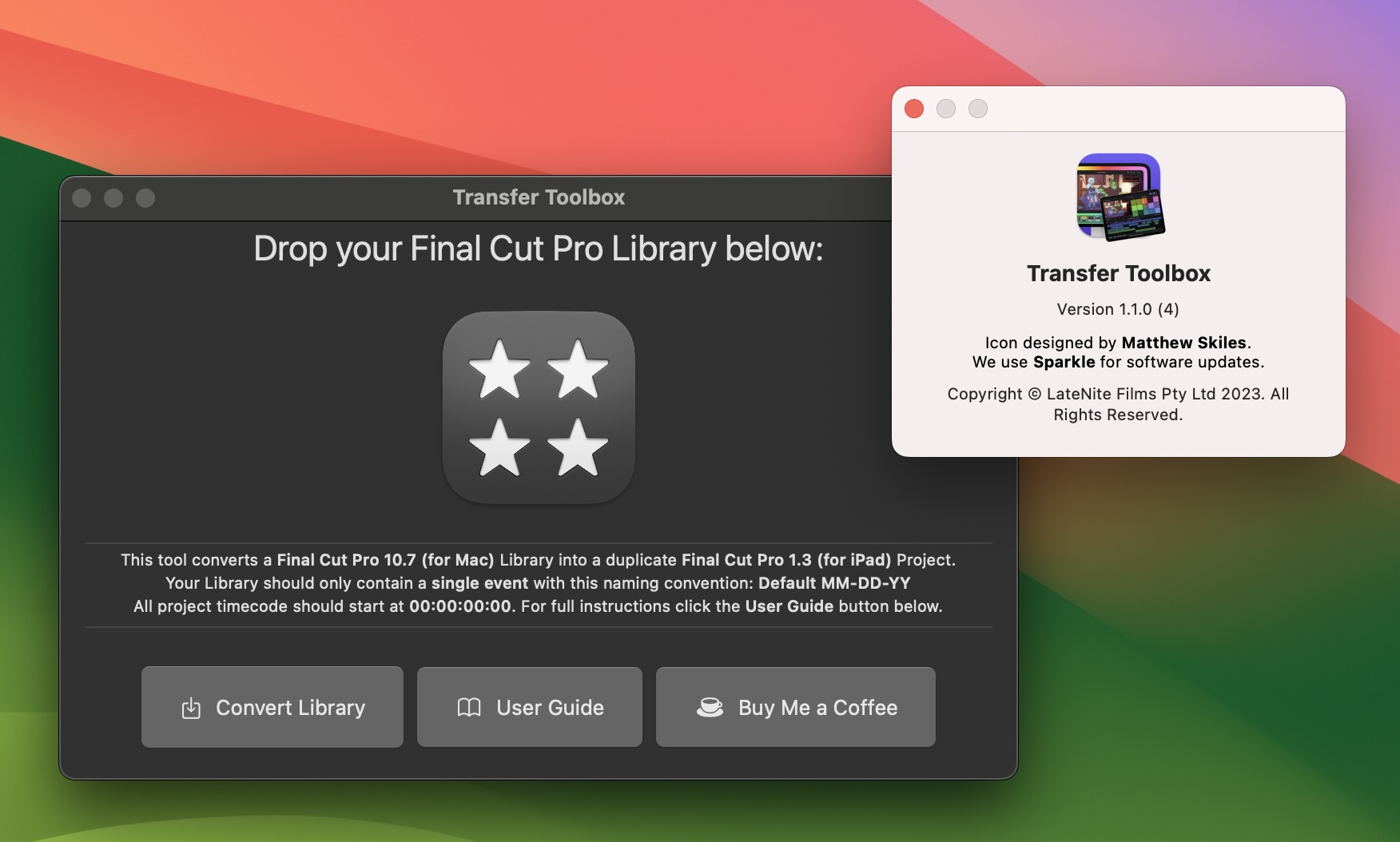
You can now easily get from your Desktop to your iPad!
Simply drag your existing Final Cut Pro library into the application's drop zone.
You should ensure your library only has a single event, and all project timecode starts at **00:00:00:00**.
All Motion Content and Media should be contained within the Library.
If you have custom fonts on the Mac Final Cut Pro library, you should manually install them on the iPad before importing the project.
[!button text="Visit Website" target="blank" variant="info"](https://transfertoolbox.fcp.cafe)
---
### VFX Toolbox
**VFX Toolbox** is for visual effects editors and post-production supervisors working with Final Cut Pro.
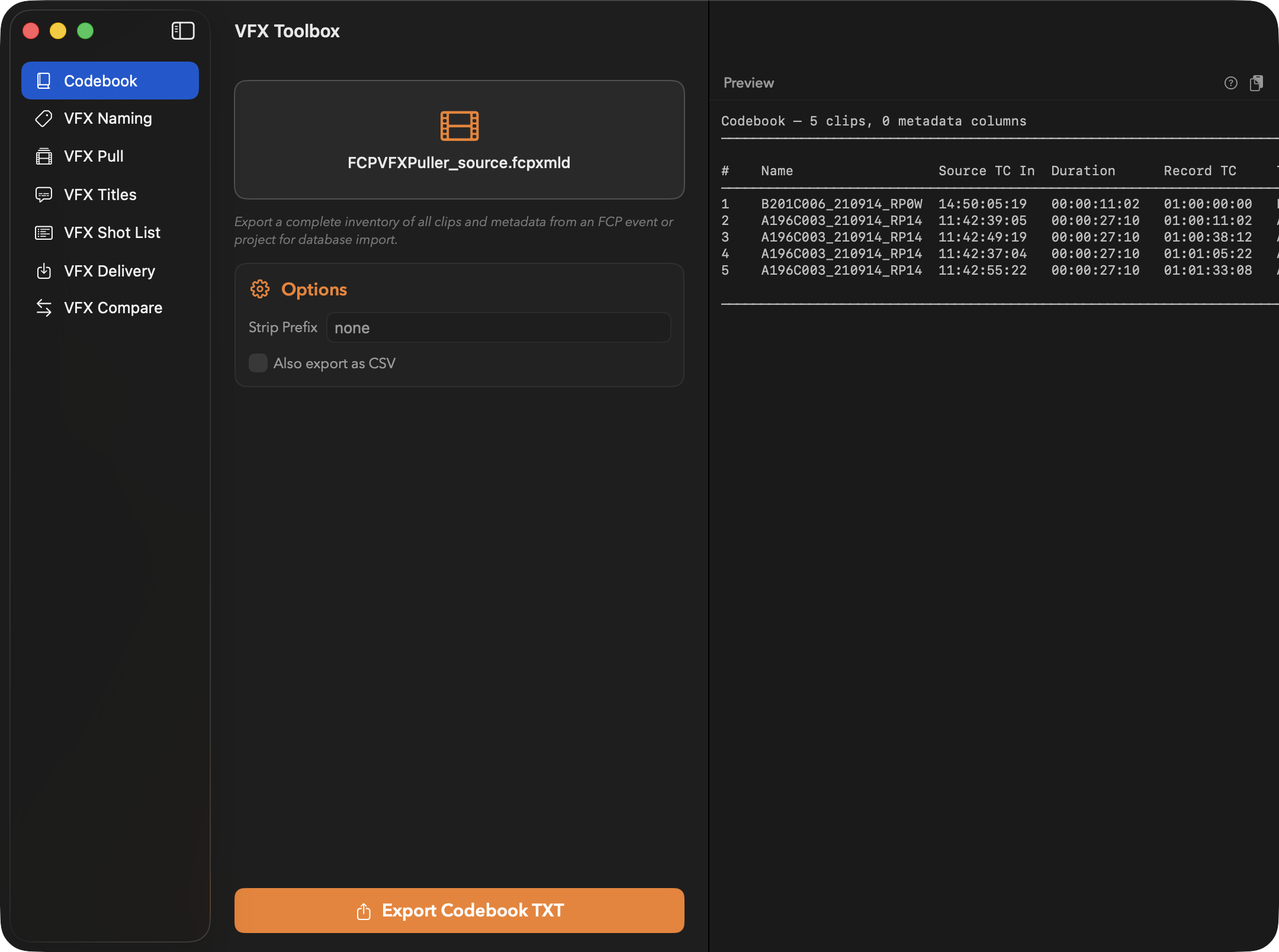
It provides seven integrated tools for pulling VFX plates from timelines, naming shots, generating title overlays, importing VFX deliveries, extracting shot lists, comparing versions, and exporting metadata codebooks - all driven by `FCPXML`.
You can download and learn more on the [VFX Toolbox website](https://vfxtoolbox.fcp.cafe).
---
## FxFactory
Here's some of our products currently for sale on the **FxFactory**:
---
### Metaburner
**Metaburner** is an Advanced Metadata Generator for Final Cut Pro.
!!!success Download Now!
You can download Metaburner via [FxFactory](https://fxfactory.com/install/metaburner) or on the [Mac App Store](https://apps.apple.com/app/metaburner/id6475315396).
!!!
You can access it via a **Title** in the Titles sidebar.
Metaburner gives you **25 text layers** that you can populate with whatever metadata you want.
You can even stack multiple Metaburner Titles on top of each other for **unlimited** metadata fields!
To begin, simply drag your Final Cut Pro Project from the Browser into the Metaburner Title Inspector via a drop zone, and then Metaburner has full access to everything that's in the FCPXML.
There's also a **Lua scripting environment** built-in, so you can even "code" your own text for unlimited possibilities.
You can even share Lua variables between multiple Metaburner titles for some crazy possibilities!

Got ideas or questions? Post them on our [Discussions page](https://github.com/latenitefilms/metaburnerpro/discussions)!
Found a bug? Post about it on our [Issues page](https://github.com/latenitefilms/metaburnerpro/issues).
You can learn [more about Metaburner](https://metaburner.fcp.cafe).

---
## Collaborations
In addition to our own **LateNite** apps, we also work closely with other developers...
---
### Jumper
Introducing **Jumper** by Witchcraft Software in Sweden. 🇸🇪
**A powerful AI search engine for your footage.**
**No clouds. No uploads. All on device.**
Please watch this launch video on YouTube:
[](http://ltnt.tv/jumper)
You can also watch a detailed tutorial video [here](https://docs.getjumper.io/videos/).
I’m very biased, but it’s amazing. I basically describe it as **Spotlight for your NLE**.
You should stop reading this and go download it now from [here](https://getjumper.io/?ref=fcpcafe).
You can learn more about my involvement via [this FCP Cafe news article](https://fcp.cafe/news/20241106/).
---
### FCP Template Manager
The missing template (aka "Plug-Ins" or "Effects") manager for Final Cut Pro. Fast search, favorites, tagging, profiles, missing template repair wizards, and way more. Completely free.
Created by RobToEarth.
Chris sponsored **FCP Template Manager** by funding a new icon design, created by the incredible [Matthew Skiles](https://matthewskiles.com), as well as providing technical ideas/feedback on the product.
You can download and learn more on the [FCP Template Manager website](https://robtoearth.com).
---
### Motion Template Version Fixer
The most common reason for the ugly red screen of death on a plugin in Final Cut Pro is due to a versioning issue.
The Motion Template Version Fixer solves that.
The technical name for these versions are OZML and Display Versions... But all you need to know is that this app fixes it... fast!
Features:
- Elegant Easy to use interface.
- Fully integrated backup system, with easy recovery.
- Incredibly fast processing.
- No subscriptions. All updates will be free... forever!
Chris helped Dylan migrate his original Python code-base to Swift/SwiftUI.
You can buy Motion Template Version Fixer on [Dylan's online store](https://fcbplugins.com/b/motiontemplatefixer).
---
### Arctic
Arctic (previously Final Cut Library Manager) is your single-view source of truth for all your Final Cut Pro libraries, whether they are connected or in a cupboard. Locate media, assets, caches, and clean up what you no longer need.
Chris is the Lead Developer on Hedge's Arctic, and also helps out with other Hedge applications such as [EditReady](https://hedge.co/products/editready).
You can learn more [about how this happened](https://blog.hedge.video/a-new-home-for-final-cut-library-manager/).
You can learn more [about Arctic](https://hedge.co/products/arctic).
---
### BretFX
BretFX is a leading provider of plugins, effects, titles, transitions and templates for Final Cut Pro.
Chris helped Bret throw together a Swift/SwiftUI installer, bringing BretFX to the Apple App Store.
You can check out [BretFX's apps on the Mac App Store](https://apps.apple.com/au/developer/poptop-production-llc/id1744600123).
---
### Marker Data
The avant-garde Marker extraction application crafted for Final Cut Pro. It allows users to extract, convert and create databases from Final Cut Pro’s Marker metadata effortlessly.
Chris helped Vigneswaran Rajkumar right throughout the Marker Data development process from the initial idea through to release, and threw together [ShareDestinationKit](https://github.com/latenitefilms/ShareDestinationKit) to help get Custom Share Destinations working.
You can learn more [about Marker Data](https://markerdata.theacharya.co).
---
## Handy Utilities
Here's some handy little utilties we've throw together for free on GitHub...
---
### Rename Avid MXF Files
This simple Python script is used to rename MXF files generated from Avid Media Composer to match the **Package Name** in their metadata.
The script can process a **single file** or a **folder** containing multiple MXF files.
This is useful if you want to move native Avid MXF files from Avid Media Composer to Final Cut Pro.
This script is very basic, and doesn't contain any special error handling or messaging. It may not work in all use cases.
You should duplicate the MXF files you want to process prior to using, as there's no "undo" once you run the script.
Learn more [about Rename Avid MXF Files](https://github.com/CommandPost/RenameAvidMXFFiles).
---
## In Development
To follow along with the latest LateNite creations, the best place is [Discord](https://ltnt.tv/discord), where we post TestFlight links and exclusive sneak peaks!
Here's a **sneak peak** of some of the things we have in various stages of development:
---
### SplitTake
A simple Swift/Swift UI application for capturing your screen, webcam and external microphone to ProRes for editing in Final Cut Pro.
---
### SyncScript Pro
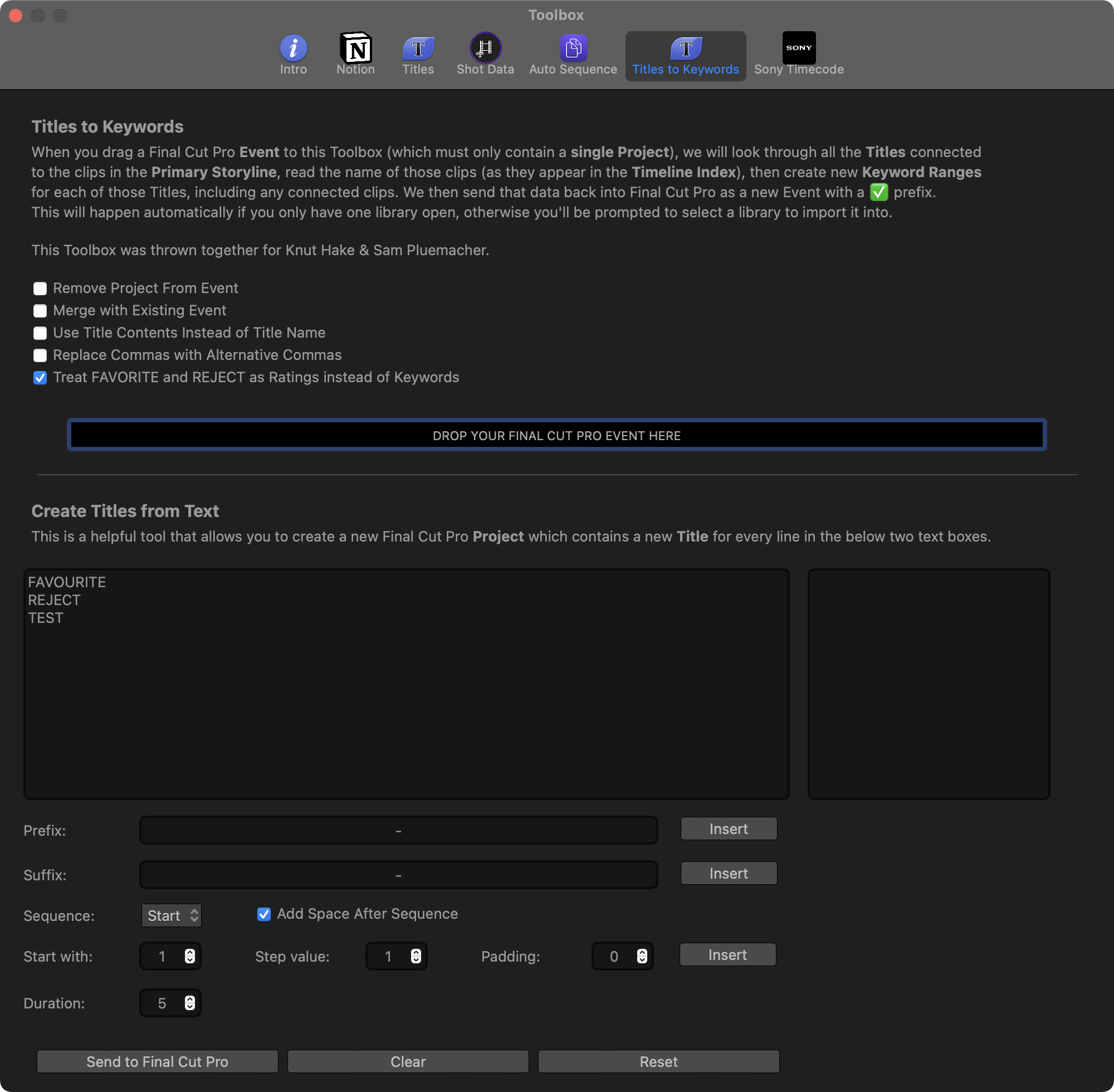
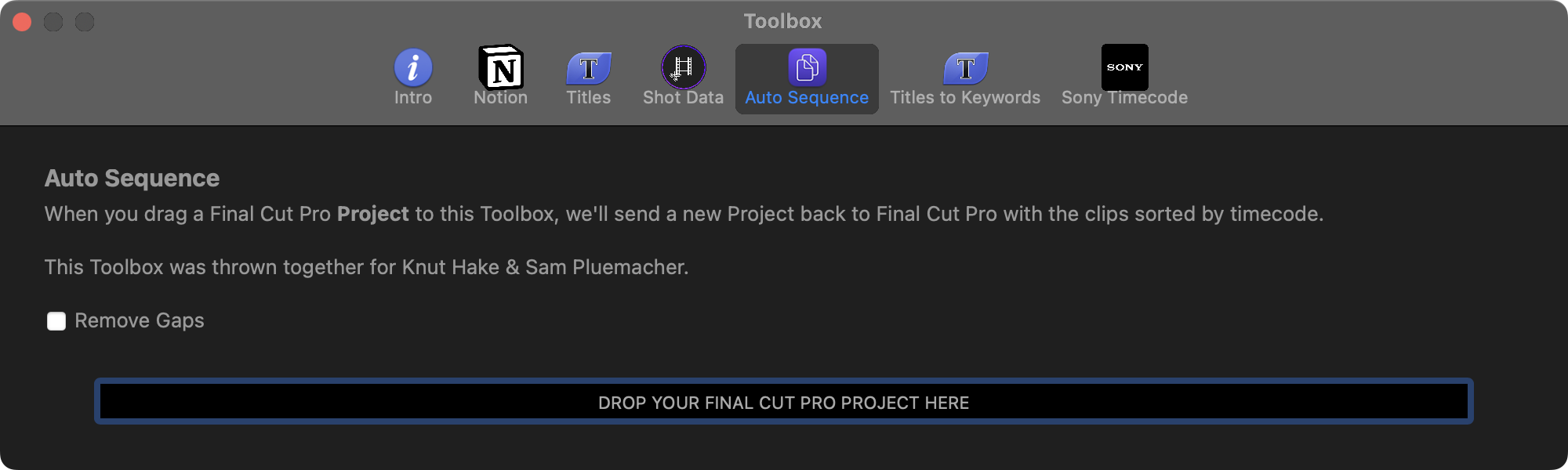
**SyncScript Pro** (previously referred to as **Assistant Toolbox**) will be a Workflow Extension that spins out **Titles to Keywords** and **Auto Sequence** from CommandPost.
It'll include various improvements and enhancements to make the job even easier for Assistant Editors working on long-form feature film projects.
This project is currently at the exploration and experiment stage.
Here's what the Toolbox's currently look like in CommandPost:
---
### Timecode Toolbox
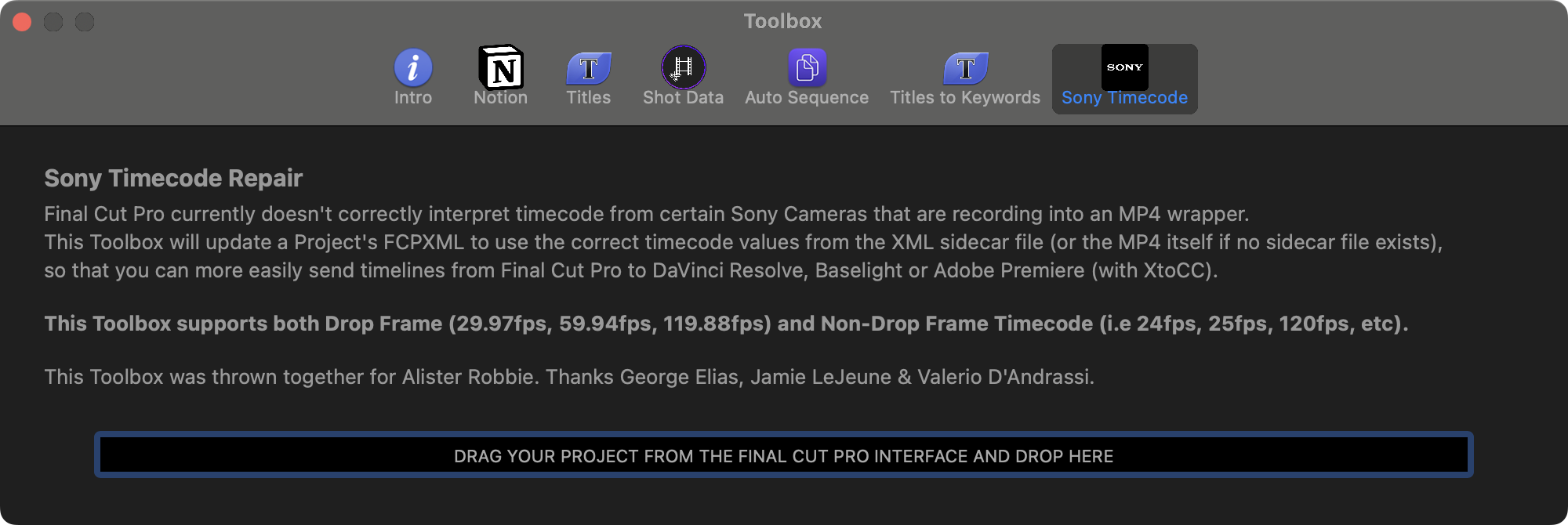
We're spinning out the **Sony Timecode Repair Toolbox** from [CommandPost](https://commandpost.io) and making it a standalone app.
In addition to the current functionality, you'll also be able to modify the original camera files to add Final Cut Pro friendly timecode.
Here's what the Toolbox currently looks like in CommandPost:
---
### Library Duplicator
Ability to quickly create a shareable Final Cut Pro library, which also consolidates Motion Templates and Fonts.
---
### FCP Preferences Cleaner
Inspect and clean your Final Cut Pro Preferences, rather than "trashing" them.
---
### RAW Toolbox
Following in the footsteps of [BRAW Toolbox](#braw-toolbox), RAW Toolbox will initially add **Nikon N-RAW** support to Final Cut Pro.
This is probably less relevant now that we have MediaExtension's built into the operating system, but we'll see what happens with Blackmagic's BRAW MediaExtension ships.
---
### Import Toolbox
**Import Toolbox** will be a Workflow Extension that allows you to import files with better metadata and preset controls (i.e. clip volume).
We will also be spinning out the **Watch Folders** from CommandPost and moving them into this app.
---
### Magic Toolbox
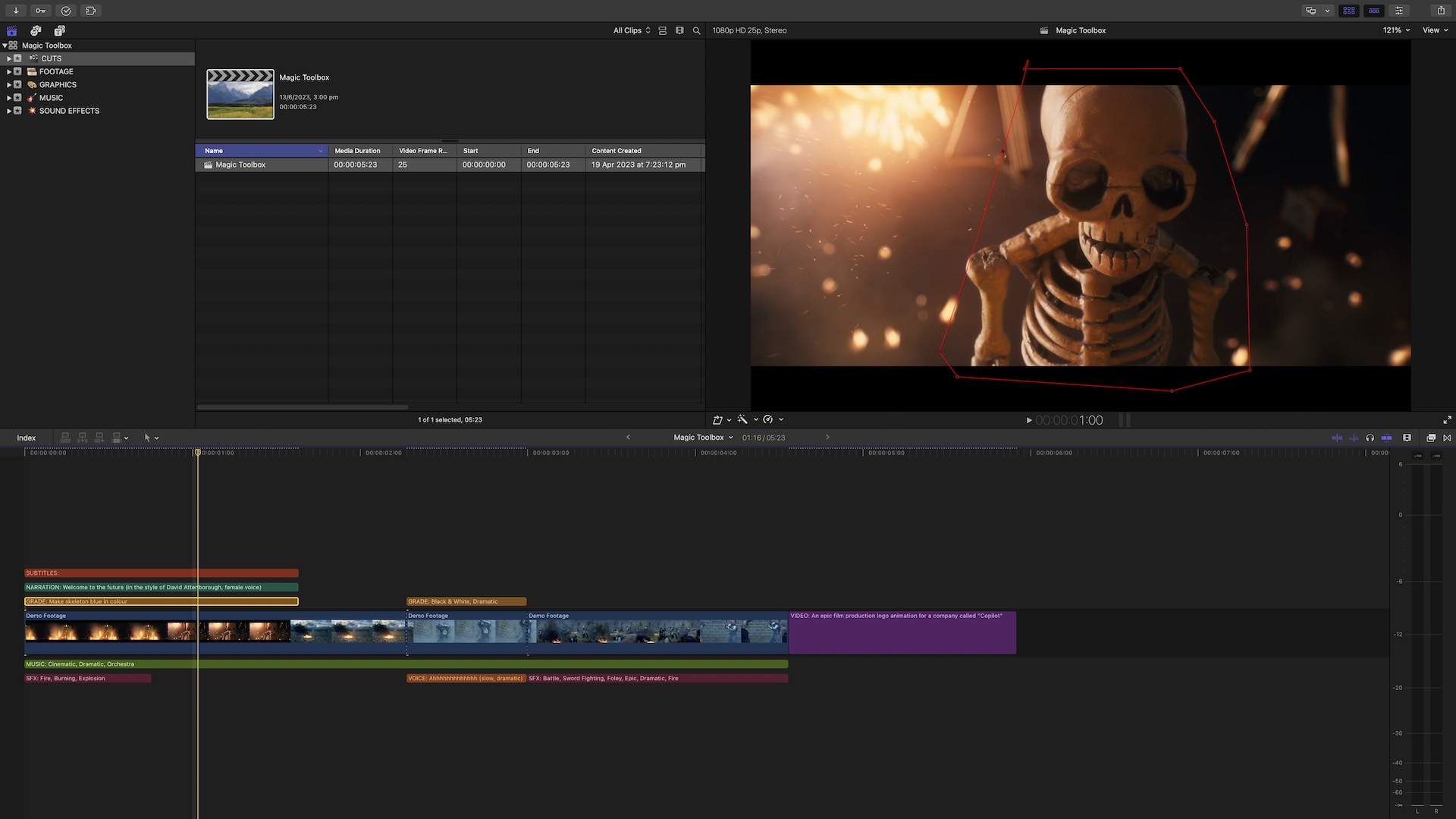
**Magic Toolbox** is our first Machine Learning experiment.
You'll be able to add **Titles** to the timeline, to trigger Machine Learning actions such as:
- **SUBTITLES** - Analyses the audio and adds subtitles
- **NARRATION** - Turns text into speech in a narration tone
- **VOICE** - Turns text into speech based on your description
- **GRADE** - Adds Color Effects based on your description
- **MUSIC** - Adds stock music or machine learning generated music based on your description
- **SFX** - Adds sound effects from places like FreeSound.org
- **VIDEO** - Adds machine learning generated video based on your description
Magic Toolbox will use existing services like [ChatGPT](https://chat.openai.com) and [ElevenLabs](https://beta.elevenlabs.io) - and it'll be BYO API Key (subject to Apple's approval).
---
## Discuss this page